


I currently have a table with months and years in the columns and metrics in the rows.
I want to have a YoY% appear as a column after each year for all metrics. i.e. FY26 | YoY% | FY27 | YoY% |
Is this possible and if so, how to I go about it?

Solved
Adding YoY% columns to a table
- Author
Best answer by GaneshD
Hi,
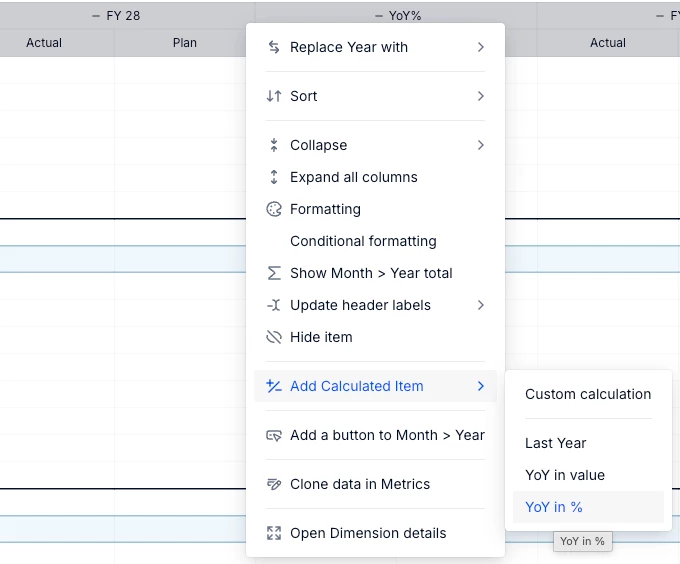
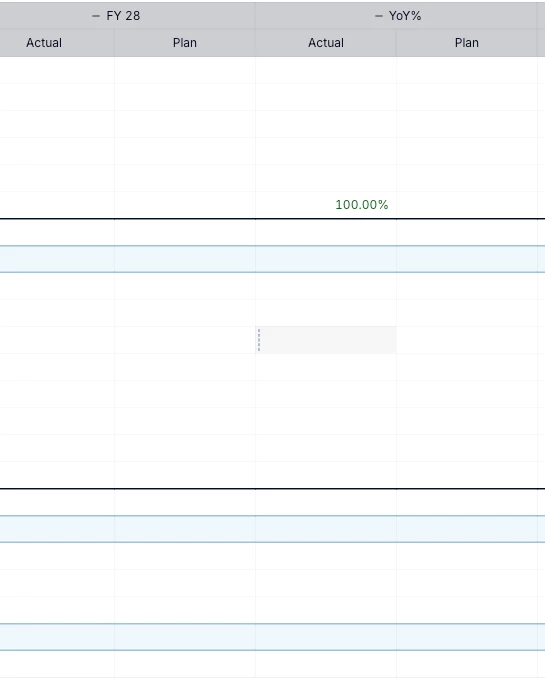
The easiest way is to right click on the year column header (Ex. FY28) and add Calculated details field which has a few presets to choose from. You can choose a YoY% as an option and the same will be auto calculated and created as a column. You can experiement with this feature for the placement of the column or which column to use as a basis to have your YoY% values.



Log into the Pigment Community
No account yet? Create an account
Single Sign-On Need help?
Log in with your Pigment accountEnter your E-mail address. We'll send you an e-mail with instructions to reset your password.