


Hello everybody!
I'm trying to use a number-metric in which I have ranked all GL accounts as a mapping metric. I would like to allocate planned costs on level 2 to level 1 based on the top ranked L1 within each L2.
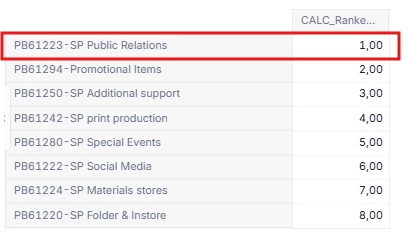
My ranking metric produces this output. Based on this, I would like to allocate the costs that are planned on a higher level to PB61223.
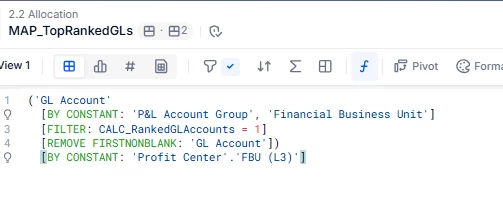
Can you point me in the right direction on how to go about this? I'm getting stuck in converting a number metric to a dimension metric. I have tried something like this but it doesn't work:
IFDEFINED(FIL_TopRankedGLs[BY MIN: FIL_TopRankedGLs.’GL Account’] , ‘GL Account’ )