

Hi,
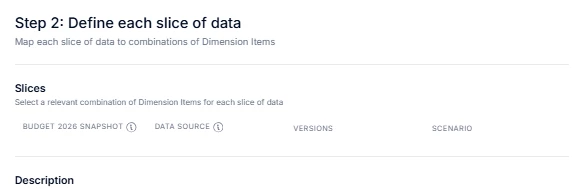
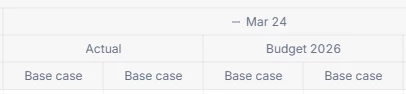
I want to compare the data coming from 2 differents versions (Actual and Budget 2026) and scenarios (Base case and Snapshot 11-12- 2026):
1)First version and scenario: Actual - Base case
2)Second version and scenario Budget 2026- Snapshot 11-12- 2026
How can do it so i can display these 2 columns (1) and 2)) instead of the 4 different columns below ?
In addition, how can i compare the 1) and 2) in a calculated item ? Currently i don’t see the option to select a snapshot in a calculated item.
Thanks for your help