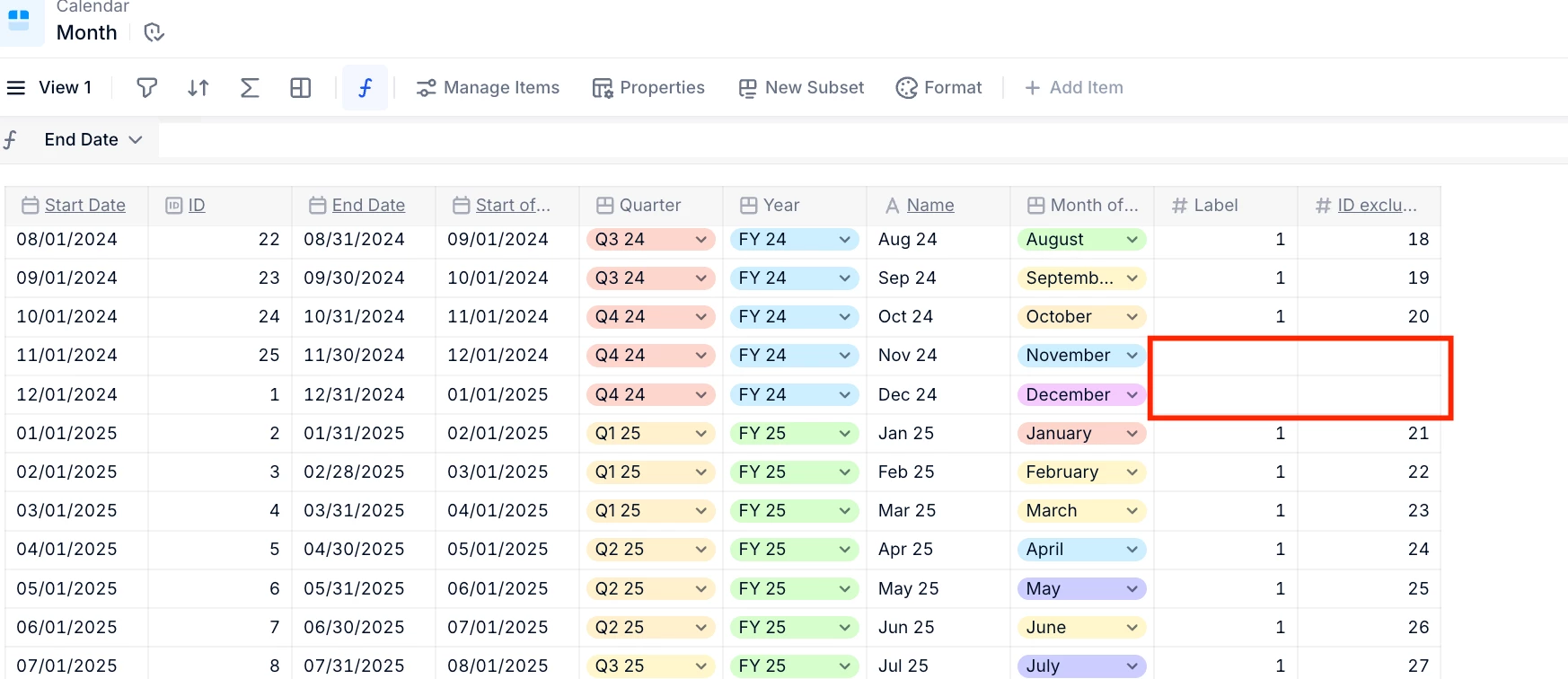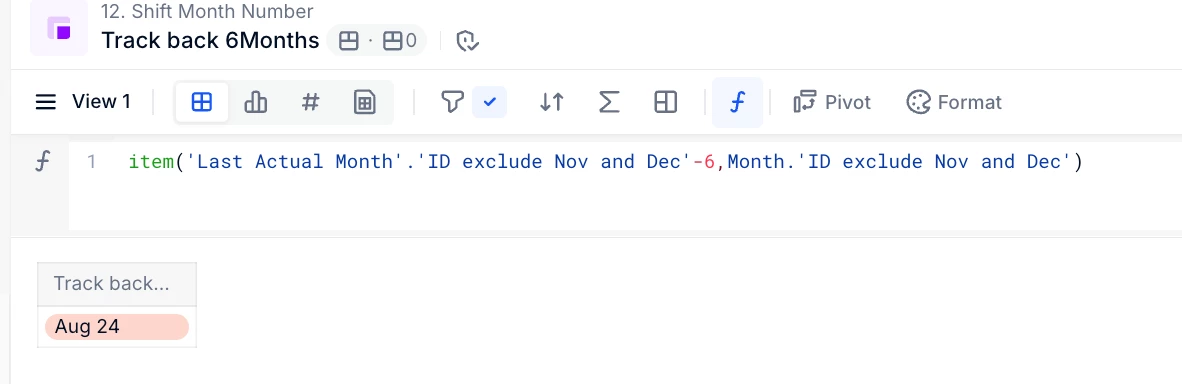


Essentially, I want to skip the months of November and December when creating an offset. I’m offsetting the ‘Last Actuals Month’ by 6 to generate a 6 month lookback window and I’m struggling to find a way to get Pigment to recognize and skipover the months of November and December in that window.
Example: If my Last Actuals Month is set to April 25, I would want my output to be August 25 instead of October 25
I got something like this to output:
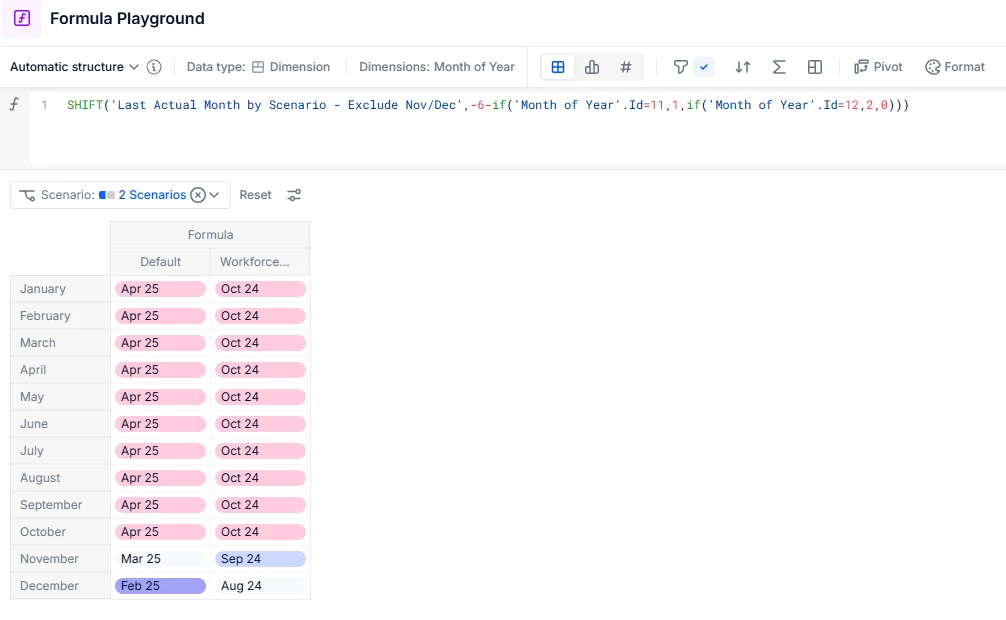
which is almost working but I don’t need Month of Year in the end structure and I can’t just uniformly remove it since in the screenshot, it’s only working properly if I was to remove December for the ‘Workforce’ scenario.
Is there a way I can index a 10-month calendar and use that in the shift instead of a blanket ‘-6’?
Has anyone faced an issue like this?