Solved

Hub Shared Dimensions not showing in Application Metric Settings

  • Dec 11, 2024 11:28 PM UTC
  • 2 replies
  • 361 views

JDLove
Author
Forum|alt.badge.img+9

Basic newbie question, I have a sample Hub that has the shared dimensions, I am building a test application but I cannot seem to get the shared dimensions to show as options in the Metric Settings. 

I can see the Hub Dimensions are showing as shared.

I can see the Hub Application is showing as shared.

Thanks 

JDLove


Best answer by Keiran

Hey JD!

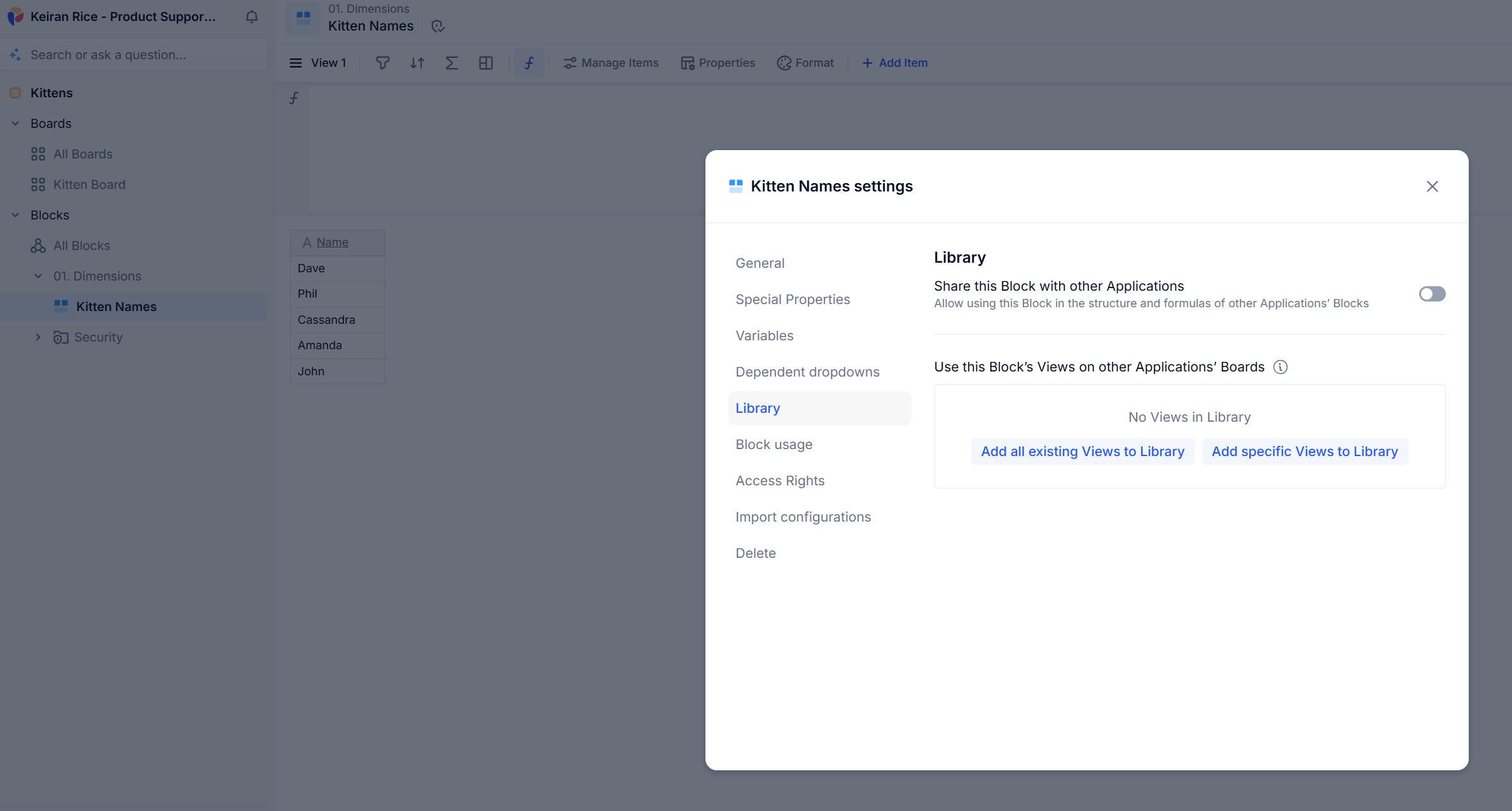
To do this, you need to go to the block settings for the block you want to share and ensure that ‘Share this Block with other Applications’ is enabled


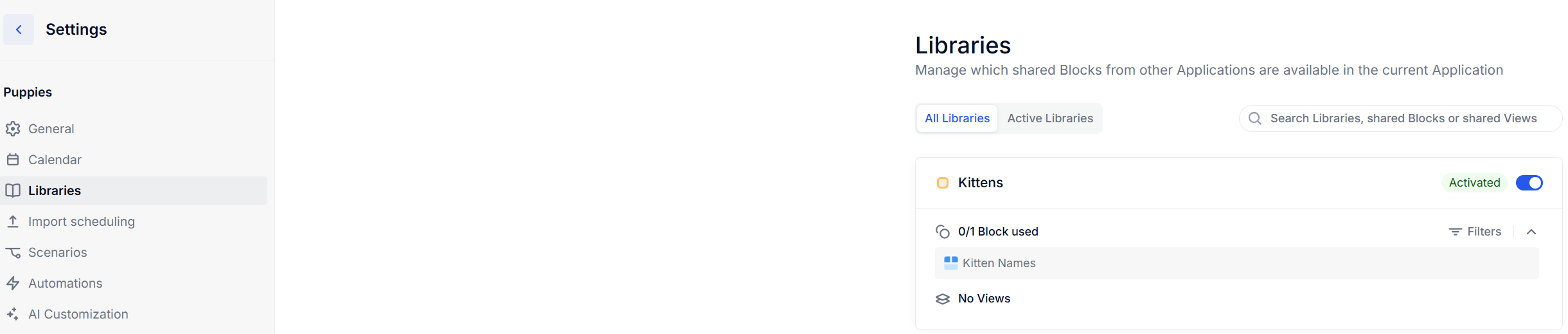
And then in your other application, go to Settings → Libraries and enable the blocks from the source application

 

You’ll then be able to use this!


Hopefully this helps! :)


View original

2 replies

Keiran
Wallflower
Forum|alt.badge.img+11
  • Wallflower
  • Answer
  • Dec 13, 2024 11:51 AM UTC

Hey JD!

To do this, you need to go to the block settings for the block you want to share and ensure that ‘Share this Block with other Applications’ is enabled


And then in your other application, go to Settings → Libraries and enable the blocks from the source application

 

You’ll then be able to use this!


Hopefully this helps! :)


JDLove
Author
Forum|alt.badge.img+9
  • Author
  • Author
  • Dec 14, 2024 2:40 AM UTC

Thanks Keiran,


Works great, thanks for the prompt response and clear information.