

Question

Multiple Currency Conversions to Multiple Reporting Currencies

  • January 27, 2026
  • 2 replies
  • 35 views

I have a P&L that is reported at a local currency.  The department for each line is what controls the currency, and there are over 20 currencies being used.  Reporting needs to be available in Local and four other reporting currencies.  I have a filter to reduce the number of currencies. 
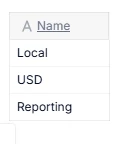
Currency Filter

and a reporting currency dimension, that has currency mapped to it.
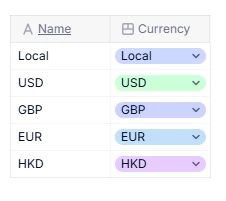
Reporting Currency

I’ve been able to convert from local to USD, then from USD to Reporting Currency, but I haven’t been able to go directly from local to reporting without either timing out or having too many blocks to complete the calculation.  Any ideas are welcome, thanks!

2 replies

Nathan
Employee
Forum|alt.badge.img+12
  • Employee
  • January 27, 2026

This is a light calculation, you must have done a misstep somewhere.
 

We Recommend doing this in 3 steps:

FX Rate by Currency, Month & Version, 

the rate to your group currency, USD


Then a conversion Dimension, which you have (LC, Reporting, USD) and its metric FX Multiplier (or divider depending on the sense you choose), by Conversion, Month, version and Department.

Formula should be:

If(Conversion=Conversion.”Local”, 1,
IF(Conversion=Conversion.”Reporting”, FXRate[select:Department.LocalCurrency]*FXRate[select:Department.reporting,

IF(Conversion=Conversion.”USD”, FXRate[select:Department.Local]))


Then simply multiply your LC metrics by FX Multiplier (and ensure you have the conversion dimension).

You can ask your CSM or support to get the Core Reporting and Hub app where this calculation is available


ps: I wrote that without checking in Pigment, might have misspelled


  • Author
  • Apprentice Author
  • January 28, 2026

Yep, I had a misstep at the last part applying the conversion to the department.  It’s resolved now, thank you.