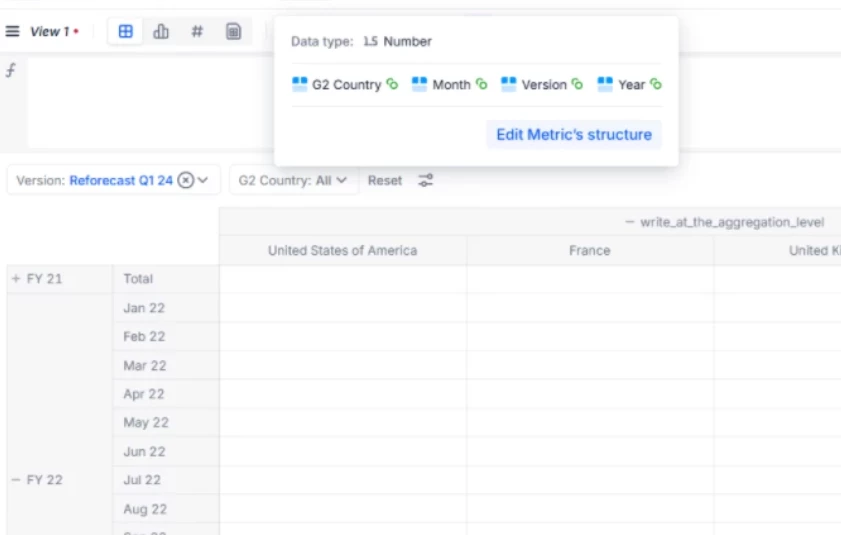
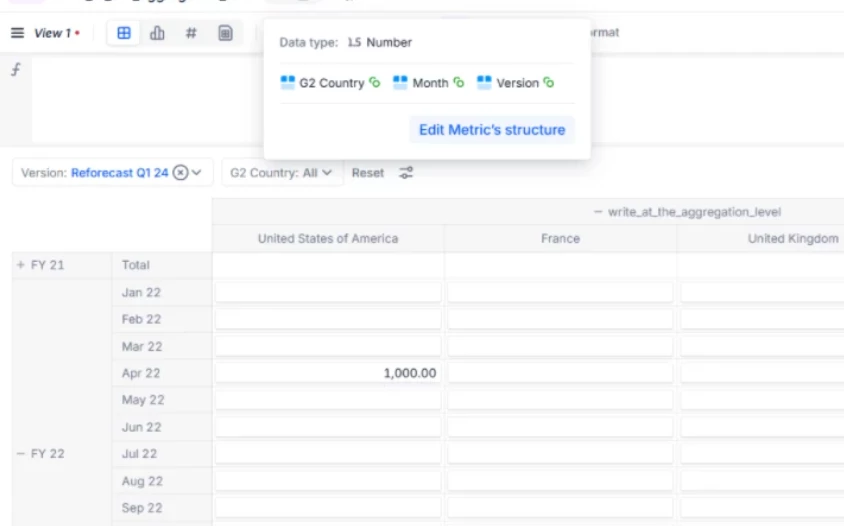
I have two questions regarding input configuration in Pigments.
1. Conditional input depending on the version
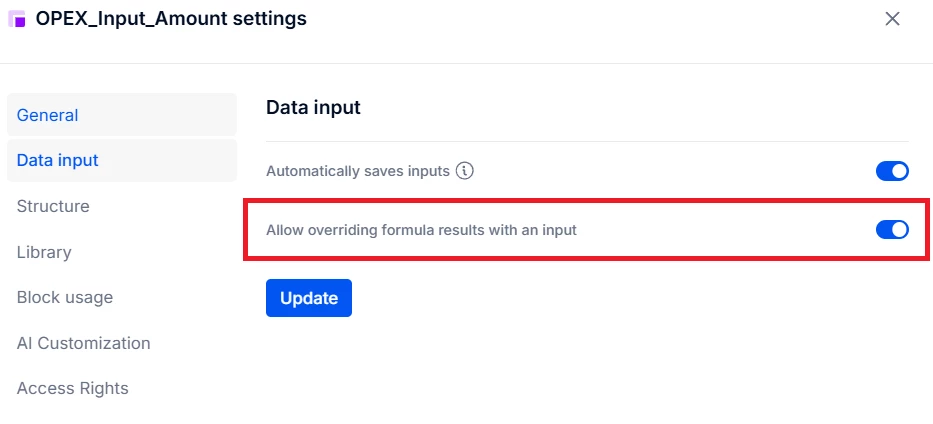
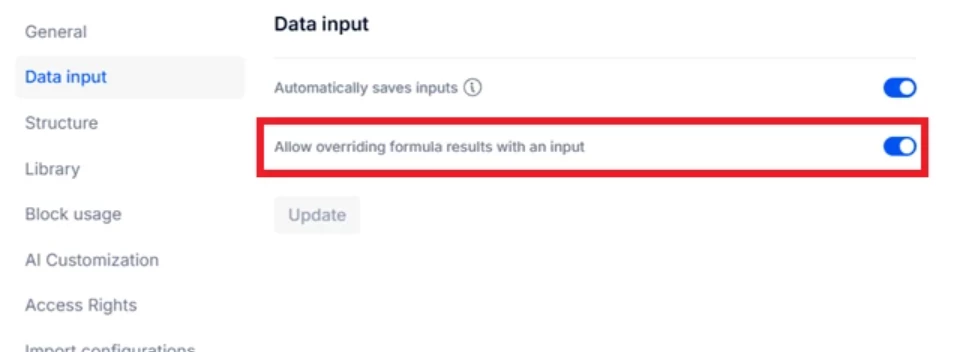
When I enable data input in the metric settings (by checking “Allow overriding formula result with an input”), the input becomes available for all cells.
However, I would like to enable input only for specific periods depending on the selected version. For example, for the Forecast Q2 version, the cells should be editable only from Q2, while Q1 should remain read-only because it contains actuals.
Is there a way to restrict input to specific periods depending on the version?
2. Input at an aggregated level
I’ve noticed that when I select data at an aggregated level (for example, “All countries”), input is automatically disabled and the cells become read-only, which is expected. However, from my experience, some clients could request the ability to enter data at the aggregated level.
Is there any possibility to enable input at aggregated levels, or is this not supported in Pigments?
Thanks a lot for your help!
Best regards,
Best answer by Johnson Akinpelumi
1. Conditional input depending on the version: You need to define a "Write Rule" based on a condition.
Create a Helper Metric (Boolean):
Create a new Metric (e.g., named Is_Editable_Period).
Dimensions: Version and Time.
Formula: Time >= Version.Switchover_Date (Assuming you have a property on your Version dimension defining the start of the forecast). If you don't have a switchover date property, you can hardcode the logic or reference the "Current Date."
This metric should return TRUE for future periods (editable) and FALSE for past periods (actuals).
Configure Access Rights:
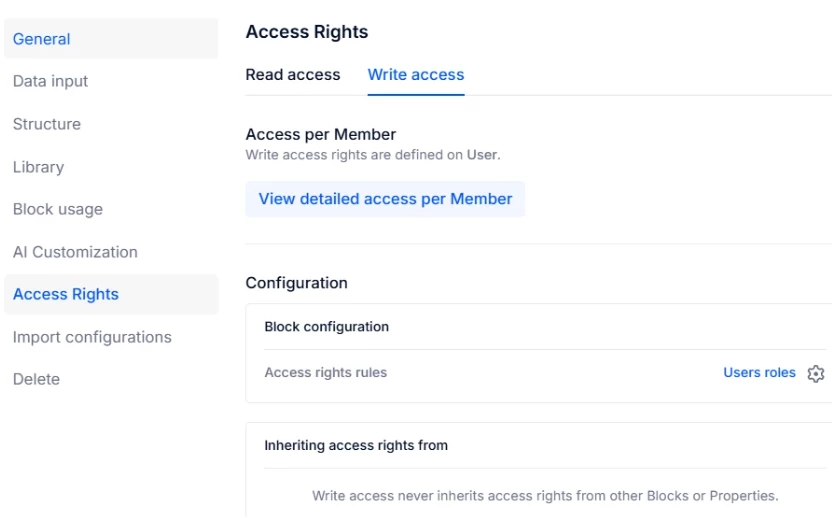
Go to Settings > Security > Access Rights.
Select the Role you want to restrict (e.g., "Planner" or "Everyone").
Go to the Data Access tab.
Add a rule for your specific Metric (OPEX_Input_Amount).
Set the Write Access condition to use the Is_Editable_Period metric you created in step 1.
Users will be able to see the cells for Q1 (Actuals) as "Read-Only" (usually greyed out), while Q2 onwards will be open for input.
2. Input at an aggregated level
Yes, this is supported in Pigment. This feature is typically called Break-back or Splashing.
If input is currently disabled at the aggregate level, check the following:
Aggregation Mode: Ensure the metric's aggregation is set to Sum. If the aggregation is set to something non-additive (like Average, Min, Max, or Formula), Pigment cannot logically distribute the value down to the children, so it locks the cell.
Formula Logic: If the metric is calculated via formula and you are using "Override," ensure the formula logic exists at the granular level.
Distribution Logic: When you type a number into a parent cell (e.g., 1000 into "All Countries"), Pigment needs to know how to split it. By default, it uses Proportional distribution based on existing values in the child cells. If all child cells are 0 or empty, it usually splits them equally.
How to verify:
Check the Block settings for the Metric.
Ensure the "Aggregation" setting is set to Sum.
If it is set to Sum and still locked, verify that there are no Access Rights specifically blocking write access to the aggregate level.
1. Conditional input depending on the version: You need to define a "Write Rule" based on a condition.
Create a Helper Metric (Boolean):
Create a new Metric (e.g., named Is_Editable_Period).
Dimensions: Version and Time.
Formula: Time >= Version.Switchover_Date (Assuming you have a property on your Version dimension defining the start of the forecast). If you don't have a switchover date property, you can hardcode the logic or reference the "Current Date."
This metric should return TRUE for future periods (editable) and FALSE for past periods (actuals).
Configure Access Rights:
Go to Settings > Security > Access Rights.
Select the Role you want to restrict (e.g., "Planner" or "Everyone").
Go to the Data Access tab.
Add a rule for your specific Metric (OPEX_Input_Amount).
Set the Write Access condition to use the Is_Editable_Period metric you created in step 1.
Users will be able to see the cells for Q1 (Actuals) as "Read-Only" (usually greyed out), while Q2 onwards will be open for input.
2. Input at an aggregated level
Yes, this is supported in Pigment. This feature is typically called Break-back or Splashing.
If input is currently disabled at the aggregate level, check the following:
Aggregation Mode: Ensure the metric's aggregation is set to Sum. If the aggregation is set to something non-additive (like Average, Min, Max, or Formula), Pigment cannot logically distribute the value down to the children, so it locks the cell.
Formula Logic: If the metric is calculated via formula and you are using "Override," ensure the formula logic exists at the granular level.
Distribution Logic: When you type a number into a parent cell (e.g., 1000 into "All Countries"), Pigment needs to know how to split it. By default, it uses Proportional distribution based on existing values in the child cells. If all child cells are 0 or empty, it usually splits them equally.
How to verify:
Check the Block settings for the Metric.
Ensure the "Aggregation" setting is set to Sum.
If it is set to Sum and still locked, verify that there are no Access Rights specifically blocking write access to the aggregate level.
Thank you for your help with the first question — the conditional input depending on the version works perfectly.
Regarding the second question, my goal is to enter a value at the Year level, so that it can be automatically splashed/distributed across all months. I want to use the parent year as an input point for the target, instead of entering values month by month.
Here’s what I’ve done:
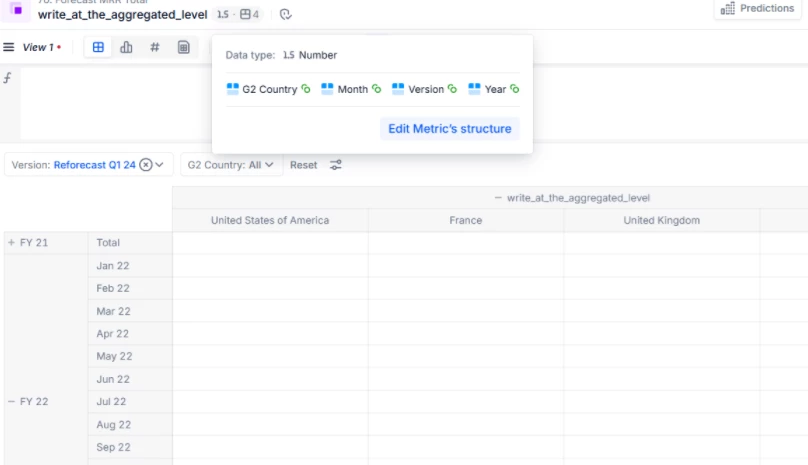
Created a test metric with dimensions: Country, Month, Version, Year
There is a hierarchical link between Year and Month
No formula is applied — this is just a simple metric to test aggregation
Aggregation is set to Sum and Data Input is enabled
However, when I try to enter data at the Year level, the input is blocked.
I also noticed that if I add Year as a dimension in the metric, the input is blocked everywhere, even at the Month level.
If I remove Year from the metric structure and instead place Year in Rows of the metric :
I can see the sum at the Year level,
Input is open at the Month level,
But input at the Year level remains blocked.
Could you advise how I can enable input at the Year level so that values can be splashed across months?
As for your second question @Amel, direct input at aggregated levels is not supported in Pigment. Data entry must always occur at the most granular level of the dimensions in the metric structure.
If your client wants to enter data at aggregated level, ie. top-down input, then it requires more than one metric with a custom allocation logic:
Create a metric to accept input at aggregate level (for example at the Year level → dimension your input metric by Year)
Create another metric(s) and use formulas to distribute the input down to the most granular level (for example to the Month level → dimension your granular level metric by Month). The formula can be as simple as an even spread, or anything else according to the business rules - this can be tailored flexibly to the client requirements. For a simple even spread you can use something like this in your granular level metric: