Question

What is the best way to compare two formulas?

  • January 28, 2026
  • 7 replies
  • 75 views

Forum|alt.badge.img+3

What is the best way to compare two formulas to find differences between them?

When updating logic in other systems I typically create a copy of the existing metric. Metric A contains the original logic and Metric B contains the new logic. 

In order to spot the differences between them, I would create a boolean formatted Metric C with the formula: Metric A < > Metric B. This would return all instances where the logic behaves differently.

However this has been a challenge in Pigment due to the way the system handles sparse cells. 

Am I missing something here? or is there a best-practice for handling these situations?

7 replies

Benoit
Community Manager
Forum|alt.badge.img+15
  • Community Manager
  • January 28, 2026

Hi,

a good way to highlight differences would be to use the formula playground to compare your metrics:

IF(metric A <> metric B, metric B)

or

IF(metric A <> metric B, metric A - metric B)

So you return only the differences with all your dimensions.


Some best practices are also shared in this article:


Please let us know if that helps.

Best regards,


Julie Guérin
Employee
Forum|alt.badge.img+3

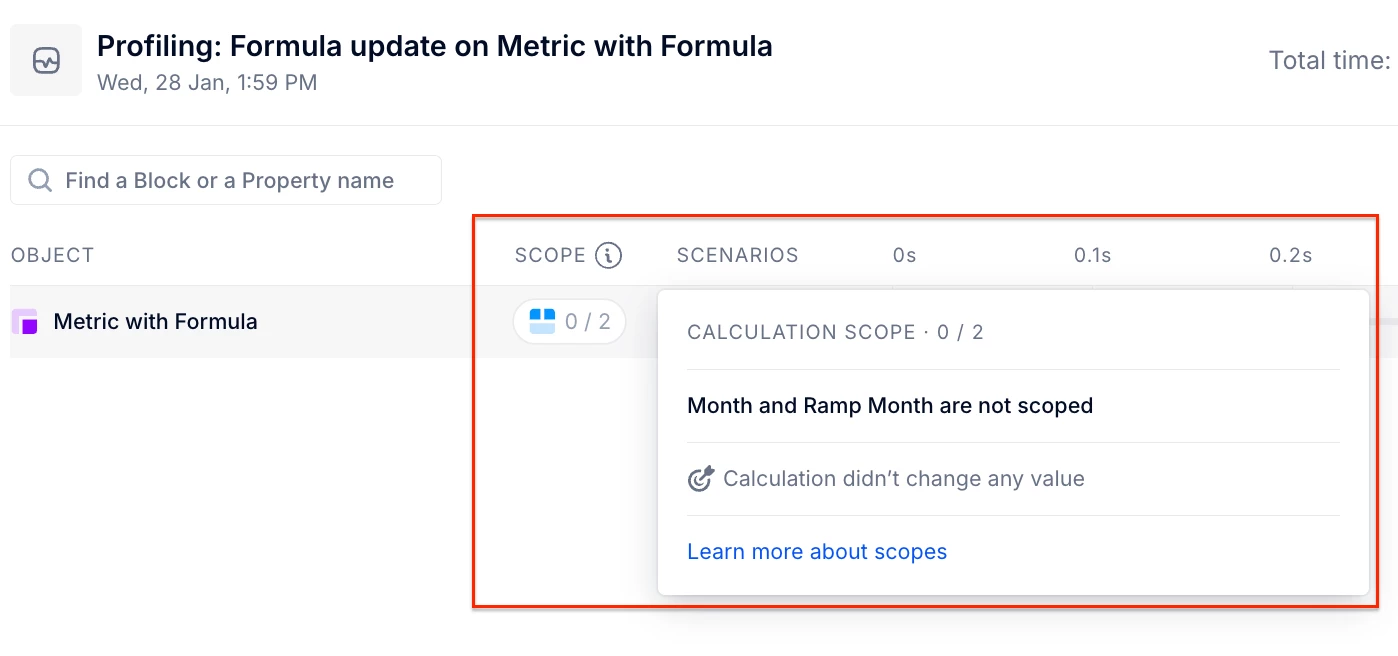
Another way to check whether two formulas produce the same results is to copy the original block, replace its formula with the new one, and then review the audit trail for that metric update.

If, under the scope, you see a grey chip with the message “calculation didn’t change any values”, it means the results are identical. Otherwise, you’ll see a longer trace highlighting the blocks impacted by the new values, indicating differences between the formulas.


Forum|alt.badge.img+3
  • Author
  • Author
  • January 28, 2026

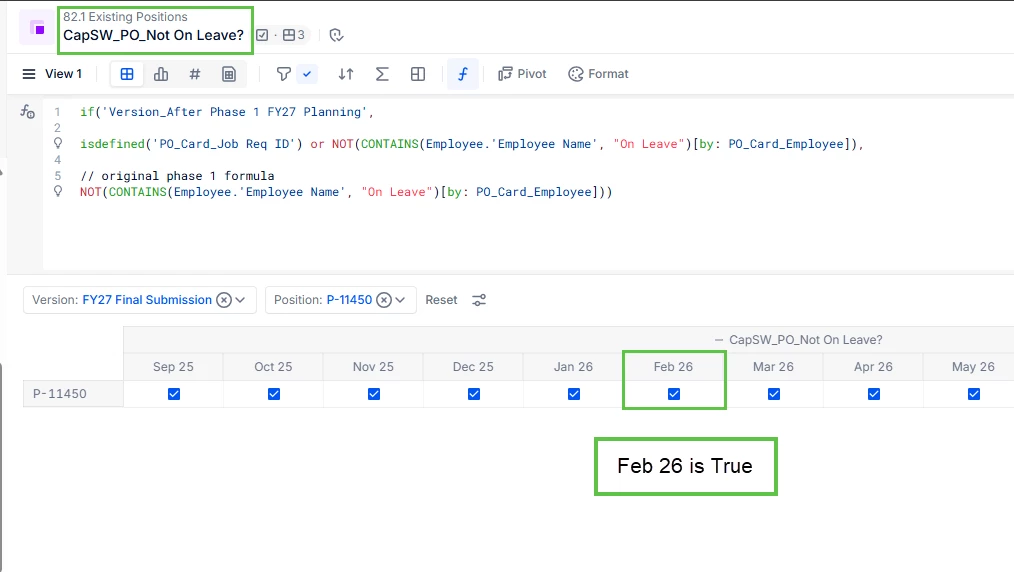
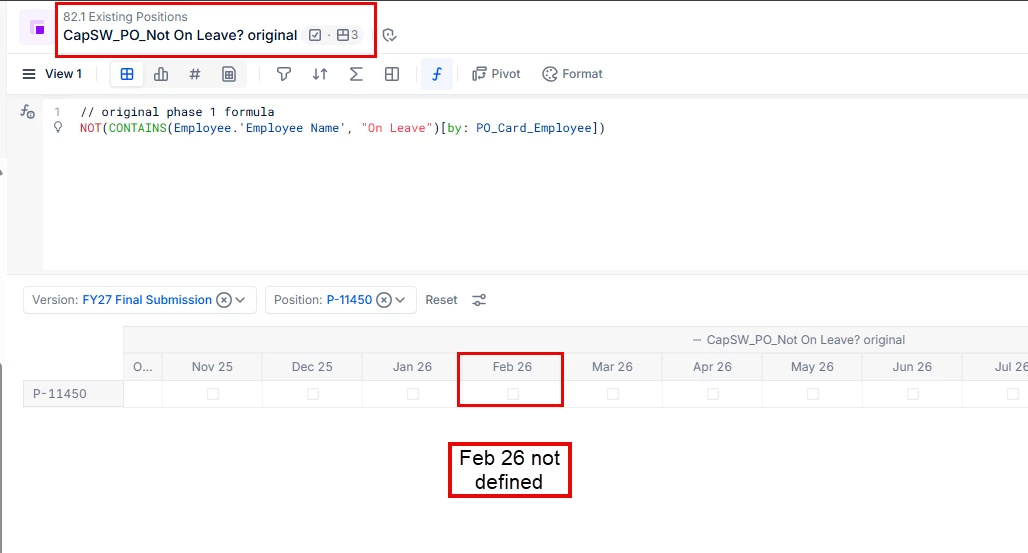
Hi ​@Benoit - thanks for the response, but this doesn’t actually work unfortunately. See below:


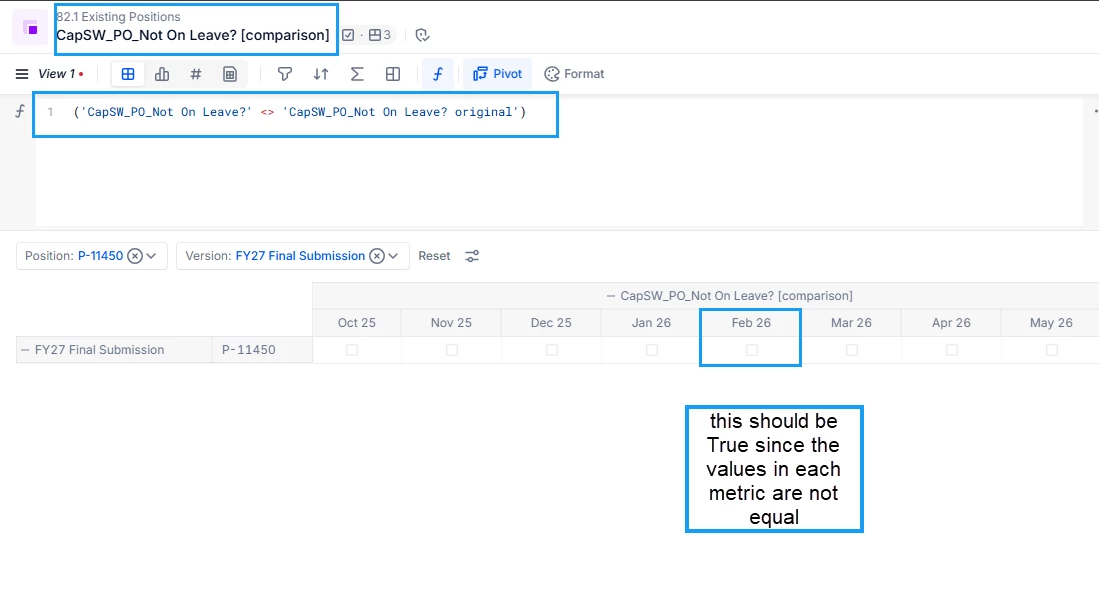
These values are not the same for Feb 26. Therefore I would expect my comparison formula (Metric A <> Metric B) to return True​​. However this is not the case:


Is there something I’m missing here? This seems to be caused by how Pigment handles sparse cells. 


Julie Guérin
Employee
Forum|alt.badge.img+3

Hi ​@tgilbert 

You can try the following formula otherwise:

IF(MetricA=MetricB, blank, true)[Filter: ISDEFINED(MetricA) or ISDEFINED(MetricB)]


Let me know if it works better! Thanks!


Benoit
Community Manager
Forum|alt.badge.img+15
  • Community Manager
  • January 28, 2026

Sorry, I did not get it was booleans.

I’d use a similar approach as Julie’s:

IF('metric A'[exclude: 'metric B' ] or 'metric B' [exclude : 'metric A'] , true)

Which can be simplified:.

metric A'[exclude: 'metric B' ] or 'metric B' [exclude : 'metric A']


Forum|alt.badge.img+3
  • Author
  • Author
  • January 29, 2026

Thank you both, but I’m still not sure I understand when and why the comparison does not work as expected. Do I need different approaches depending on the data type? This is a bit confusing and would be great if the formulas behaved consistently or at least if there was documentation on this.

This was the only article I could find but it focuses more on calculations with blank cells instead of logic statements: https://kb.pigment.com/docs/how-pigment-handles-blank-cells


Benoit
Community Manager
Forum|alt.badge.img+15
  • Community Manager
  • January 29, 2026

Yes, the formula is different based on the type, because you can’t evaluate a difference between 2 booleans.

You can only check if their statuses are different.

So for a number you can do Metric A - Metric B which you can’t do with booleans.


A boolean has 3 statuses

  • True
  • False
  • Blank

How to compare booleans:

Metric A Metric B Metric A <> Metric B Metric A OR Metric B Metric A AND Metric B
True Blank Blank True Blank
True False True True False
True True False True True
False Blank Blank False Blank
False False False False False
Blank Blank Blank Blank Blank


That is why in your case, I would not use <> but rather the OR operator to have the True/Blank differences.

Hope that brings more clarity.

Best regards,