




In Pigment we have a great computation tracking feature, the formula profiler. If you’re not aware of the basics of the feature please read this article first.
This article will help you to use the profiler in practice: what can you do, what does it tell you and why.
Once you’re diving deep into Pigment’s computation engine the profiler can become your best friend. It allows you to track the full cycle of metric computations from your input all the way to the final metric in your application.
In general, the first thing you’d probably use it for is to track computation time per metric and then try optimizing the ones where you think it needs some formula optimization to decrease the computation time. This article will not focus on that, you can use the article linked above for the explanation of those features.
In this article we’ll focus on the Scope column in the profiler:
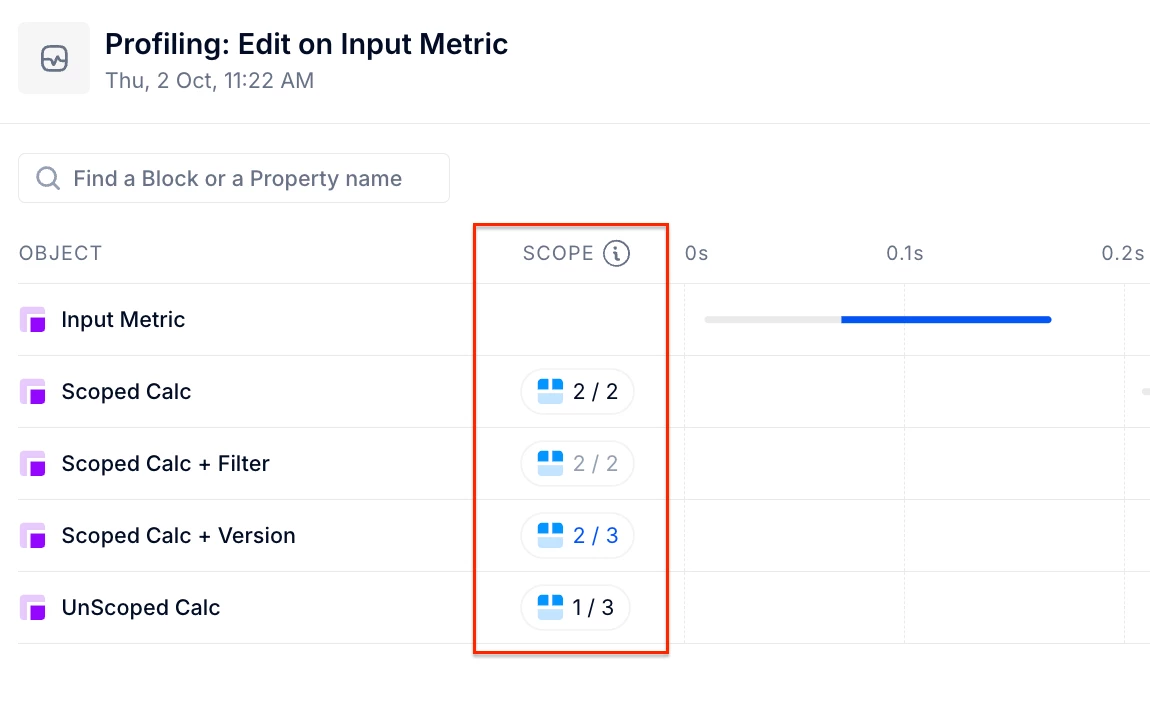
What is Scope (or Scoping)?
Scope in the context of Pigment computations means the part of the metric that is being computed because of a change in the metric itself or the metric that it is referencing in the formula.
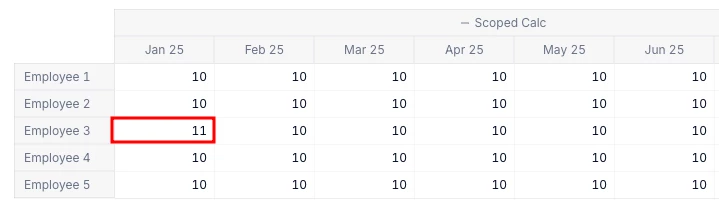
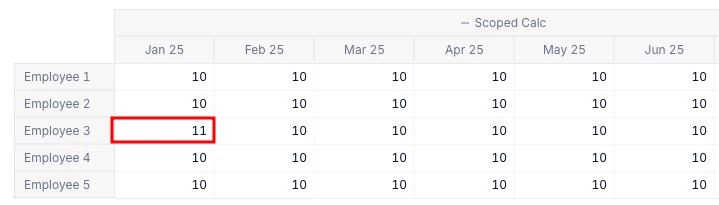
Imagine a metric with 2 dimensions: Employee & Month.
If the input just affects one employee in one month, Pigment should only calculate that intersection, and leave the rest of the metric data untouched. This will result in improved computation times. All the metrics that reference this initial metric should also have a scoped computation, as long as you’re not doing any data transformation.
What can the profiler tell me about the scope?
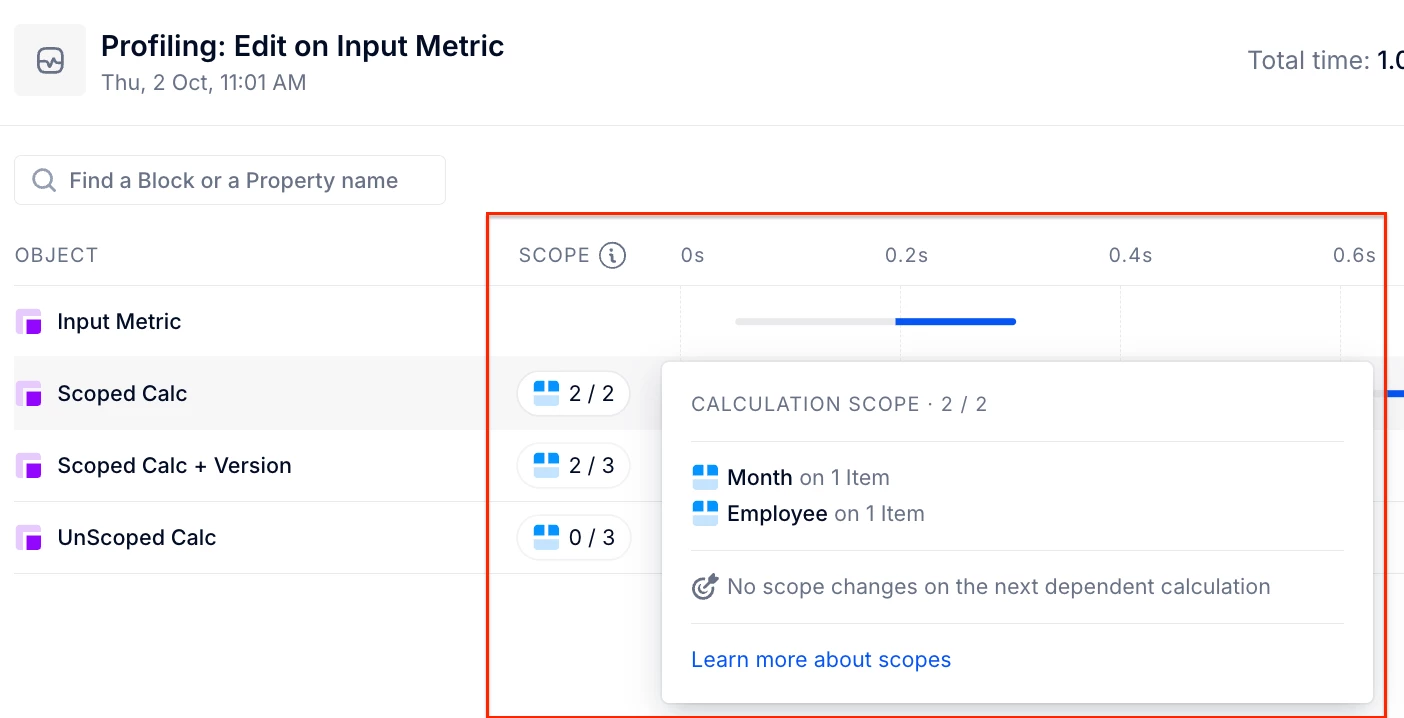
The Profiler displays the outbound (result of computation) scope on each dimension involved in the structure of every metric within the computation chain. This helps identify how scope is propagated through metrics. The profiler uses three colour codes to represent the scope behaviour:
🔘 Gray
- Meaning: No change in values after metric computation. Simply put, the metric computation yields the same result (zero delta), and no new values are passed downstream. As a result, no downstream metrics will be recalculated since there are no outbound changes.
🔵 Blue
- Meaning: Positive scope change. The metric did not receive this specific inbound scope for one or more dimensions, but is adding it to the next depend executions. This newly introduced scope will be passed to downstream metrics, potentially triggering their recalculation.
⚫ Black
- Meaning: No change in scope. The metric simply carries forward the inbound scope it received, if any, without altering or extending it. This scope will continue downstream to the next metrics in the chain.
Full Scope: When inputting a value into the metric:
We receive full scope (2/2) across the two dimensions involved. This means the system recognizes the scope of the input as being exactly the intersection where the change occurred. So if my input only touched 1 employee and 1 month, only that intersection will be recomputed.
Partial Scope:
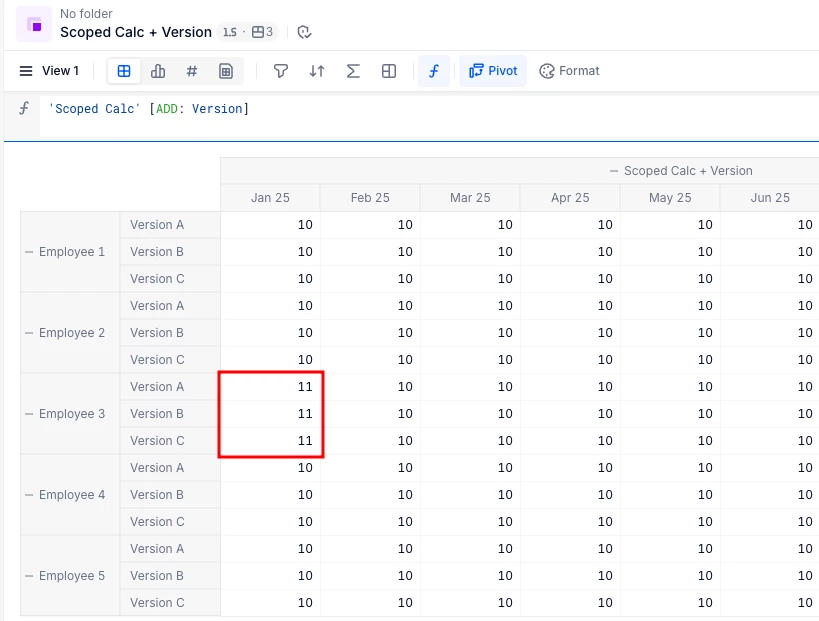
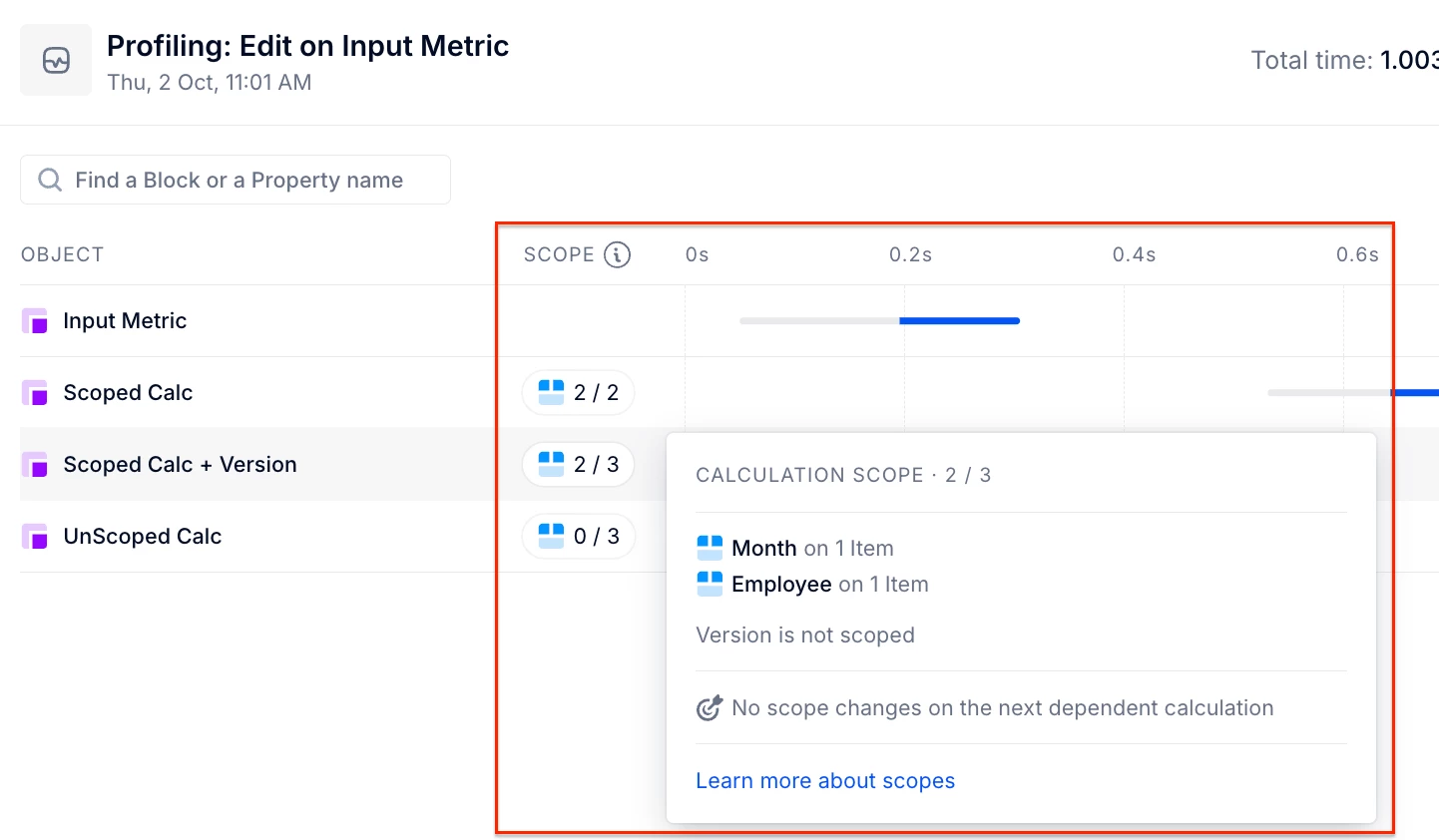
- When a new dimension is added to a metric, we receive partial scope (2/3), indicating that the original scope is preserved, but the metric’s dimensionality has changed. For example, if I add the Version dimension using an
ADDmodifier, the metric now needs to compute not just for the initial employee and month, but also across all versions. This expansion in scope means more data points will be recalculated, as the system must now account for the additional dimension introduced.
No Scope
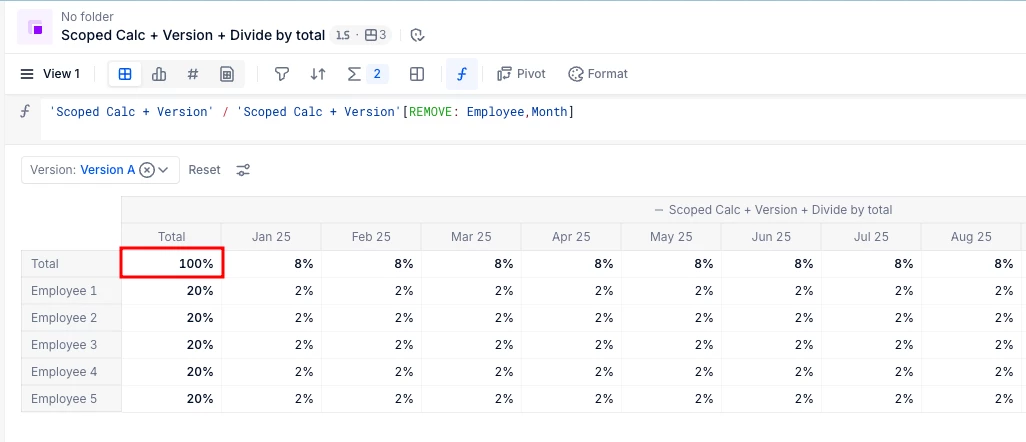
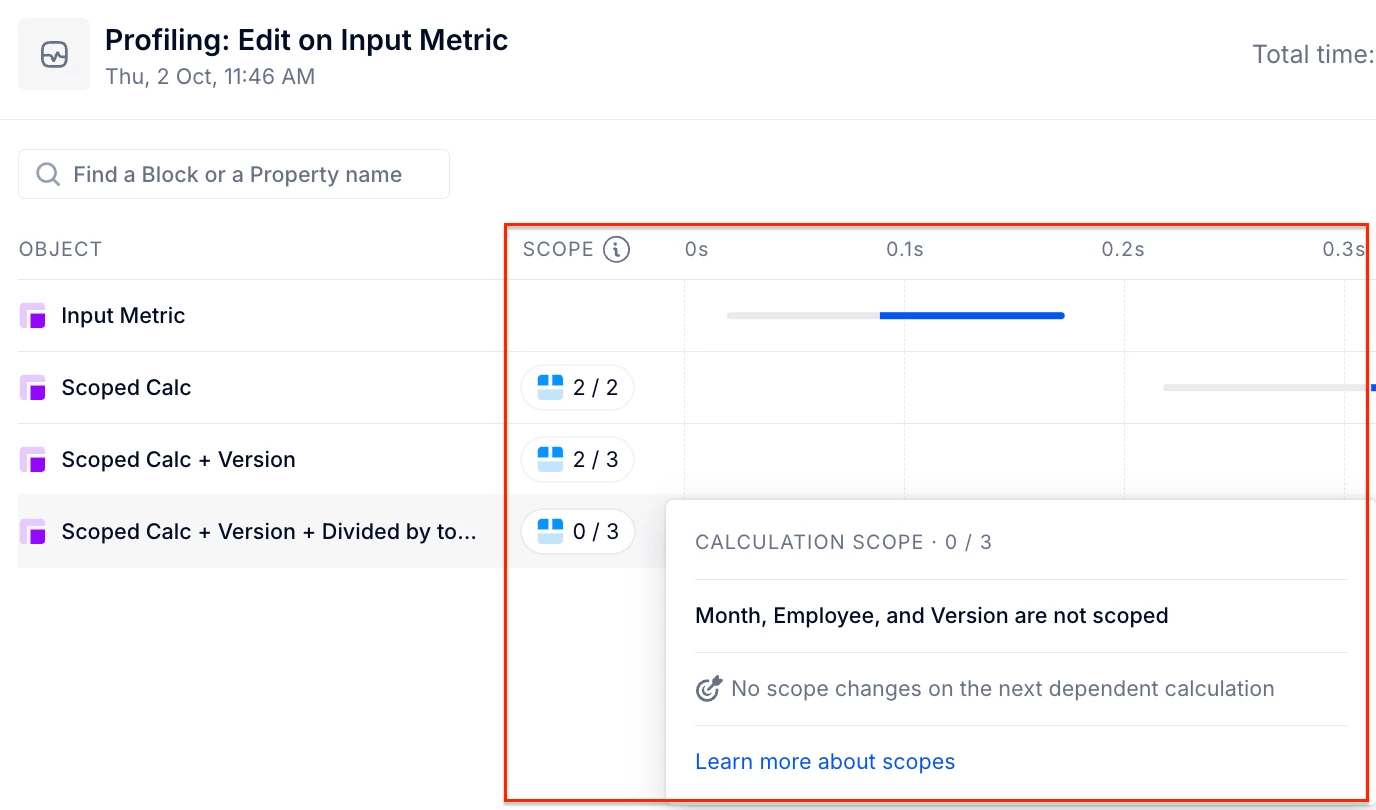
- None (0/3): certain modeler actions can completely remove the scope of the metric. The most common one will be the REMOVE modifier. Imagine we want to calculate the share of each employee/month compared to the total. We then need to take the original values and divide that by the total of all employees & months. Because in this case we’re completely re-doing the calculation for every cell we then lose the scope. So Pigment needs to recompute every cell in the metric to display the correct result.
When Do I See Blue or Gray Scope in the Profiler?
Blue Chip (Scope Introduction)
In the metric ‘Scoped Calc + Version’, we now choose to apply values only to Version A.
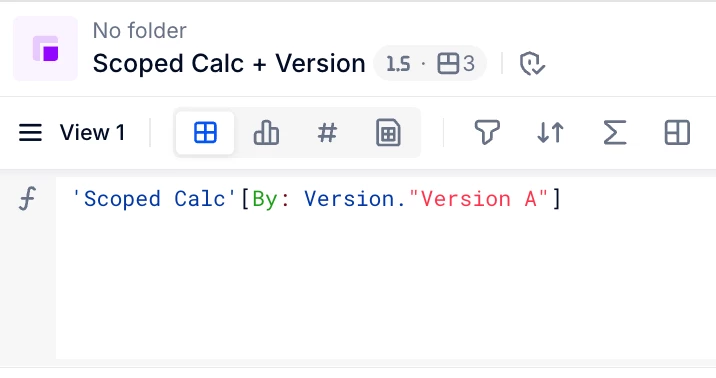
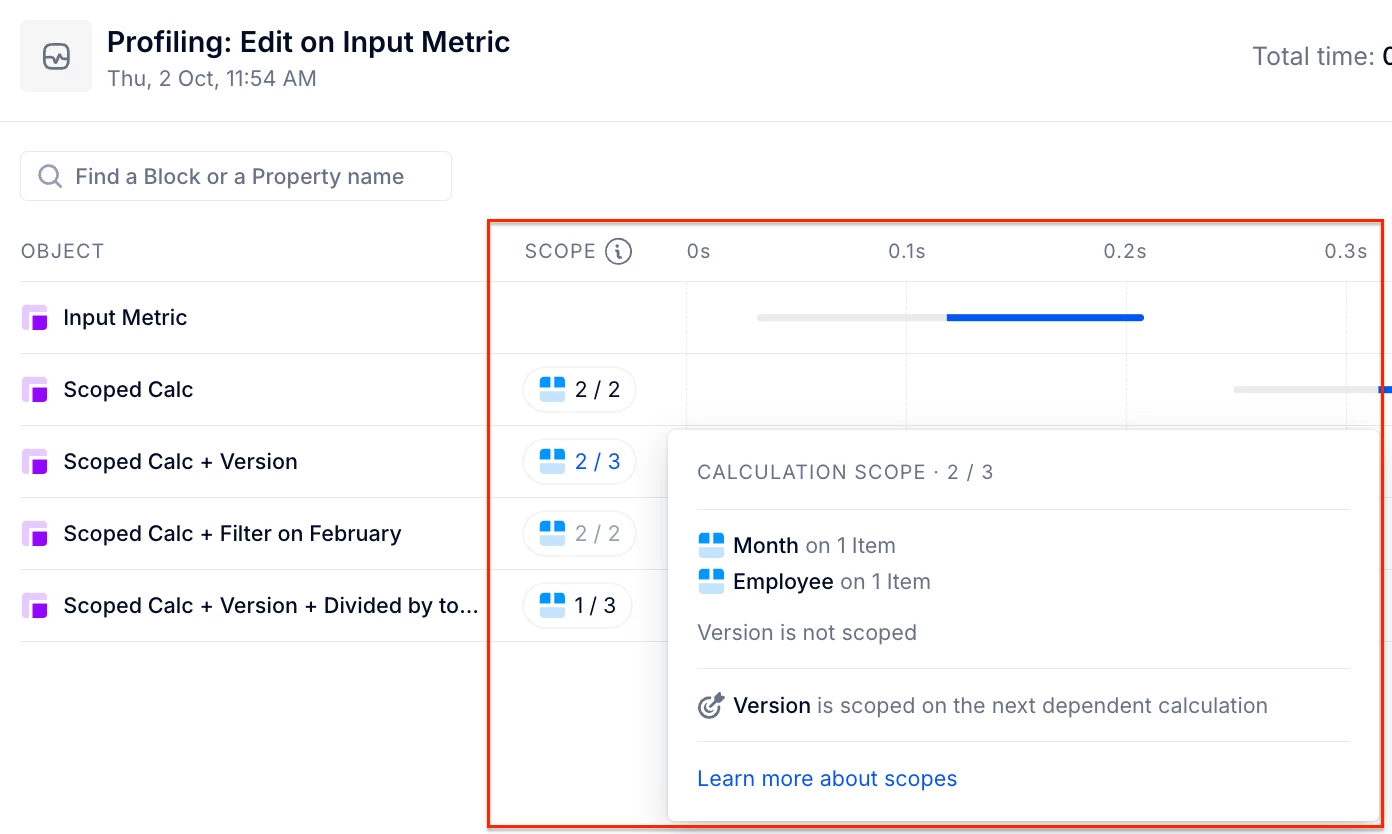
The inbound scope will still be 2/3 (e.g., Employee and Month), because the previous metric in the chain doesn’t include the Version dimension in its structure.
However, since your current metric is now assigning values scoped to Version A, it introduces a new dimension (Version) to the outbound result. This results in a blue chip, meaning that scope on Version is now being passed downstream to the next metric in the chain.
Gray Scope (No Effective Change)
Imagine a metric that filters data only for February 25.
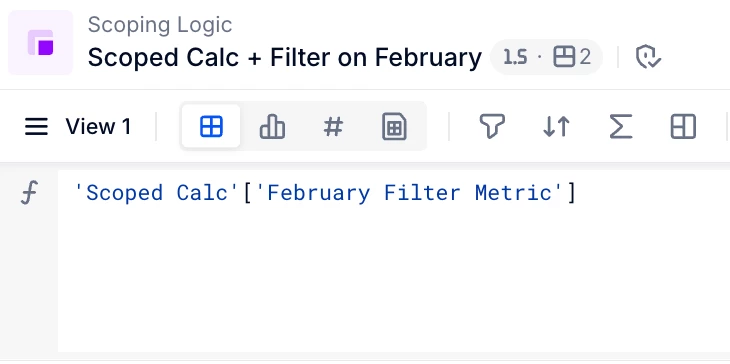
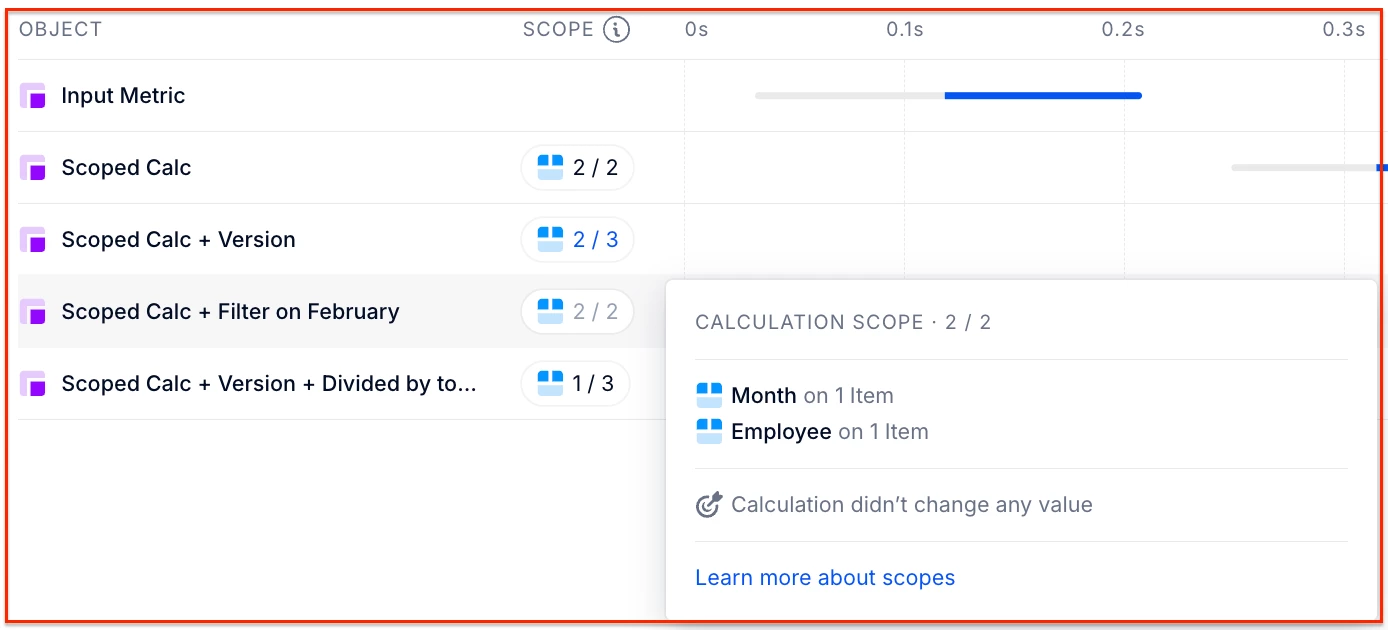
If a change is made upstream for Employee 3 on January 25, the metric will still be recomputed due to the dependency chain. However, because the change doesn't affect February 25, the result remains the same. The profiler shows a gray chip to indicate: the computation was triggered but the output didn't change.
Is it always bad to lose the scope?
No, sometimes there is no other way. In the example above we need to recompute every cell to get to the correct result. Even if just our input value changes, the share of every other employee & month can change, so there is no way we could keep the scope in a formula (note you could do the same type of calculation with Show Values As and then you keep the scope but it will be visual only).
Why is it better to keep the scope if I can?
Every metric that references a metric that has lost its scope will also not be scoped by default (some exceptions occur because Pigment is smart enough to try and get back the scope but that’s for another article). So if you lose the scope (without a clear use) early in the computation cycle it can slow down your other metrics.
How can I keep the scope?
You can’t always prevent it (as in the example above) but there are some things you can watch out for. I’ve listed them below:
- If you use CUMULATE (or a similar function like PREVIOUS or YEARTODATE) you’ll lose scope on the cumulating dimension (because Pigment needs to compute A to compute B). The same rule applies for making a shift on a dimension, e.g. doing a [SELECT: Month -1].
- If you use REMOVE on places where you don’t have to, there's a chance you will lose the scope, as it can trigger a lot more cells to be recomputed. Keeping a dimension in there could get you a better result in the end in some cases. Alternatively, using a mapping to transition from one dimension to another can help maintain scope, especially when there’s a 1:1 relationship between dimensions.
- If there’s no way around losing the scope, try to push that metric to the end of the chain if you can. This will ensure the metrics before it to still keep the scoped computation.