





Summer is heating up, and so is Pigment. Your Agents have officially left their desks—they're now Workspace-wide! Alongside powerful AI enhancements, this July, we're introducing the AI Investment Planner, and rolling out new ways to improve collaboration, data management, and reporting. Dive into everything that's new:
- 🤖 Your Agents just went Workspace-wide
- 📁 Bulk upload files to Agents
- 🔄 Keep Metric data in sync
- 📊 Improve your chart readability
- 🎨 Include headers in alternating colors
- ⚡ Enforce access rights checks on Item deletion
- 👁️🗨️ Add layout options to View Templates
- 🔎 Debug Views faster with filter toggles
- 👤 Bulk Export Metrics and Lists as CSV
- 📦 Break down Mapped Dimensions & Data Slices
- ⬇️ Refine selector drop-downs with new filtering options
- 📈 Introducing the Pigment AI Investment Planner
- 👥 Upcoming User Groups & events worldwide
Your Agents just went Workspace-wide
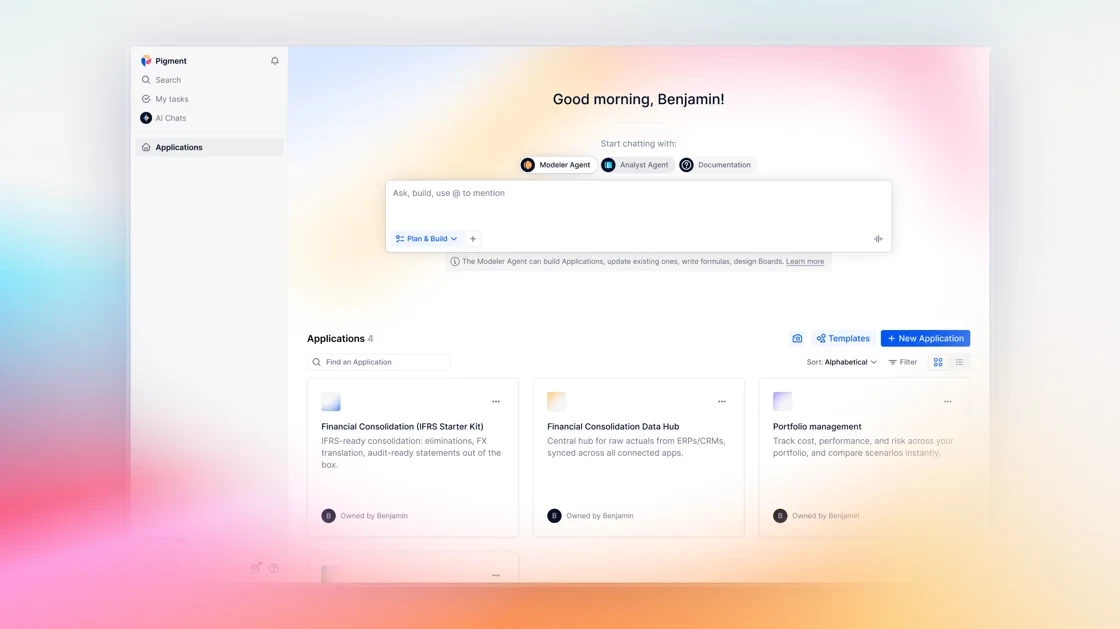
Launch Pigment's Agents right from your homepage and work across multiple Applications in one conversation. The Modeler builds connected workflows like Data Hubs; the Analyst compares Metrics across Applications and now handles Board search too. Conversations follow you everywhere.
Bulk upload files to Agents
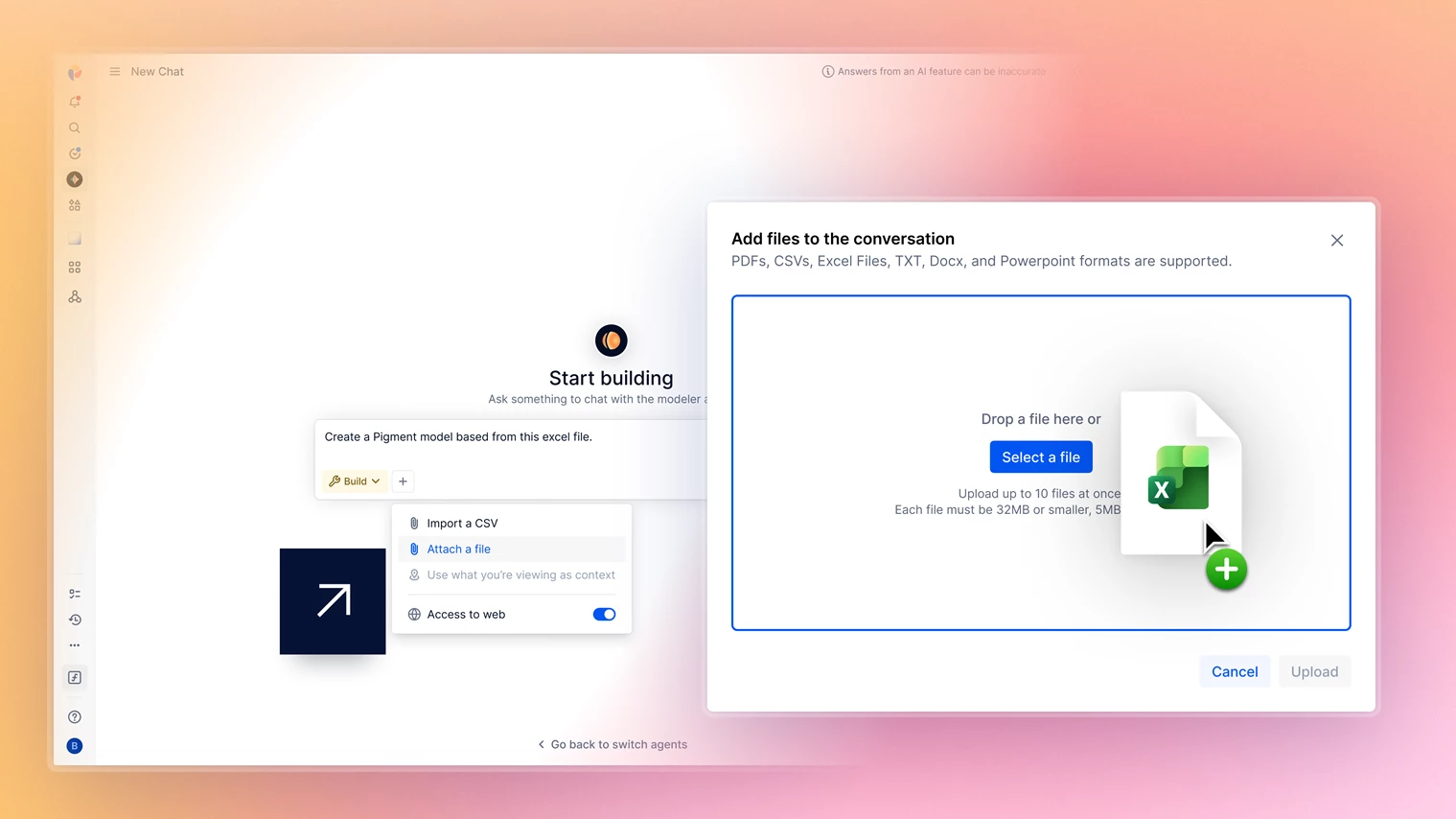
You can now drop Excel XLSX files into the Modeler Agent and have it build a Pigment model from them, including data, Blocks, formulas and Boards. You can also upload up to 10 files at once, whether they’re PDFs, CSVs or images. Agents can now read charts, diagrams and hierarchies, understanding relationships between elements.
Keep Metric data in sync
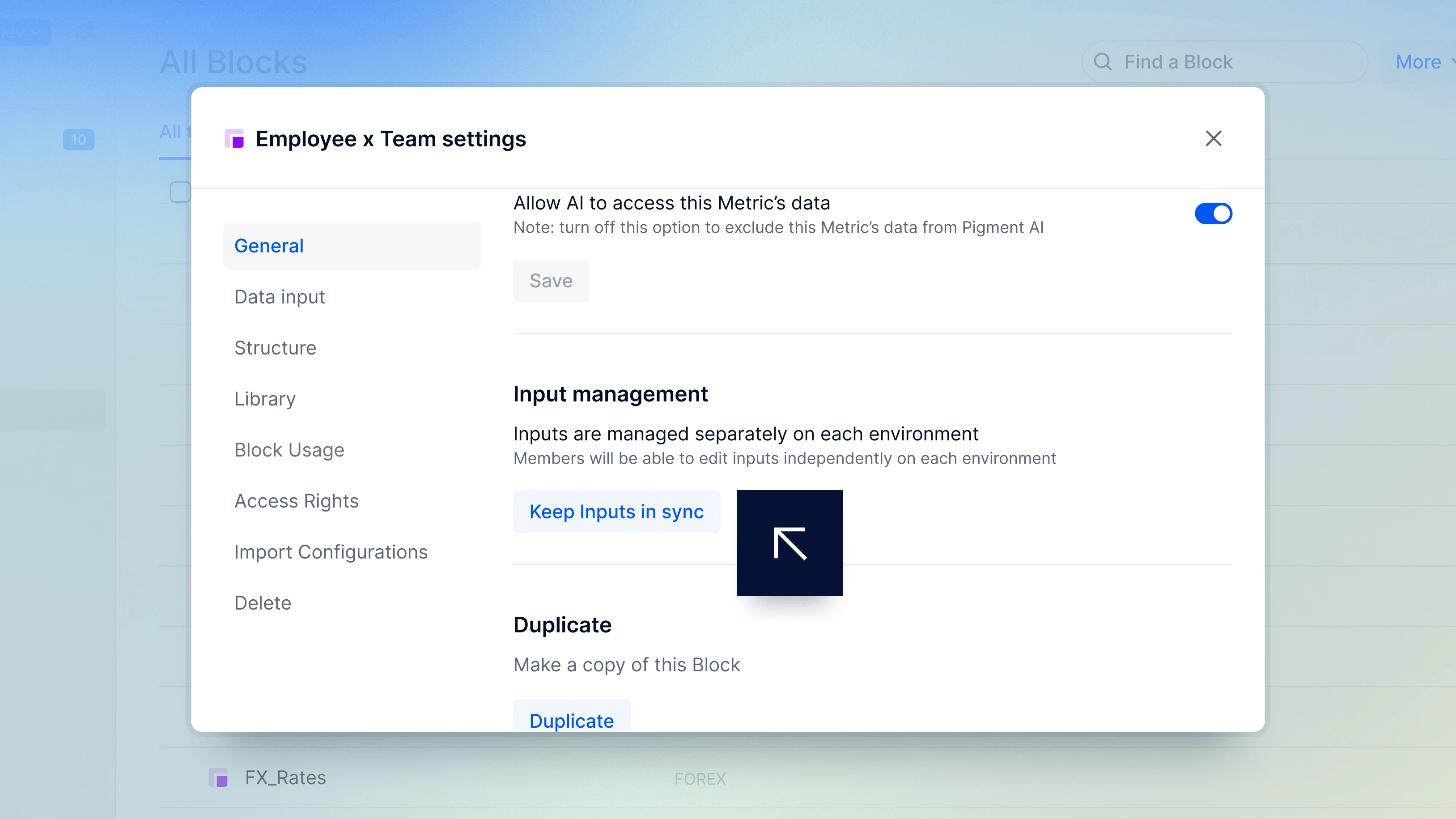
By default, Metric data is managed independently in each Test & Deploy environment. You can now keep selected Metrics in sync by including their data in deployments, making it easier to manage business rules, mapping tables and model parameters. Filter connected Metrics in Block Explorer or update them with Bulk edit.
Improve your chart readability
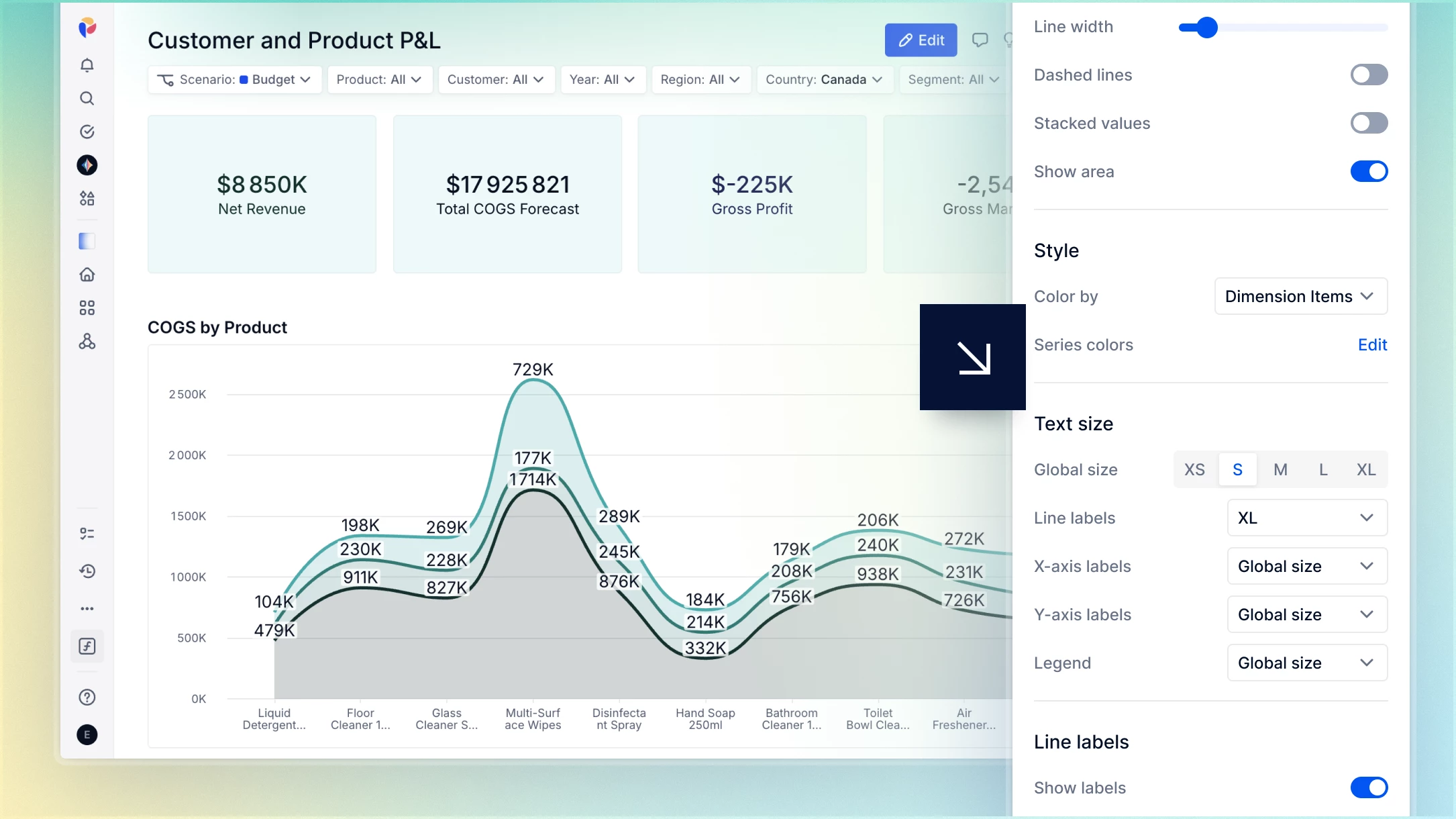
Now you can make charts easier to read and navigate with new formatting and interaction improvements. Customize the font size of data labels, axis labels and legends independently or keep them in sync. Increase X-axis label lines to reduce cropping, then right or left-select chart elements to quickly access contextual actions.
Include headers in alternating colors
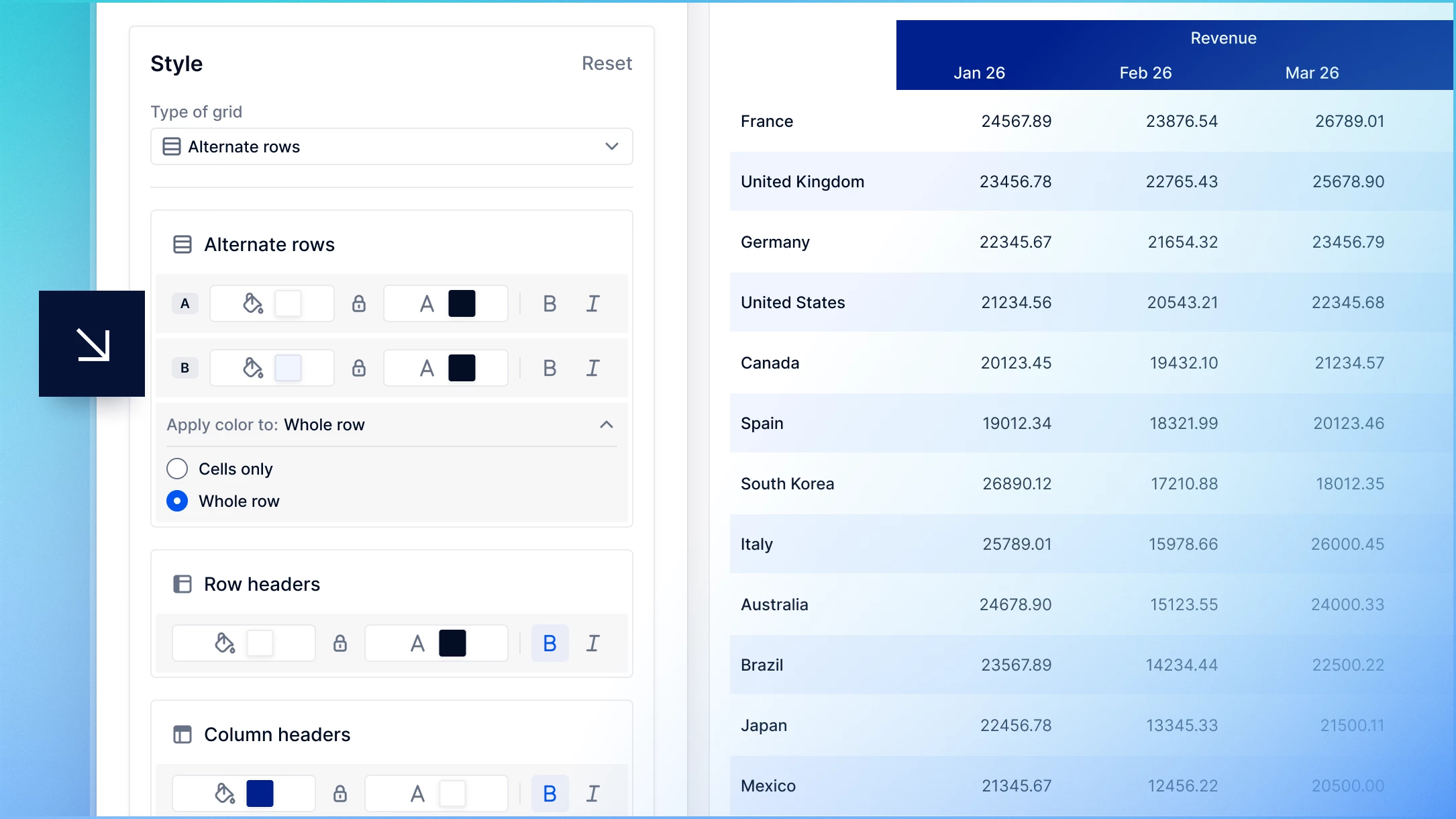
You can now include row and column headers when you configure Alternate rows and Alternate columns View Templates. Use Apply color to to choose whether alternating colors apply to Cells only or the Whole row or column then keep header text formatting, such as bold and italics, independent. Create cleaner, more consistent Views without manually formatting headers.
Enforce access rights checks on Item deletion
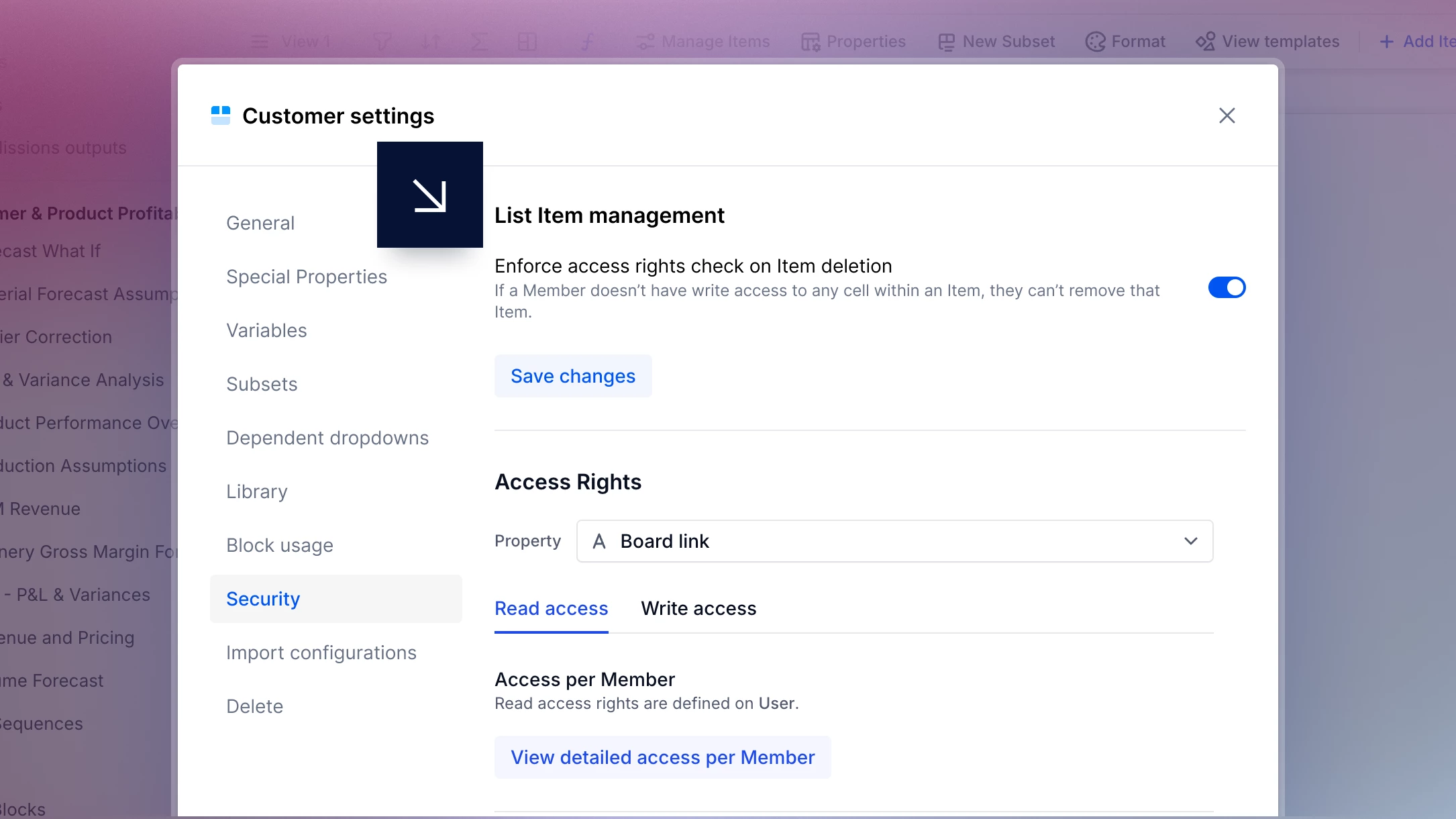
We’ve added a new layer of security to give you tighter control over your data! Admins can now Enforce access rights check on Item deletion in Settings. When enabled, Pigment checks that users can only delete Items if they have Write permissions for all of that Item's editable Properties.
Add layout options to View Templates
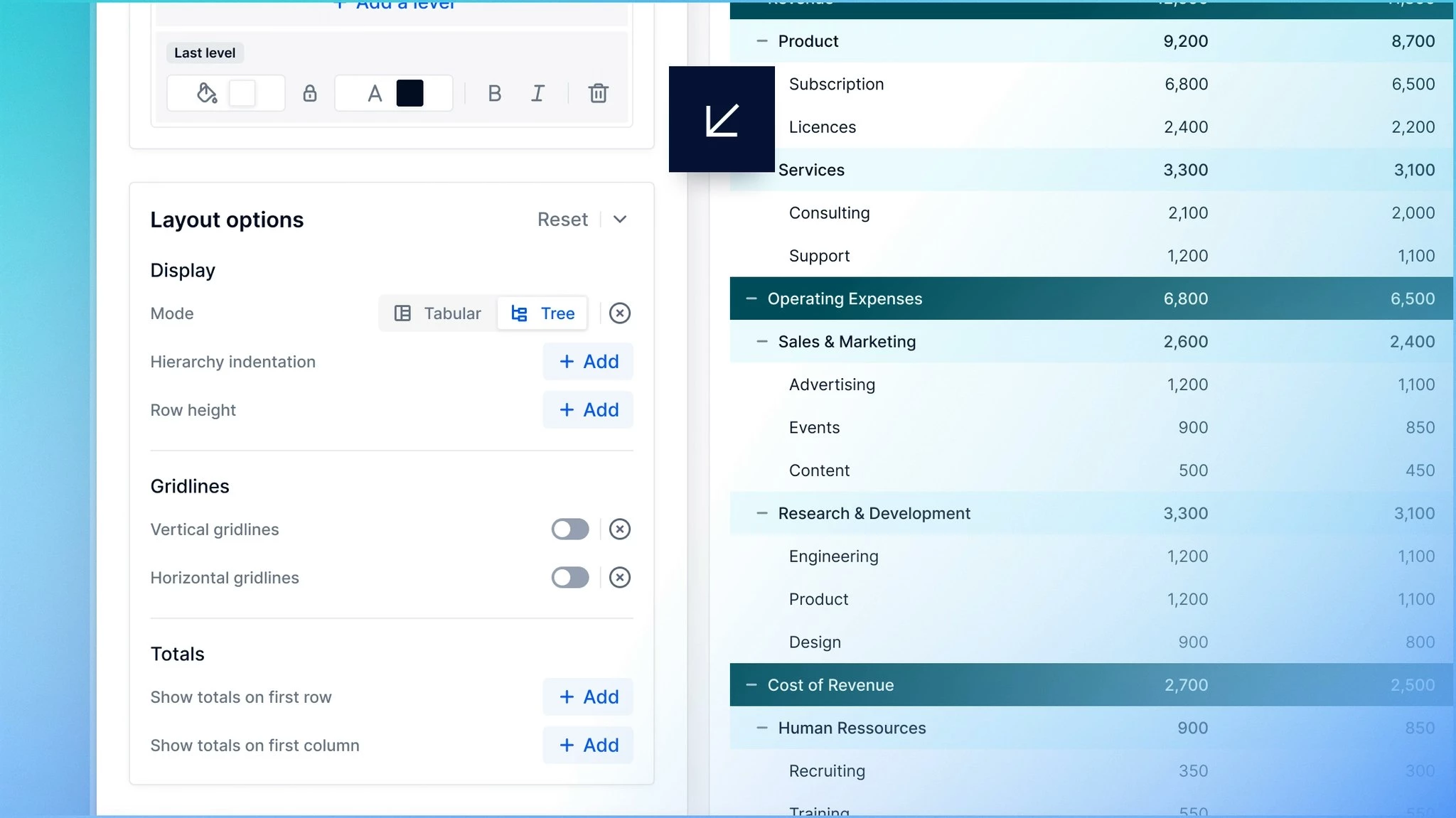
You can now configure layout options across all View Templates to create consistent Views faster.
Set grid mode, row height, gridlines, hierarchy indentation, row headers and totals once, then reuse those settings across your Boards instead of updating each View manually. You can still customize individual Views whenever you need to.
Debug Views faster with filter toggles
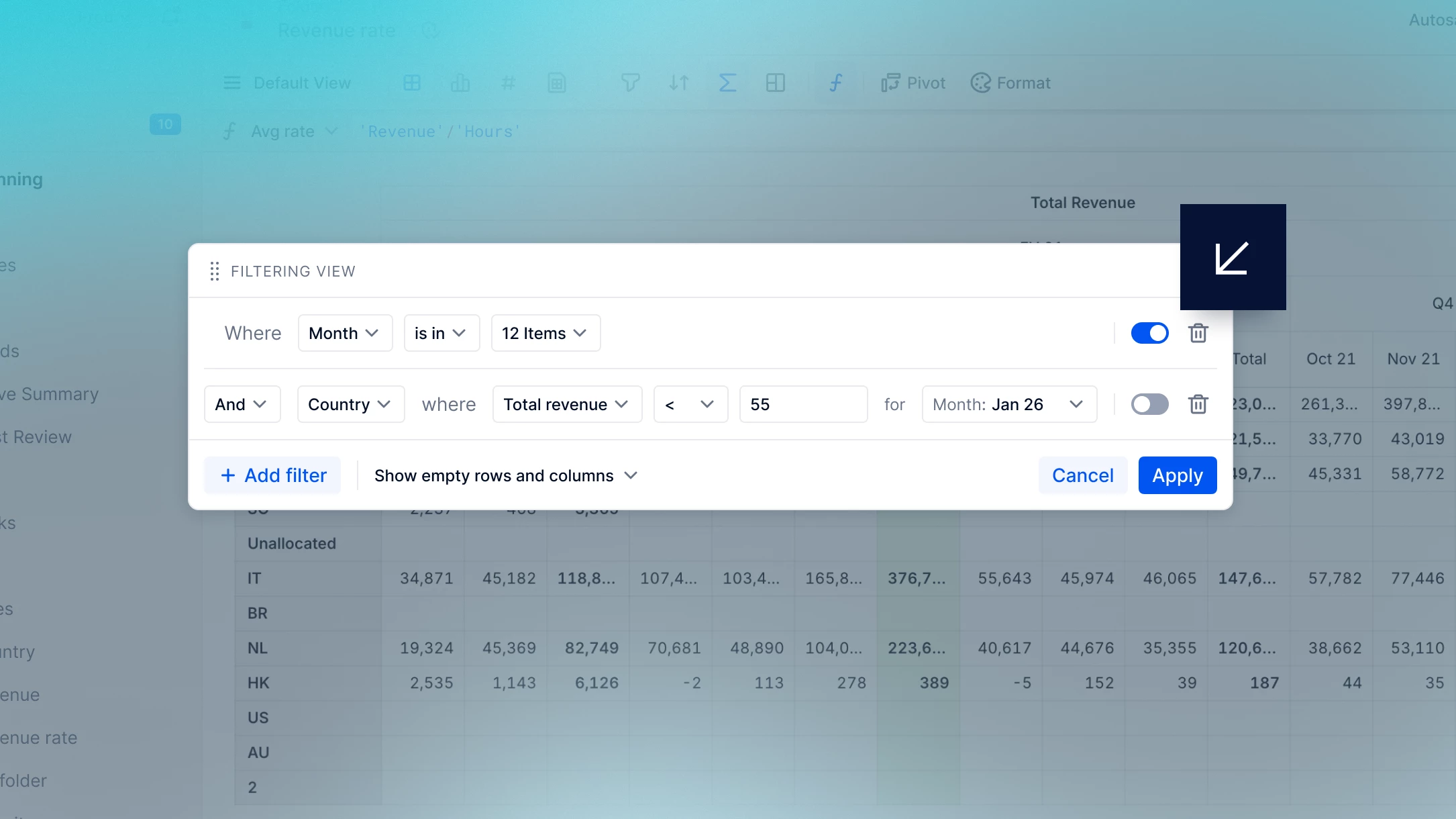
All filters in the Filter menu now have toggles, so you can temporarily switch them off without having to recreate them from scratch. This makes it easier to debug your View, try out different filter set-ups, and quickly return to your previous state when you want.
Bulk Export Metrics and Lists as CSV
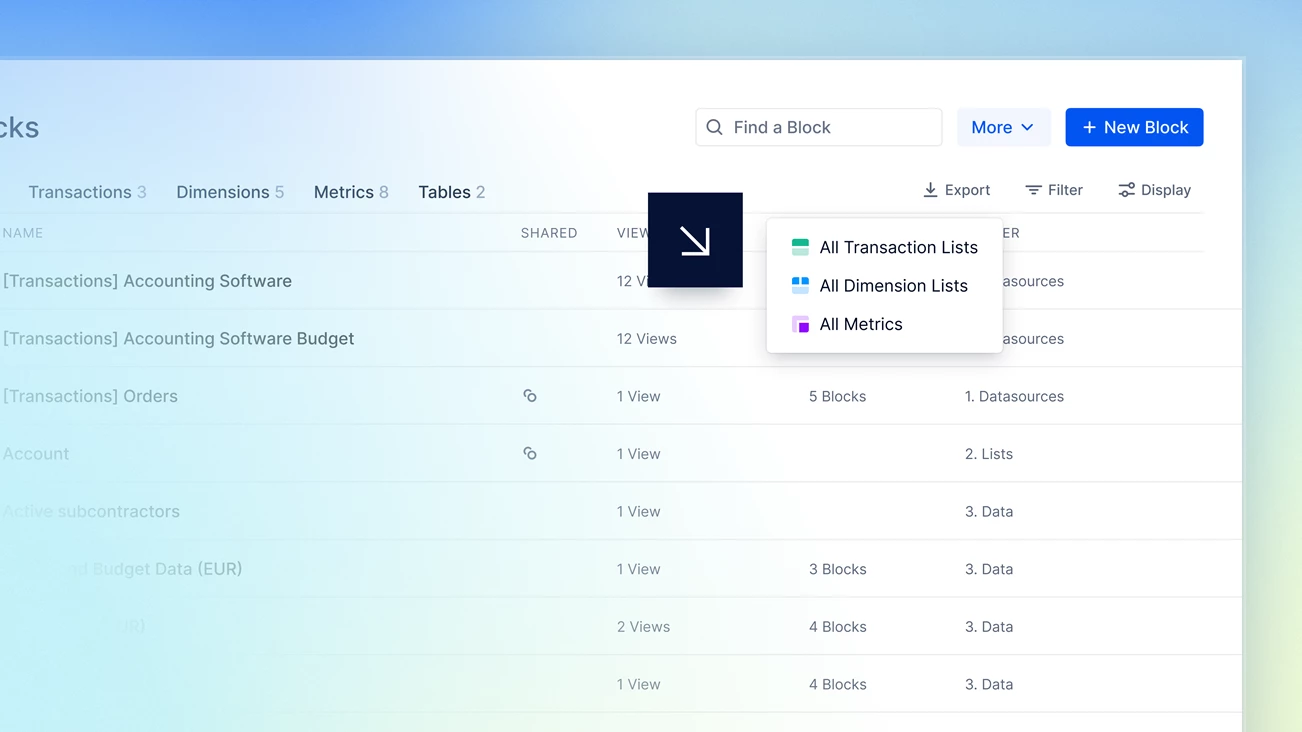
You can now bulk export Metrics and Lists as CSV files, including their formulas. This makes it easy to search across exported data for every instance of a formula expression. You can also export the contents of a specific folder when you want narrower output.
Break down Mapped Dimensions & Data Slices
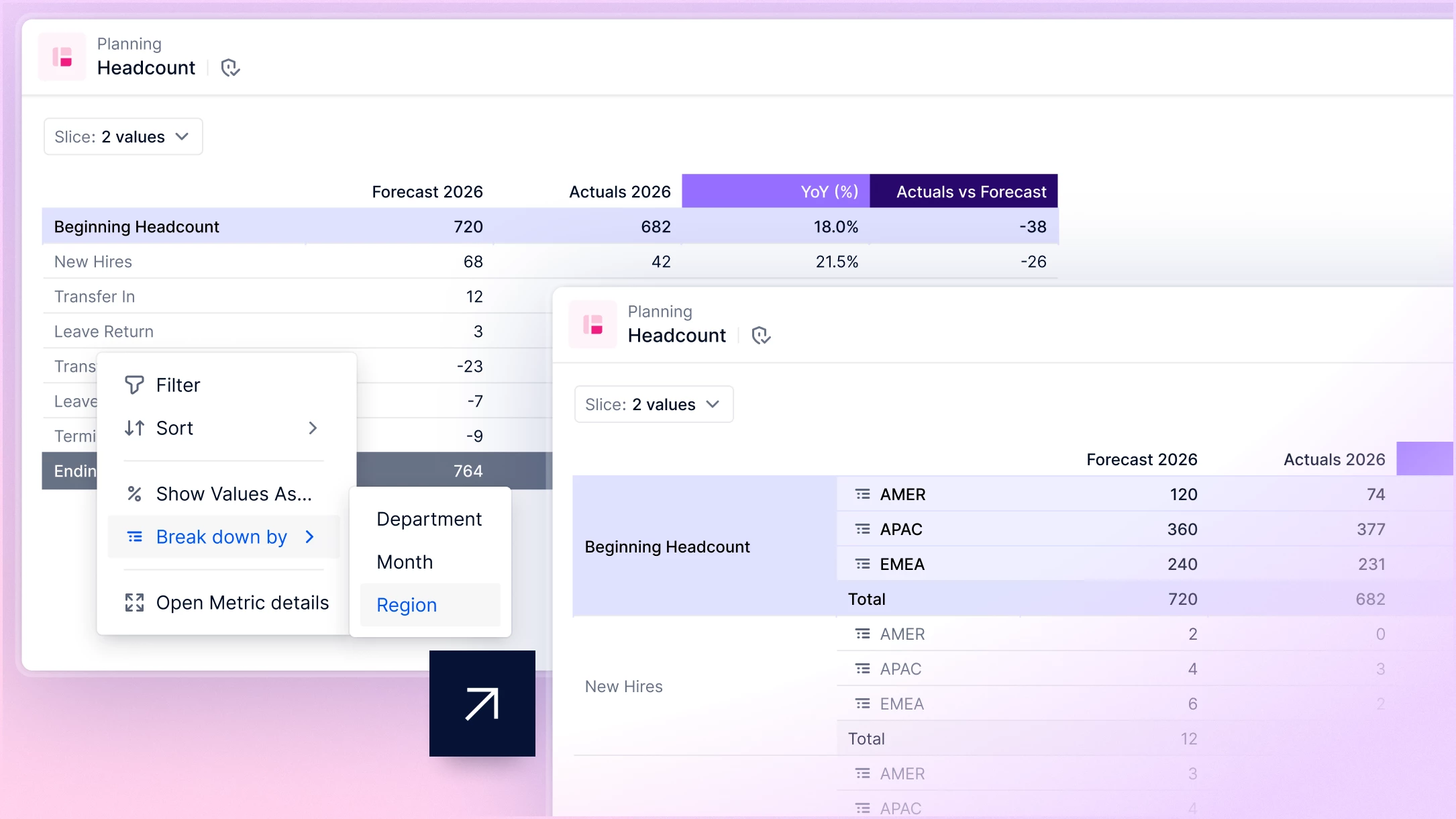
The Break down by feature now works with Mapped Dimensions and Data Slices. From today, you can add Mapped Dimensions to Tables that already include a breakdown, and you can also use Break down by in Tables containing a Data Slice or Mapped Dimension. This gives you greater flexibility when exploring and analyzing your data.
Refine selector drop-downs with new filtering options
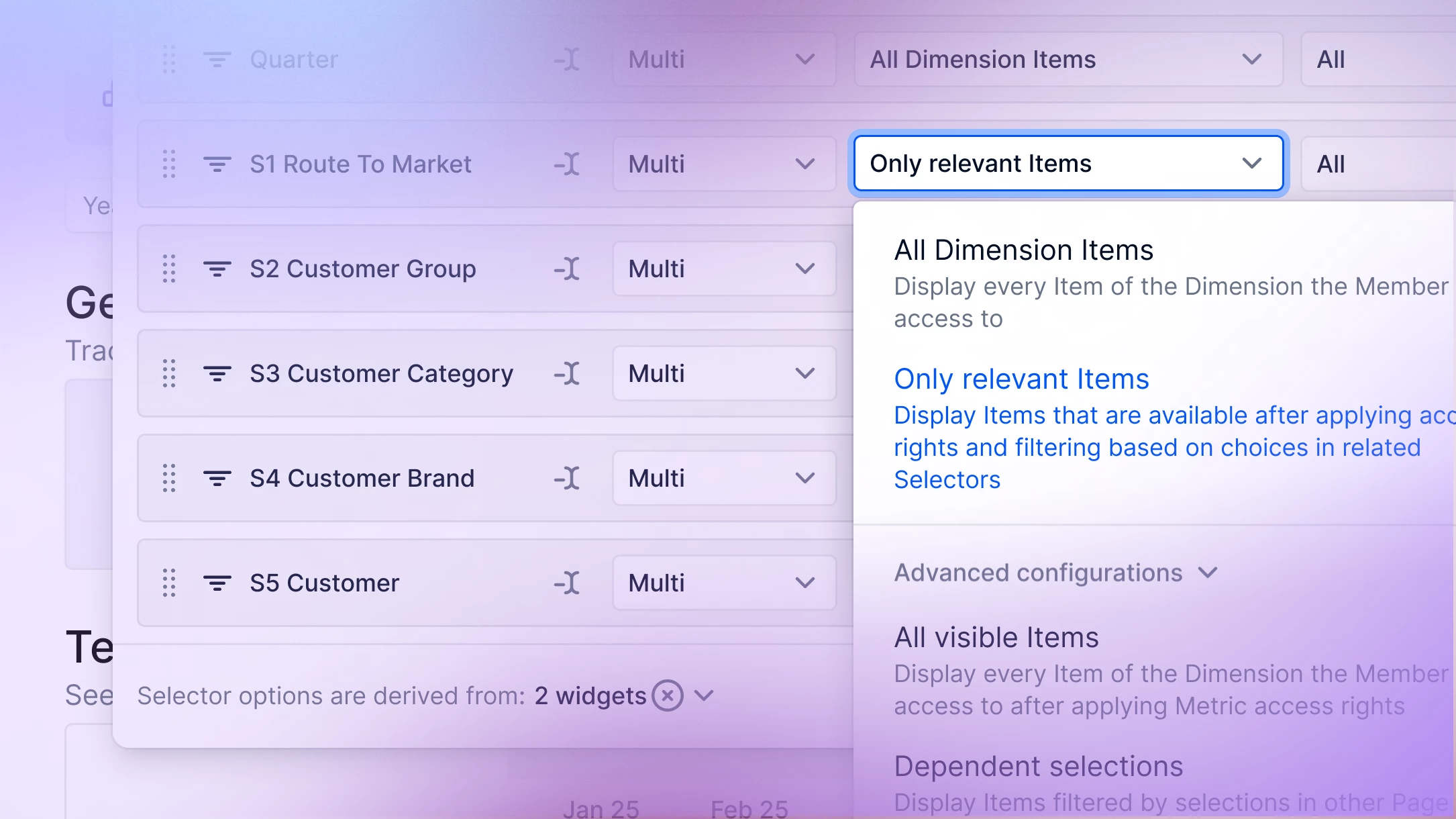
We've enhanced the Configure Selectors panel with new filtering options, giving Admins more control over the Items that appear in selector drop-downs. Filter out unnecessary Items to create cleaner, more relevant lists, making it easier for Members to find what they need while improving Board performance by reducing the number of options displayed.
Introducing our AI Investment Planner
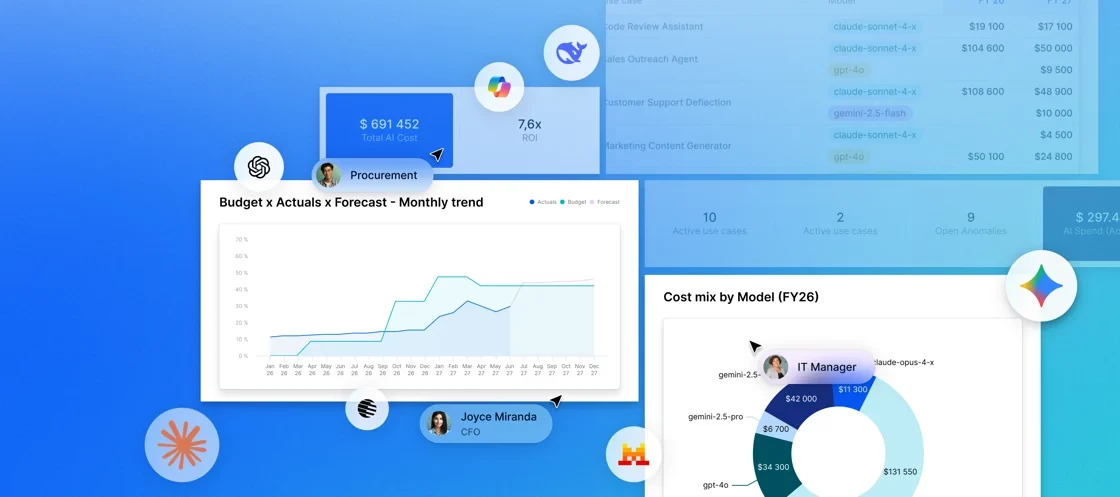
AI adoption is accelerating, and so are the costs that come with it. Today, we’re introducing the AI Investment Planner: a native Application that helps organizations forecast, govern, and measure the ROI of AI/LLM spend—all within Pigment.
Centralize AI spend across providers and teams, forecast token usage and costs alongside your financial plan, identify spend spikes before they impact budgets, and model the ROI of AI initiatives. Join our upcoming product tour on August 25.
The AI Investment Planner is available to all Pigment customers. Contact your CSM to request access.
Upcoming User Groups & events worldwide

Each Pigment User Group brings together local users of our Community to connect, share best practices, and learn from each other. Join us at any of our upcoming User Groups to grow your professional network, get a firsthand look at our product roadmap and newest features, and exchange real-world insights.
North America
🌉 San Francisco - September 10
Europe
💂 London - September 23
You're also welcome to register to Catalyst, a half day event for all planning professionals where we'll show you our suite of Agents, you'll hear directly from our customer community and meet peers who are embarking on this journey.
Please note, you can register to any of these Catalyst event through the same page, simply tick the events you wish to attend in the form.
No User Groups near you? Attend Pigment Catalyst instead!
As well as touring all the cities above, Catalyst is also heading to Minneapolis on August 12 and Dallas on October 7.
Don’t miss it — check out this month’s LinkedIn Round-Up! ⬇
We're always looking to improve, so please don't be shy and share your comments via email, by contacting your Customer Success Manager, or here on our Community!
All the best from everyone at Pigment.
