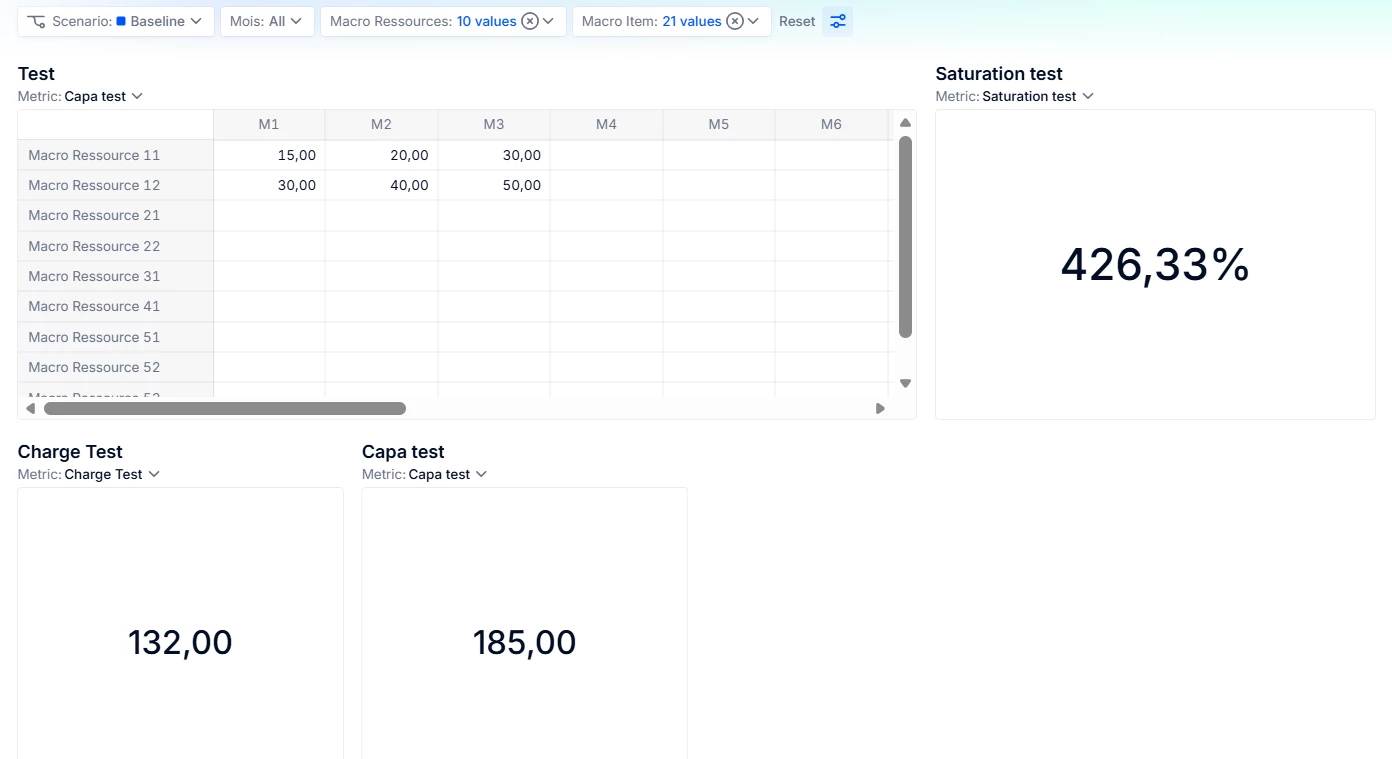
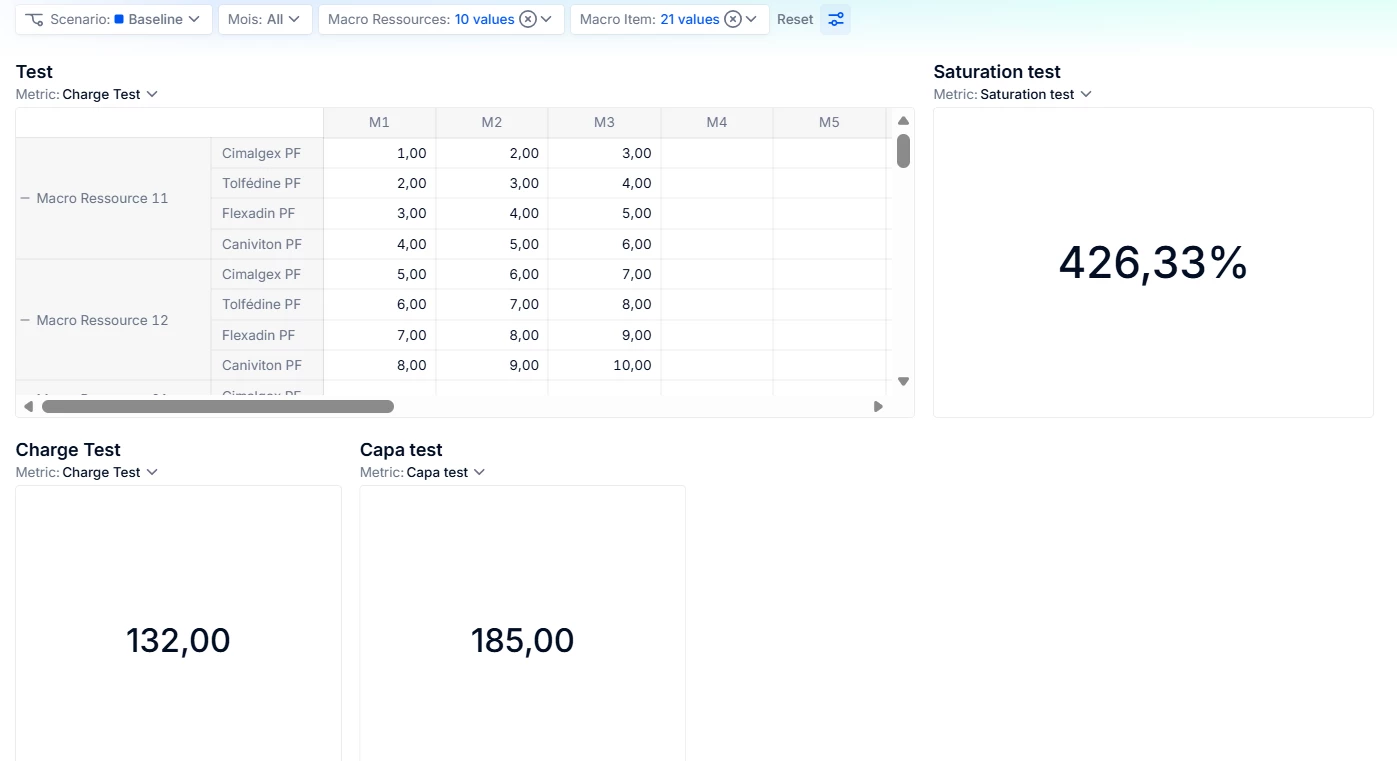
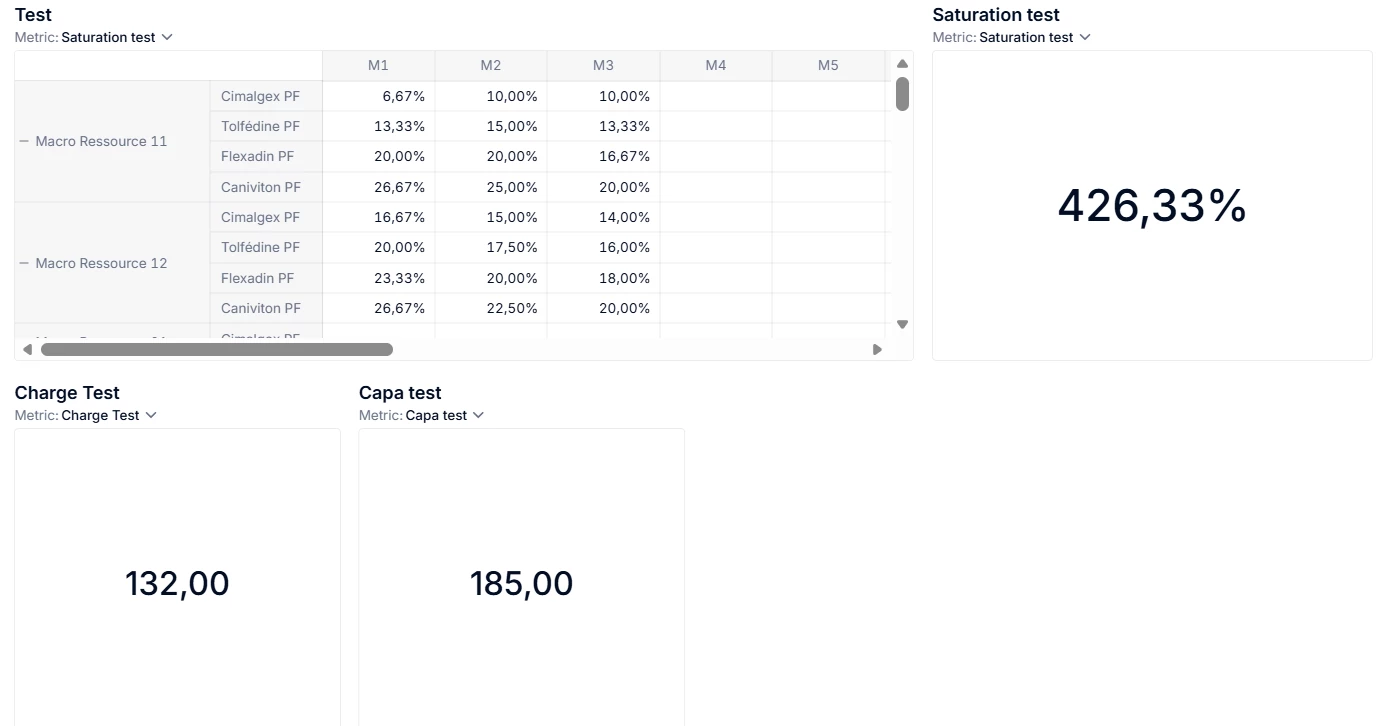
I have 3 metrics : - Capa Test (Dimensions: Macro Ressources, Mois) - Charge Test (Dimensions: Macro Ressources, Macro Item, Mois) - Saturation Test (Dimensions: Macro Ressources, Macro Item, Mois) : Saturation Test = Capa Test / Charge Test
But as you can see, when I use a multi-selection, the KPI “Saturation Test” doesn’t display the expected result (which would be 132/185 = ~71%).
Do you know how I can aggregate this formula in order to have the expected result ?
Thank you very much
Best answer by Francesca Royal
Hi @msouss , thank you for posting your question.
Regarding your initial example:
Saturation Test = Capa Test / Charge Test
Where the expected result of 132/185 = 71%, you should be able to achieve this by:
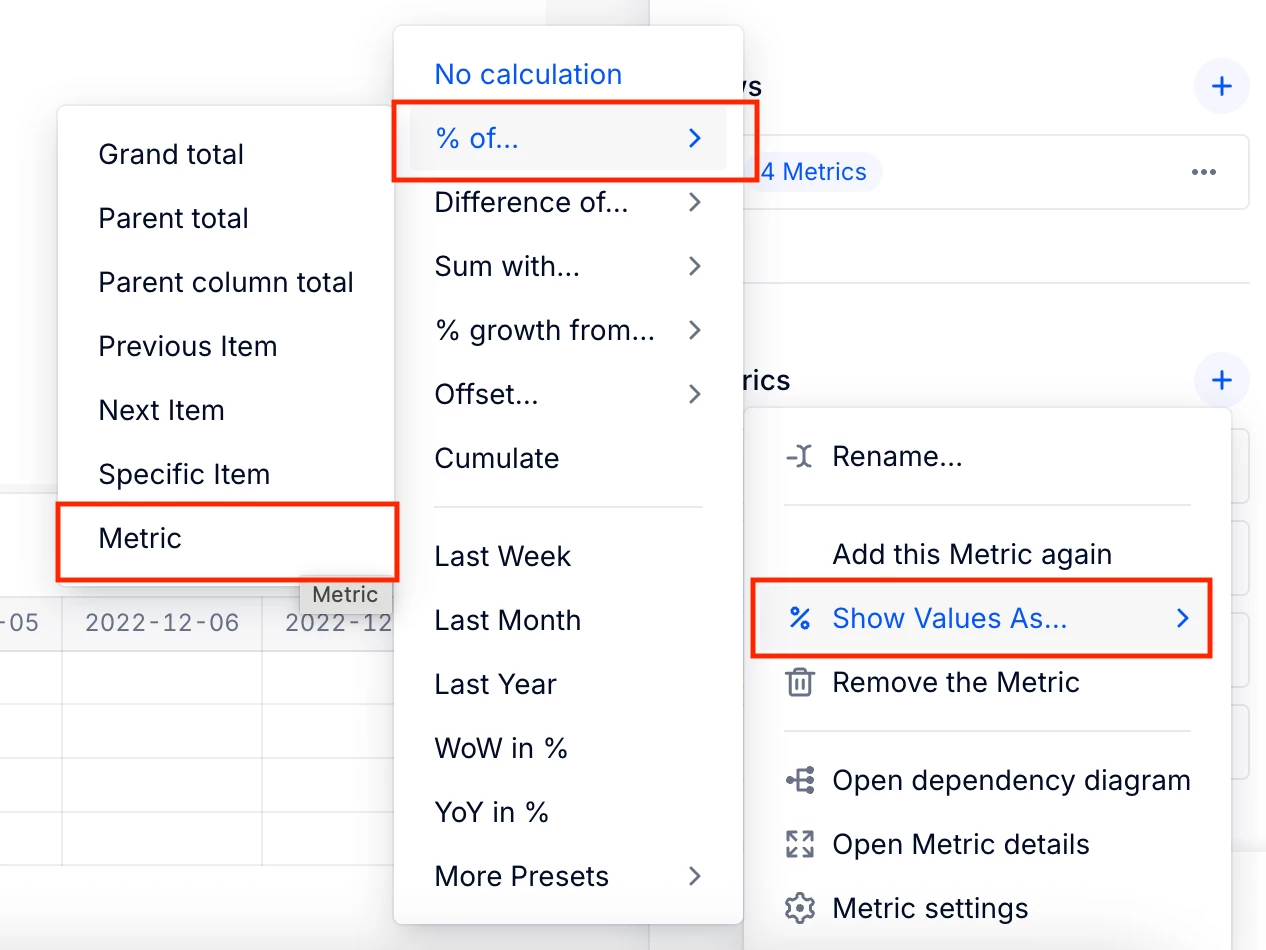
1. Creating a table which includes both capa test and charge test as metrics 2. Add Capa Test again 3. Select “show value as” → % of → metric → select Charge test 4. This should give you the 71%. You can then rename this as Saturation Test
I recommend keeping the table with all 3 values to confirm that you the answer is as you expect (i.e. seeing 132, 185, and 71% once you select the correct page selectors).
Please let us know if this works and if not please share screenshots of what you are seeing/which show value as calculation you’re using so we can better diagnose the problem.
I would suggest using Show Values As to compute the % for saturation test instead of a normal formula. A normal formula only computes at the lowest level, and then aggregrates.
Hi @msouss , thank you for posting your question.
Regarding your initial example:
Saturation Test = Capa Test / Charge Test
Where the expected result of 132/185 = 71%, you should be able to achieve this by:
1. Creating a table which includes both capa test and charge test as metrics 2. Add Capa Test again 3. Select “show value as” → % of → metric → select Charge test 4. This should give you the 71%. You can then rename this as Saturation Test
I recommend keeping the table with all 3 values to confirm that you the answer is as you expect (i.e. seeing 132, 185, and 71% once you select the correct page selectors).
Please let us know if this works and if not please share screenshots of what you are seeing/which show value as calculation you’re using so we can better diagnose the problem.