
Question

Creating my first metric

  • May 18, 2026
  • 2 replies
  • 18 views

Hi,

Another simple one.

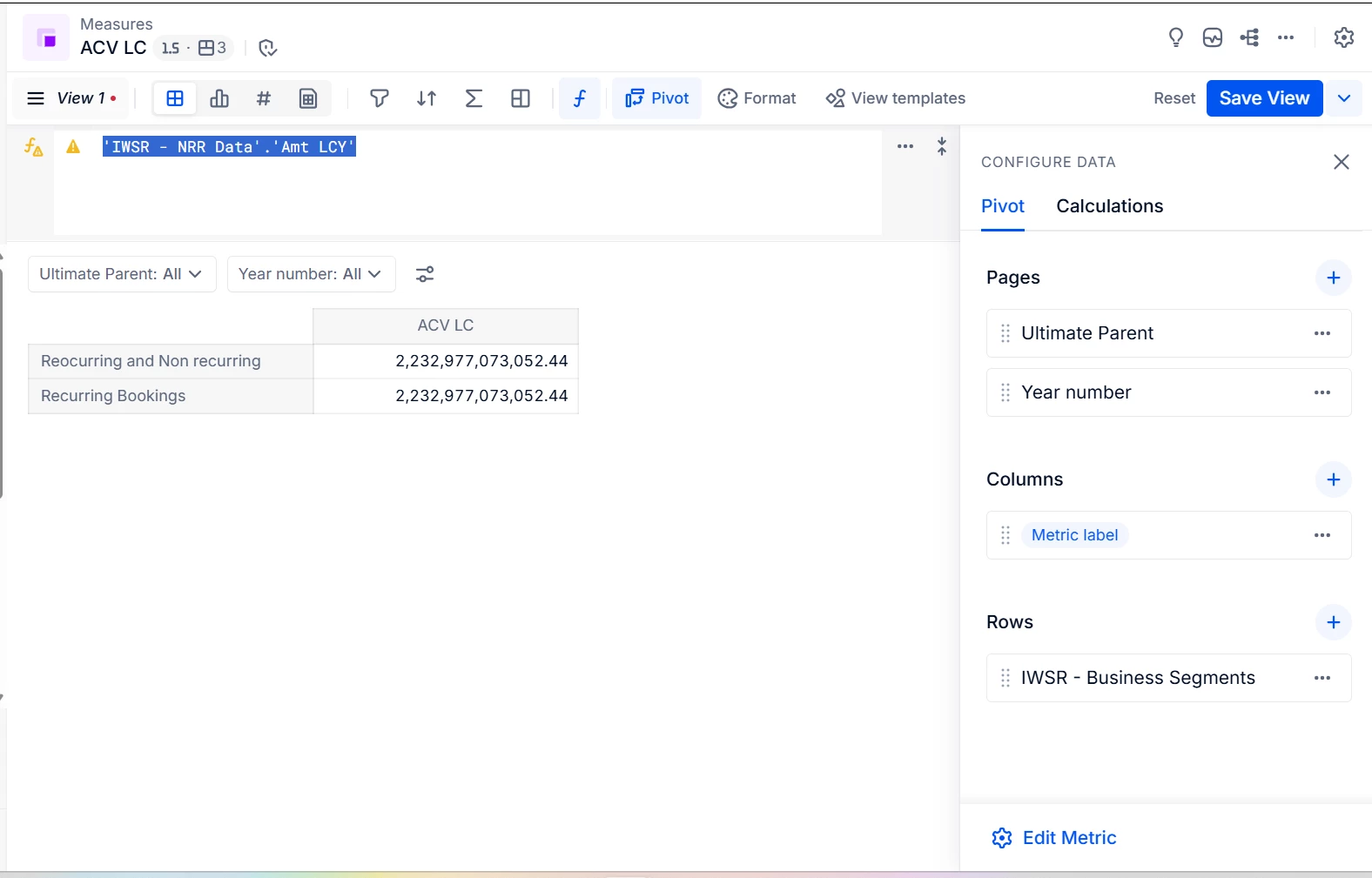
I have a Transaction list with monthly data for revenues for customers, product types and dates.

I want to create a metric that adds up the revenue based on the dimensions selected for the metric.

The dimensions selected are present in the Transaction list.

In the formula I type the column I’m looking to aggregate from the transaction list but I cannot see the aggregation differentiate between Business Segments at all.

What am I doing wrong?


Thanks,


2 replies

Min Li
Master Helper
Forum|alt.badge.img+14
  • Master Helper
  • May 18, 2026

You may want to add the aggregate logic in to the formula as
‘IWSR - NRR Data’.’Amt LCY’[BY:‘IWSR - NRR Data’.’Business Segment’, ‘IWSR - NRR Data’.Month]

Depends on which dimensions you want to structure the data. Here I included only Business Segment and Month, you may also want to as customer, or subsidiary et al.


Julie Guérin
Employee
Forum|alt.badge.img+9

To add to what ​@Min Li mentioned, I’d recommend using the Formula Playground to create your metrics, as it automatically adds the relevant dimensions to the structure, making the process much easier.