Question

Dynamic year selection in a grid

  • March 3, 2026
  • 6 replies
  • 49 views

Chahat
Master Helper
Forum|alt.badge.img+17

Hey,
Is there a way in Pigment by which we can do the following in the same grid/table:
show “FY 2025 column header” for some metrics and 
“FY 26 ” columns for some other metrics

6 replies

Julie Guérin
Employee
Forum|alt.badge.img+8

Hi ​@Chahat,

One approach would be to filter the timeframe directly in the formula, by restricting it to FY25 and FY26, and then hide blank rows and columns in the view.

This might require duplicating some metrics specifically for this view, especially if the full time range is still needed for downstream calculations, which may not be ideal if this applies to several metrics

How many metrics would need this logic applied?

Thanks!


Chahat
Master Helper
Forum|alt.badge.img+17
  • Author
  • Master Helper
  • March 3, 2026

Hey ​@Julie Guérin ,

There are total 9 metrics in the table:
2 input metrics should have the column header “FY26”;

Formulated metrics:
3 metrics should have the column header “FY 25”
4 metrics should have the column header “FY 26”
By applying ‘Hide empty rows and columns’ , it is getting applied to all the metrics in the table, (including input metrics).

But, 2 input metrics should have the column header “FY26”;
and there are some blank cells in these input metrics within FY26 which needs to be shown as well. (even if blank)


Julie Guérin
Employee
Forum|alt.badge.img+8

Hey ​@Chahat

Edited: Actually it won’t work as it’s hiding for all metrics.

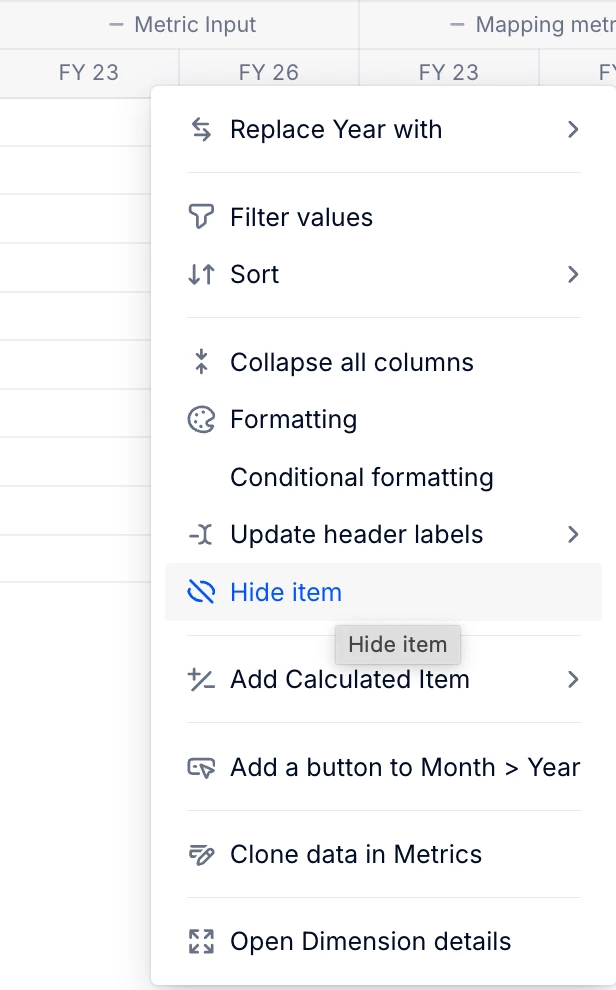
Would using the “Hide item” option from the FY column dropdown work better for your use case? It won’t be dynamic though. 


Thanks!


Chahat
Master Helper
Forum|alt.badge.img+17
  • Author
  • Master Helper
  • March 3, 2026

By using the “Hide item” , it’s getting applied to all the metrics within the same table (even if ‘Hide Item’ is done on just 1 metric through FY column dropdown)

But, it should be applied on “certain metrics” only


Julie Guérin
Employee
Forum|alt.badge.img+8

Hey ​@Chahat,

Another approach would be duplicating the metrics in the view and leverage the Subset feature by replacing the Year dimension in their structures with the appropriate year subset.
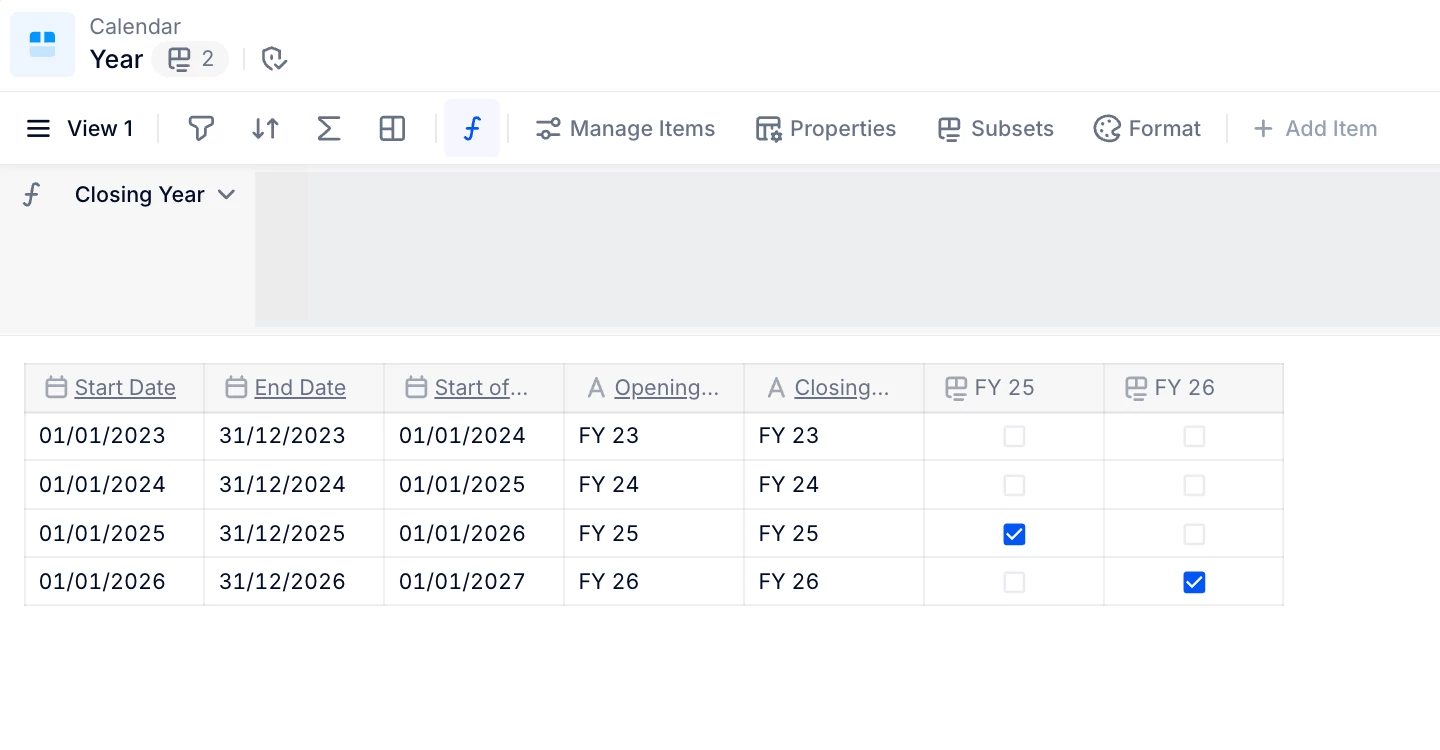
This allows you to display the empty input metric without needing to hide empty rows or columns, and should help you achieve the layout you’re looking for.
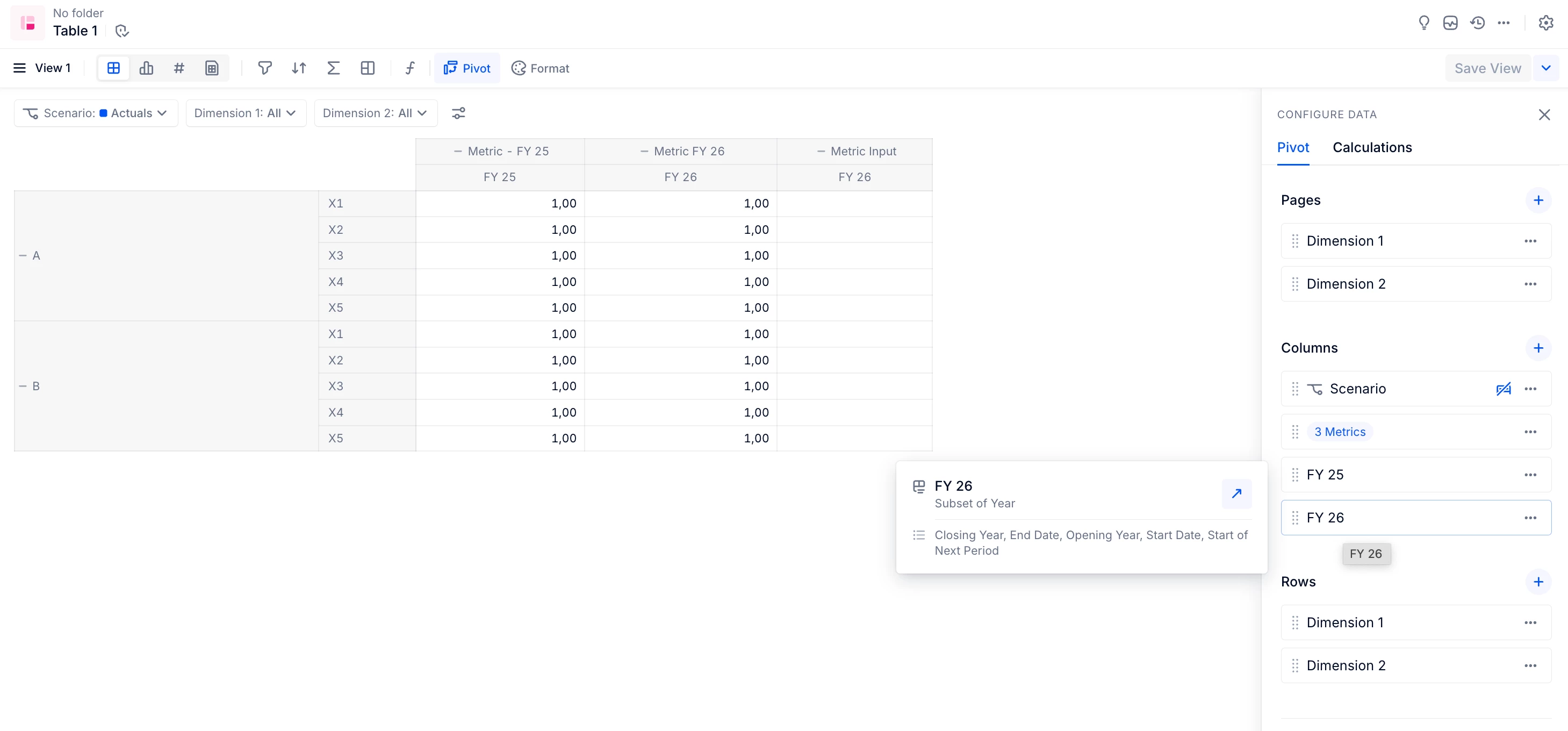


Make sure to review the documentation on how to properly use subsets, especially for input metrics. Be aware that unticking the subset boolean can result in losing manual inputs.


In addition, you could submit a product idea to enhance the Hide item functionality, so it can be applied to specific metrics rather than all metrics in the view.

Hope this helps!


CDALMAY
Master Helper
Forum|alt.badge.img+16
  • Master Helper
  • March 4, 2026

Great workaround ​@Julie Guérin, regarding the idea, one was already submitted by ​@Chloé