

Question

Metric to metric import

  • March 17, 2026
  • 5 replies
  • 29 views

Forum|alt.badge.img

Hello, 

Currently I have my sales forecast by SKU and Month. I added to it, the “Switchover date” from Actuals to forecast to have some versioning. 

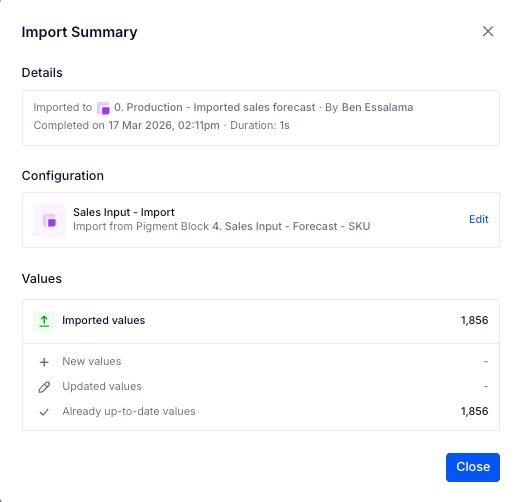
Now, I want to import this metrics to another metrics to only have the final version of the sales forecast for each “Switchover date”. 


However, we I try to import the forecast for a new “Switchover date”, it only update the values and do not create a new version for the new “Switchover date”. So, how could I create each time a new forecast when the “switchover date” changes? 
Thanks for your help!

Ben
5 replies

Julie Guérin
Employee
Forum|alt.badge.img+8

Hi ​@Ben Essalama,

I’m not sure I fully understand what you’re trying to achieve. In your formula, is “Switchover date - List” a metric dimensioned by Month and Version? By which dimensions id the “4. Sales input” metrics structured?

In the meantime, here are a few resources that might help with setting this up:


Thanks!


Forum|alt.badge.img
  • Author
  • Apprentice Author
  • March 17, 2026

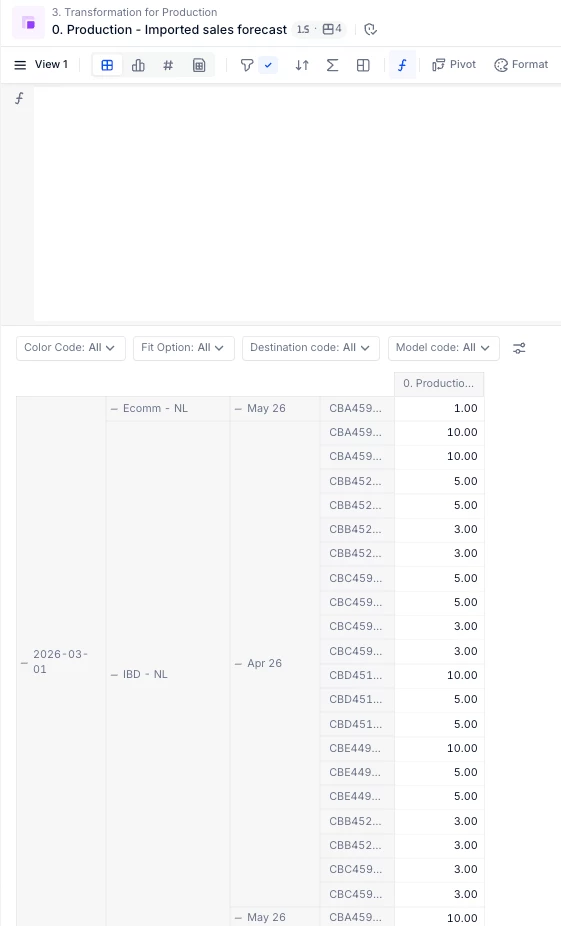
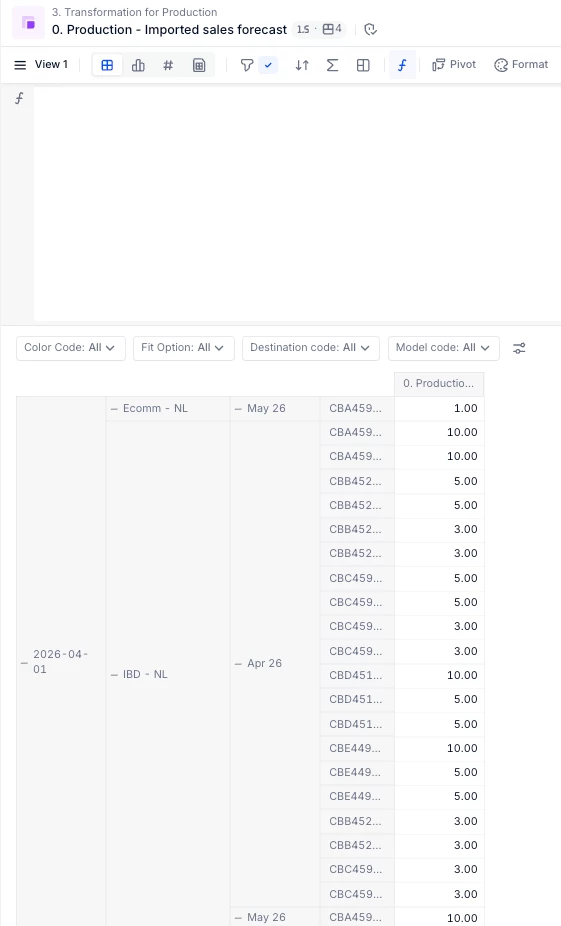
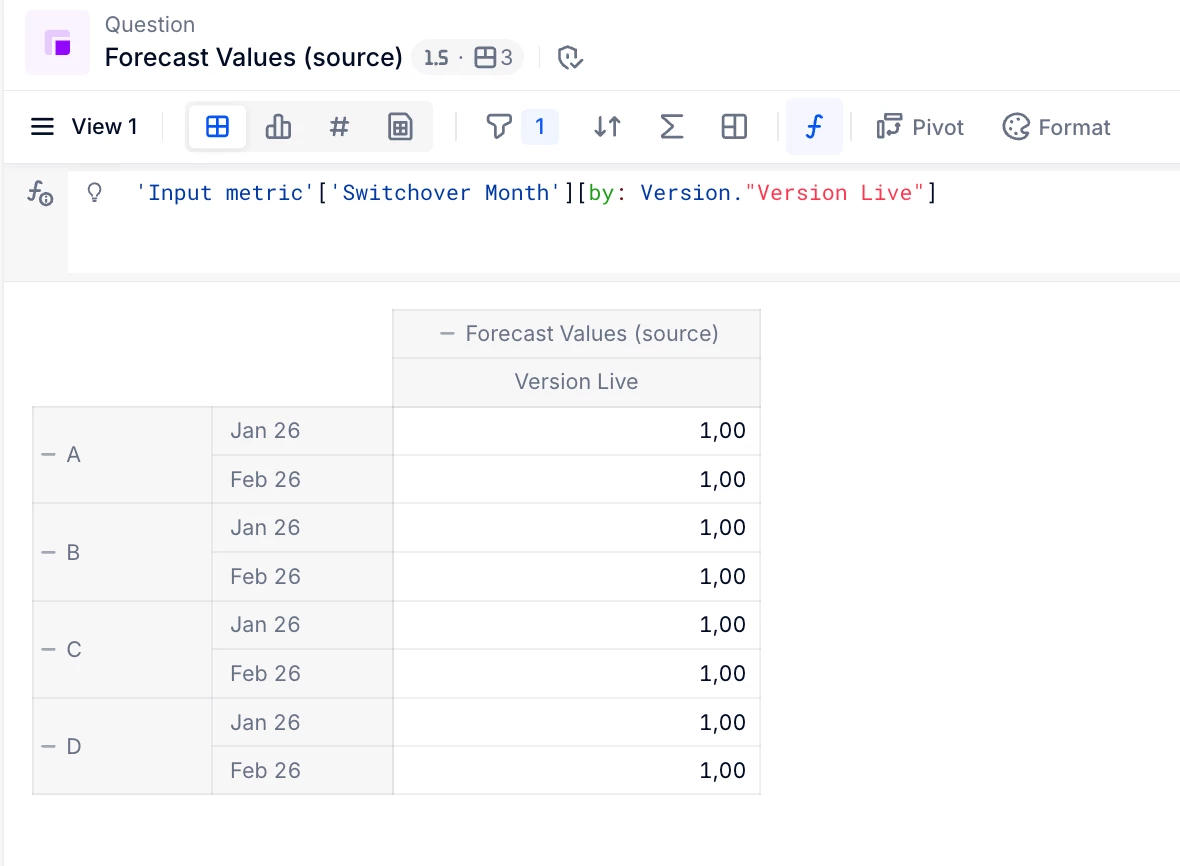
Actually I am not struggling with the set-up but more with the import of the data. When I import the metrics “4. Sales Input - Forecast - SKU” to “0. Production - Imported sales forecast” via an “import data” >  “Pigment Metric”, the import work well. But when I want to import a new version of , it only update the old version and do not create a new one. So, I loss the previous forecast. So in my example below, we can see if I do not change any data, the new import will only overwrite the “switchover date” (in the right column)(From 2026-03-01 to 2026-04-01). 

In this case the “switchover date” is a date and is a dimension in the metric. 

So here I was wondering if it is possible to important the entire forecast when the “switchover date” changes and not changing the previous forecast instead of just updating the previous import. 


Julie Guérin
Employee
Forum|alt.badge.img+8

Hi ​@Ben Essalama,

Is your goal to save and compare different switchover versions, or to refresh specific months based on the switchover date (for example, updating all months prior to the switchover date)?

Thanks!


Forum|alt.badge.img
  • Author
  • Apprentice Author
  • March 18, 2026

Hi ​@Julie Guérin, My goal is to save and compare different switchover dates 


Julie Guérin
Employee
Forum|alt.badge.img+8

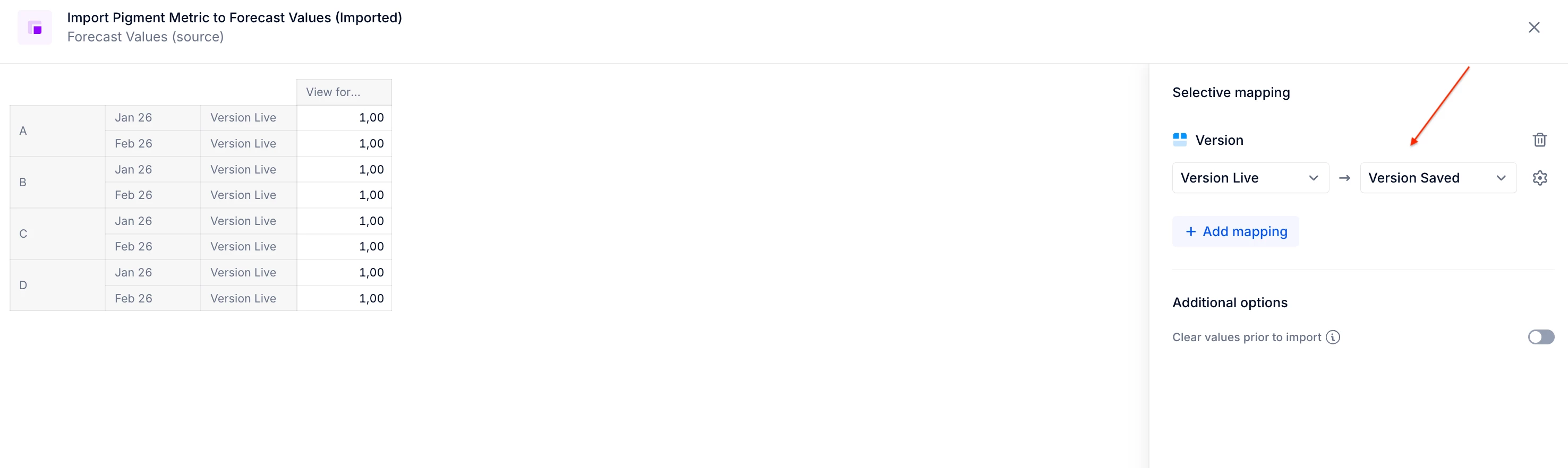
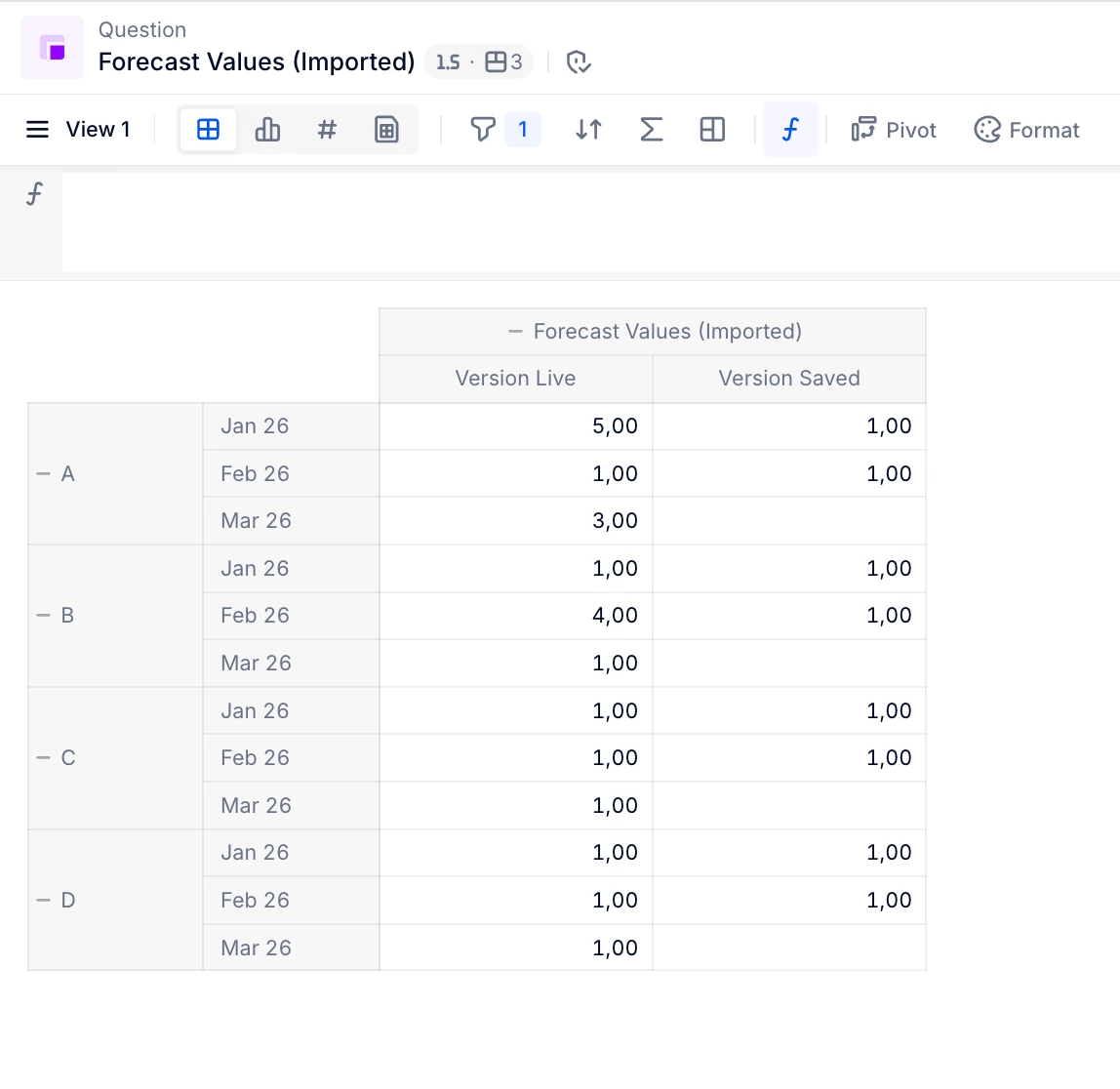
Would it work in your case to allocate the values to a specific Live item in your “Switchover date - List” dimension, create a new item for each new switchover date, and use a mapping in the Pigment-to-Pigment import to copy from Live into that saved switchover item, then repeat the process?

Below is an example of how this can be done using a Version dimension.

Live Version with Switchover of March 1st
Import Version Live into Version Saved


Thanks!