

Solved

Sorting Filter Options in Pigment

  • August 1, 2025
  • 5 replies
  • 82 views

Forum|alt.badge.img+2

Does anyone know if I can sort the items in a filter so that my cost centers (or GL account) shows in ascending order? 

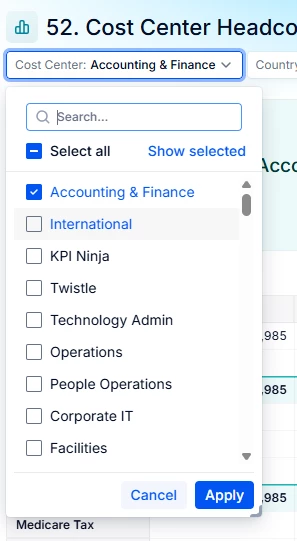
I created a filter for cost center currently but all the available items are listed randomly, I tried sorting the dimension list in ascending order but it doesn’t reflect properly when I use the selectors.
 

Thank you!
Best answer by Chahat

Hi ​@Kelvin Chan ,

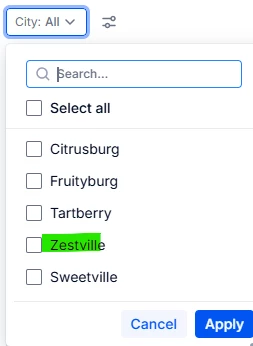
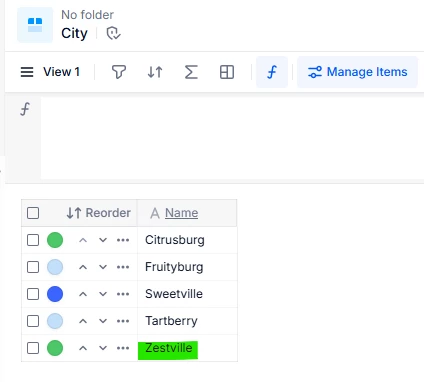
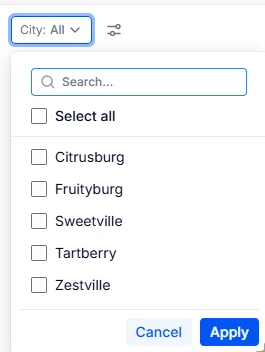
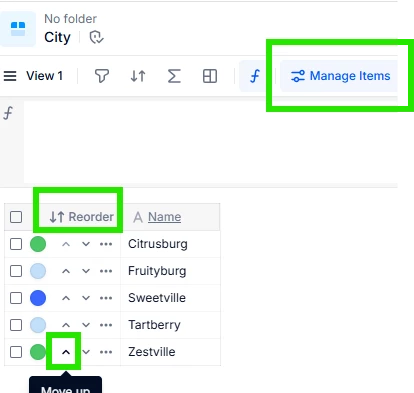
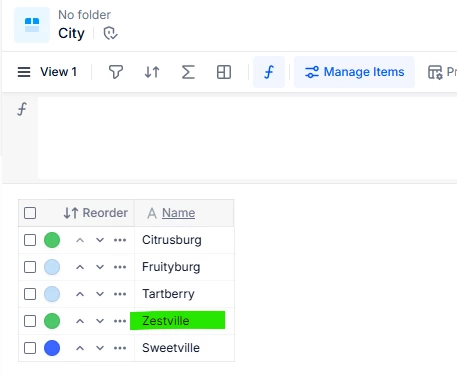
If you will apply the sorting in the dimension list i.e. Cost Center list using the ‘Manage Items’ → Reorder feature, and then it will automatically show you the items in the reordered manner in the dropdown filter.


Dimension List : Before
Filter Dropdown : Before


Dimension List: After
Filter Dropdown: After updating the order of the items (in the Dimension list)


Detailed explanation for reordering


Hope this makes sense , let me know if it worked for you!

5 replies

Chahat
Master Helper
Forum|alt.badge.img+14
  • Master Helper
  • Answer
  • August 1, 2025

Hi ​@Kelvin Chan ,

If you will apply the sorting in the dimension list i.e. Cost Center list using the ‘Manage Items’ → Reorder feature, and then it will automatically show you the items in the reordered manner in the dropdown filter.


Dimension List : Before
Filter Dropdown : Before


Dimension List: After
Filter Dropdown: After updating the order of the items (in the Dimension list)


Detailed explanation for reordering


Hope this makes sense , let me know if it worked for you!


JDLove
Author
Forum|alt.badge.img+9
  • Author
  • August 4, 2025

Hi,

As a simple example:

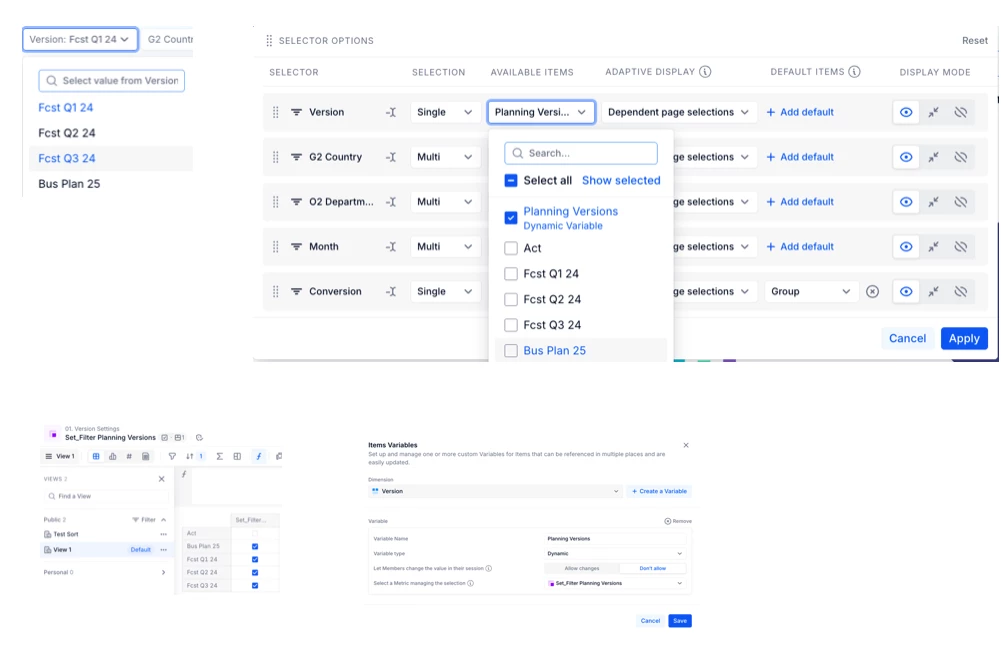
It’d be great to sort filtered "Planning Versions" by the "Item Variable" instead of the default dimension sort. I tested a custom sort in the "Set_Filter Planning Versions" metric, but it reverts to the dimension’s sort .


Regards

JDLove


Forum|alt.badge.img+7
  • Author
  • November 12, 2025

@Chahat is there an easier way to do this? I have a dimension list with 800+ items and I want it to show alphabetically in the dropdown. 


Chahat
Master Helper
Forum|alt.badge.img+14
  • Master Helper
  • November 13, 2025

Hi ​@ljanowski ,

At the moment it is not possible to do this in an easier way unfortunately. However, there is an idea submitted to have a default property for sorting. :


benjamin.berger
Employee
Forum|alt.badge.img

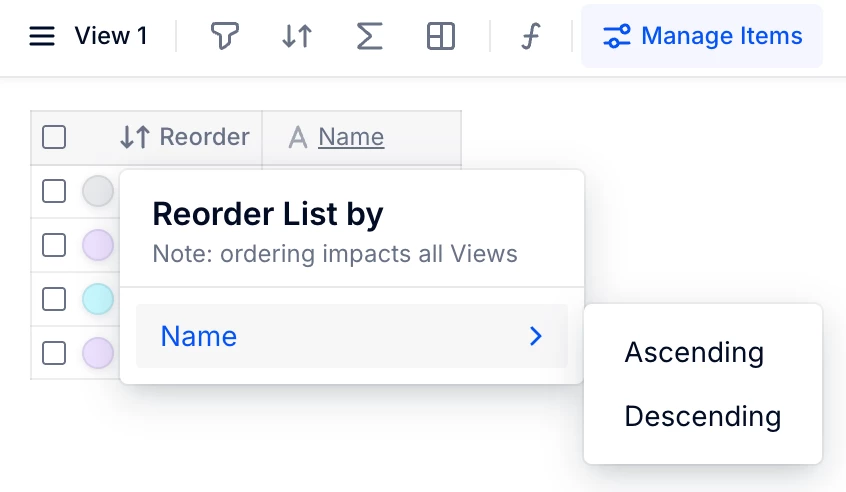
Hi ​@ljanowski in order to reorder your list faster, after clicking on “Manage Items”, you can directly click on the “Reorder” button in the list header.

This will let you select the property of your List you’d like to reorder by.


However, as mentioned, this will not enable a “dynamic reordering” meaning that each time new Items are being added to the List, you will have to reorder through that method again. 

I hope this helps!