

Solved

Unable to clone data in a metric

  • March 27, 2026
  • 5 replies
  • 56 views

Forum|alt.badge.img+2

Hello,


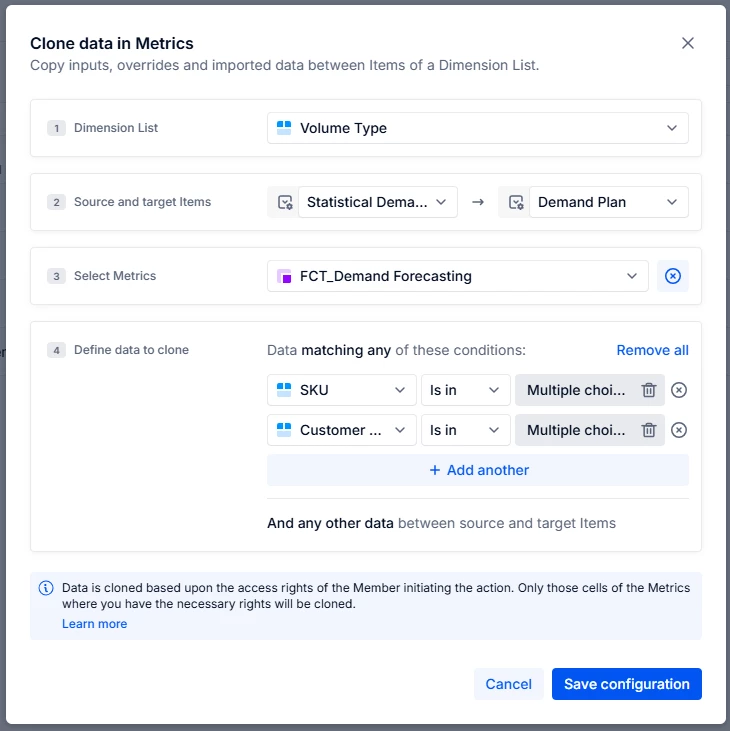
I am trying to give users the ability to initialise data from a statistically generated demand plan using Clone data in metrics. I am using the following set-up, and the clone appears to run, but no data is created in the metric and application history shows no values were moved.

  1. Data import set-up:
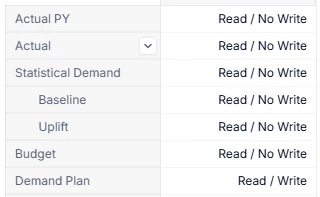
  2. Access rights for FCT_Demand Forecasting:
     

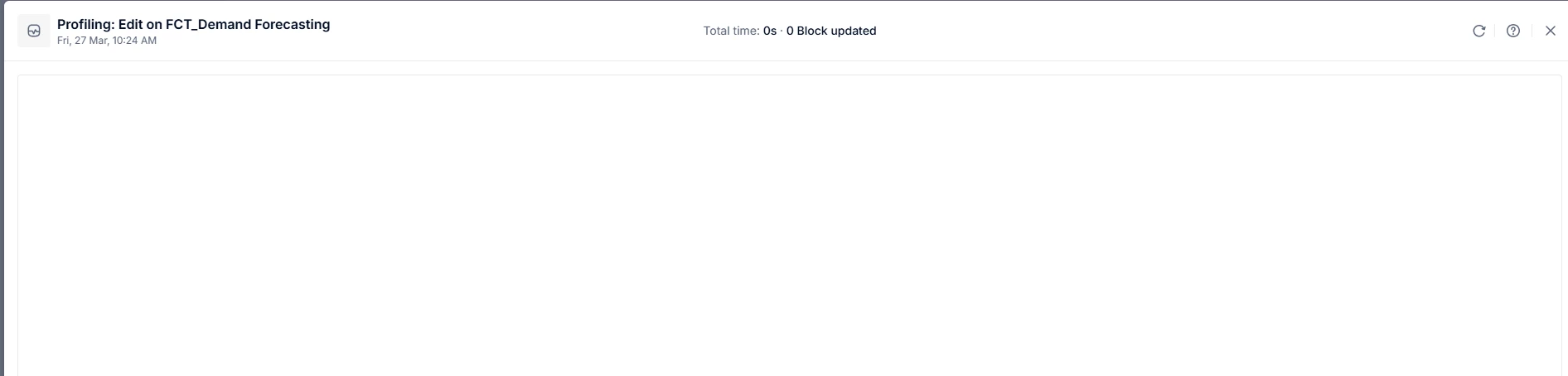
  3. The entry in application history:

The documentation analyst was helpful but ultimately didn’t give any indication of why this isn’t working. Any insight would be appreciated.

Thanks,William

Best answer by Jake

Hi ​@William Seath, do the original metric (FCT_Demand Forecasting) and test metric have a formula in them with overrides enabled?

The clone feature will only copy user inputs, including overrides of formula results. If your source Volume Type of Statistical Demand is formulaically derived, those values will not be included when cloning data. 

5 replies

Julie Guérin
Employee
Forum|alt.badge.img+8

Hi ​@William Seath,

The most likely explanation for this trace is that there were no values to clone, meaning the metric was blank. Could you confirm whether there were any values for the intersection you attempted to clone?

You could also try cloning a different intersection in a test metric to see if the issue persists.

Thanks!


Forum|alt.badge.img+2
  • Author
  • Apprentice Author
  • March 30, 2026

Hello ​@Julie Guérin,

I can confirm there are values in the intersection I attempted to clone, and that this doesn’t run when I change the configuration to run on all intersections. I get the same behaviour when I create a test metric cloning on the same dimension.
The test metric is dimensioned by Week and Volume Type (the dimension I am trying to clone across), whereas the original metric is dimensioned by Week, SKU, Customer Plan, and Volume Type.

Thanks, William 


Jake
Employee
Forum|alt.badge.img+5
  • Employee
  • Answer
  • March 30, 2026

Hi ​@William Seath, do the original metric (FCT_Demand Forecasting) and test metric have a formula in them with overrides enabled?

The clone feature will only copy user inputs, including overrides of formula results. If your source Volume Type of Statistical Demand is formulaically derived, those values will not be included when cloning data. 


Forum|alt.badge.img+2
  • Author
  • Apprentice Author
  • March 30, 2026

@Jake that is exactly it, I can confirm that if  I overwrite values in Statistical Demand the values are copied over. The knowledge base mentions that clone data is generally used to initialise between versions, presumably this means that any non-user entered data must be done a different way?


Jake
Employee
Forum|alt.badge.img+5
  • Employee
  • April 10, 2026

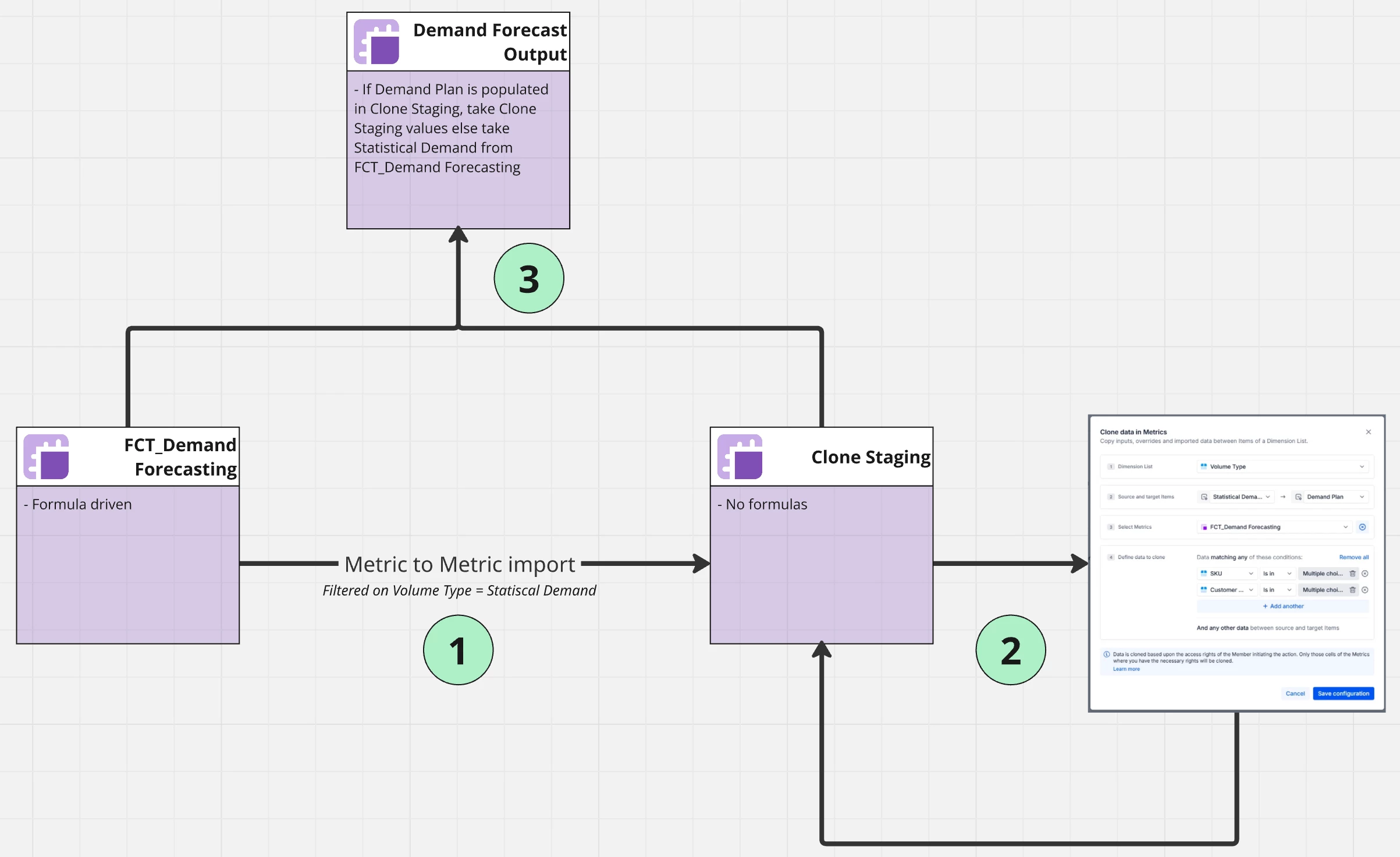
Hi ​@William Seath, you could clone the inputs or drivers that are driving the results in the statistical demand Volume Type, but from your cloning screenshot above, I’m guessing that’s not possible given you’d like users to select “SKU” and “Customer...” list members when cloning.


Perhaps you could run a metric-to-metric import from the statistically generated demand plan metric to a new metric with the same dimensionality, but no formula. From there, initiate the clone data from Statistical Demand to Demand Plan with “SKU” and “Customer...” conditions. Then, a final metric would take the result from the clone stating metric if Demand Plan volume type is populated, otherwise take the result from FCT_Demand Forecasting.