





Rested, relaxed and ready to roll into the new year! We've started it by releasing 5 new product features for you to get a head start with improved business planning. Check out what's new and coming up in the Pigment realm.
- 📊 Sharper insights: improved Bar charts are coming!
- 📶 Sorting improvements are here!
- 🔐 Toggle access rights rules
- 📦 Understand dimensionality adjustments with a click
- ⌛ KEEP only selected Dimensions in formulas
- 🗺️ Pigment Academy: New Map charts course!
- 🗳️ Take our 3-min customer survey
- 🌉 Upcoming Bay Area User Groups
- 🗓️ Save the date: London & Paris User Groups
Sharper insights: improved Bar charts are coming!
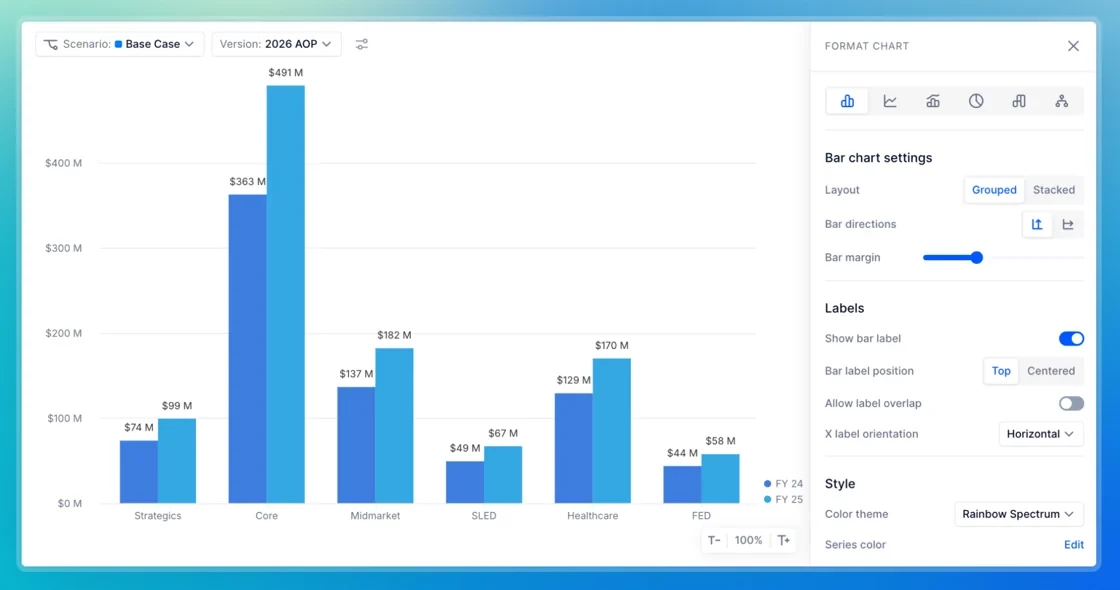
Get excited! Starting late January 2026, Pigment Bar charts are getting a major readability boost. Enjoy more spacious layouts, scrollable legends for long lists, and left-aligned markers for effortless identification. With smarter grid lines, your grouped data has never looked better. Stay tuned—Line and Pie charts are next!
Sorting improvements are here!
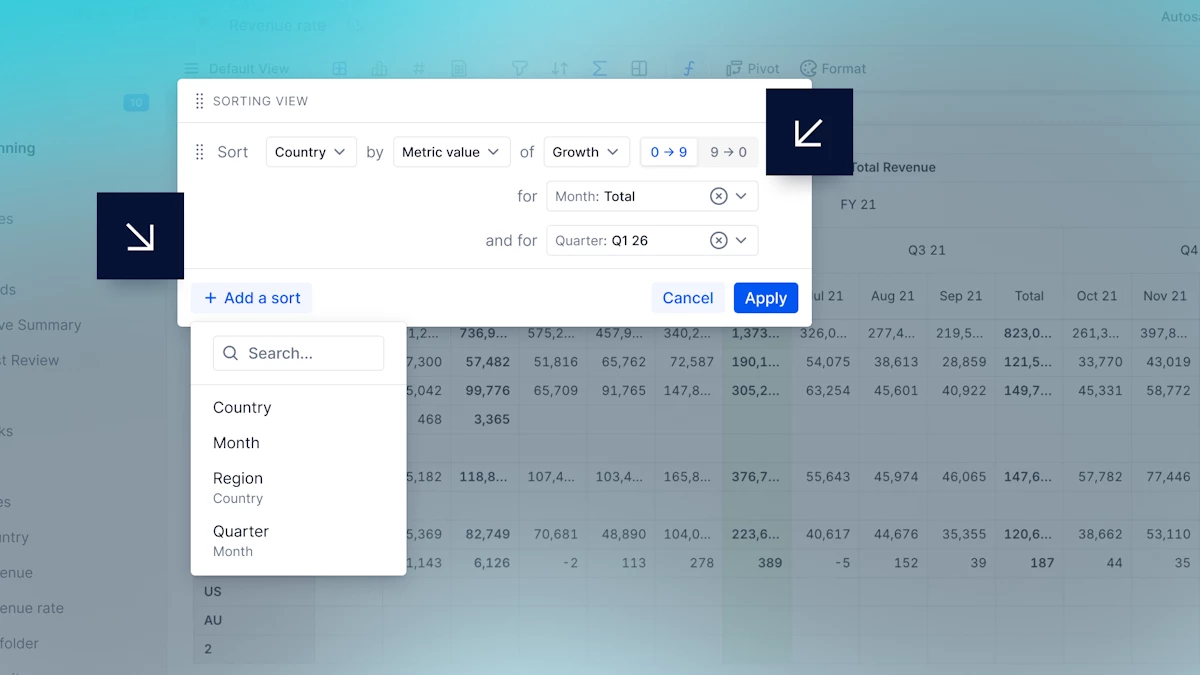
You can now sort by subtotals on grouping and mapped Dimensions, giving you greater control over how your data is ordered. We’ve also improved the overall Sort experience to make it more natural and intuitive, so you spend less time adjusting options.
Toggle access rights rules
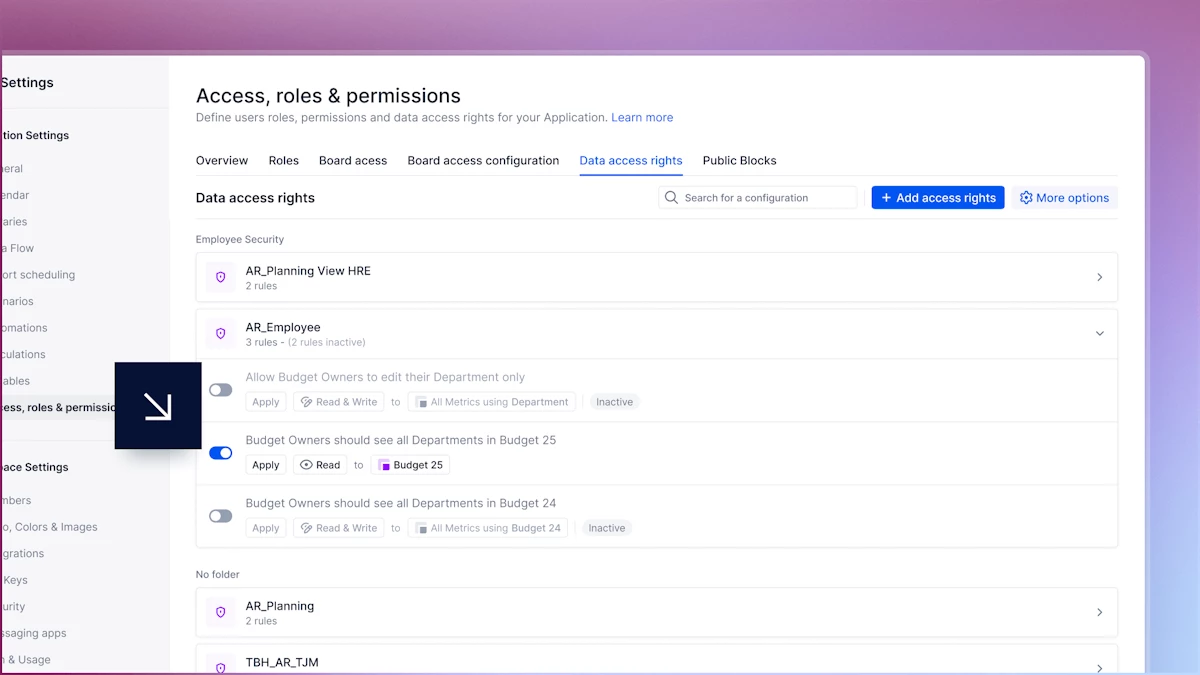
We’ve added a toggle for every rule in the dashboard, so now you no longer have to delete a rule to disable it. This means you can pause rules during maintenance and draft new rules without activating them immediately. And you can keep your rule list as a "Library" rather than starting from scratch every time!
Understand dimensionality adjustments with a click
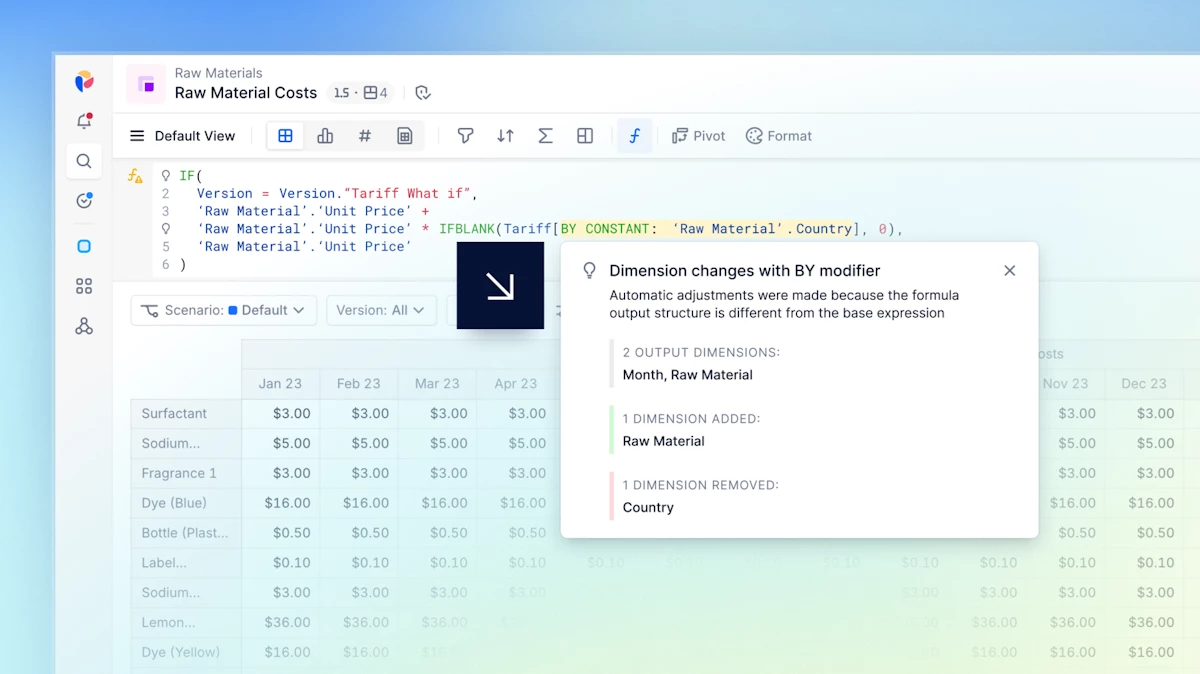
Dimensionality Hints are now available directly from the formula bar. They explain the automatic adjustments Pigment makes when resolving formulas, helping you understand the results you see. A hint symbol appears when the Dimensions resulting from a BY modifier differ from the Metric’s Dimensions, or when an IF expression is automatically adjusted. Just click the symbol to view the hint!
KEEP only selected Dimensions in formulas
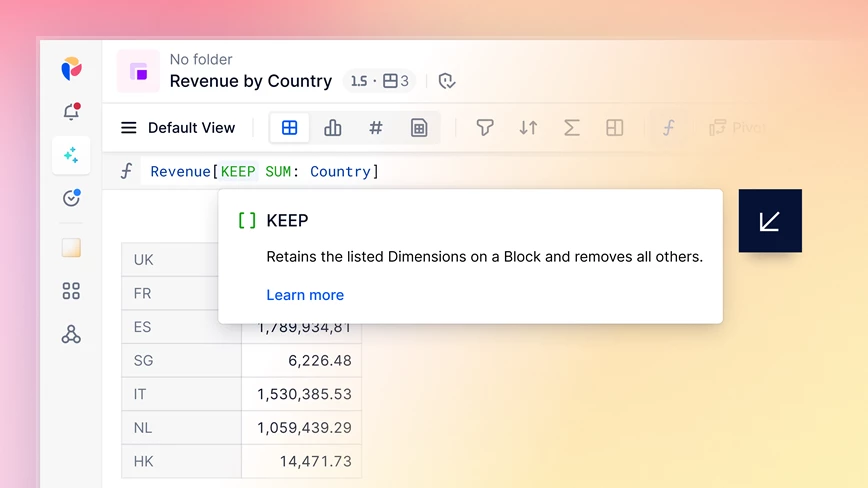
The new KEEP modifier lets you specify exactly which Dimensions to retain—automatically removing all others. Combine KEEP with aggregation operators to transform data, such as returning Revenue by Month while all other Dimensions are automatically averaged. Shorten your syntax and boost formula-writing efficiency with KEEP!
Pigment Academy: New Map charts course!
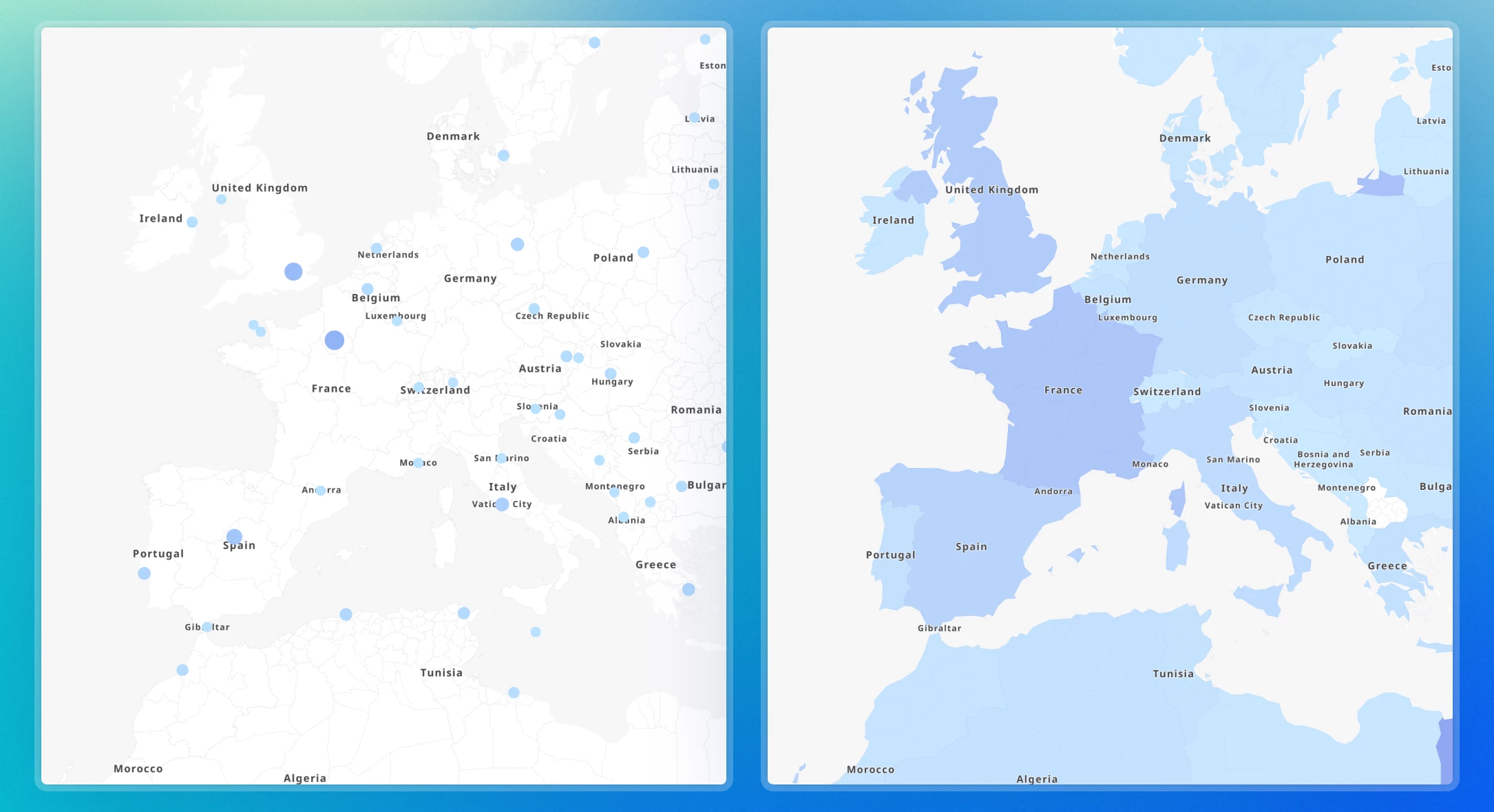
Our latest Academy course has arrived! Learn how to effectively leverage Map charts on your Pigment Boards. This guided course takes a detailed look at Map chart configuration and features short simulations to help you master Markers and Areas for data visualization. Get started to see Map charts in action and bring location-based insights to life.
Take our 2-minute customer survey
At Pigment, we aim to create meaningful experiences that go beyond the product. By taking just 2 minutes to complete this questionnaire, you’ll help us design content and moments tailored specifically to you.
Upcoming Bay Area User Groups

Our User Group event series is back this year, starting off in San Jose and San Francisco!
Join us in the morning of March 4th in San Jose from 8:30am - 2pm and March 5th in San Francisco from 9:30am - 2pm to accelerate your AI productivity. Walk away with ideas you can apply immediately to your own planning, and having made new connections with your local Pigment Community.
Stay on for the afternoon to continue connecting with your peers at Pigment Catalyst.
Pigment Catalyst is also taking place on March 4 (San Jose) and March 5 (San Francisco) from 2pm - 6pm. Join us for a visionary keynote from Co-Founder & Co-CEO Eléonore Crespo, a customer panel session, insights into the future of business planning and AI in Pigment, and more networking.
Please note you can register to any of these events through the same form.
Save the date: Registrations for User Groups in London on March 10th and Paris on April 9th are coming soon!
Don’t miss it — check out this month’s LinkedIn Round-Up!
We're always looking to improve, so please don't be shy and share your comments via email, by contacting your Customer Success Manager, or here on our Community!!
All the best from everyone at Pigment.
