


Hi,
I come from a modelling background in which we are encouraged to find alternatives to nested IF formulas.
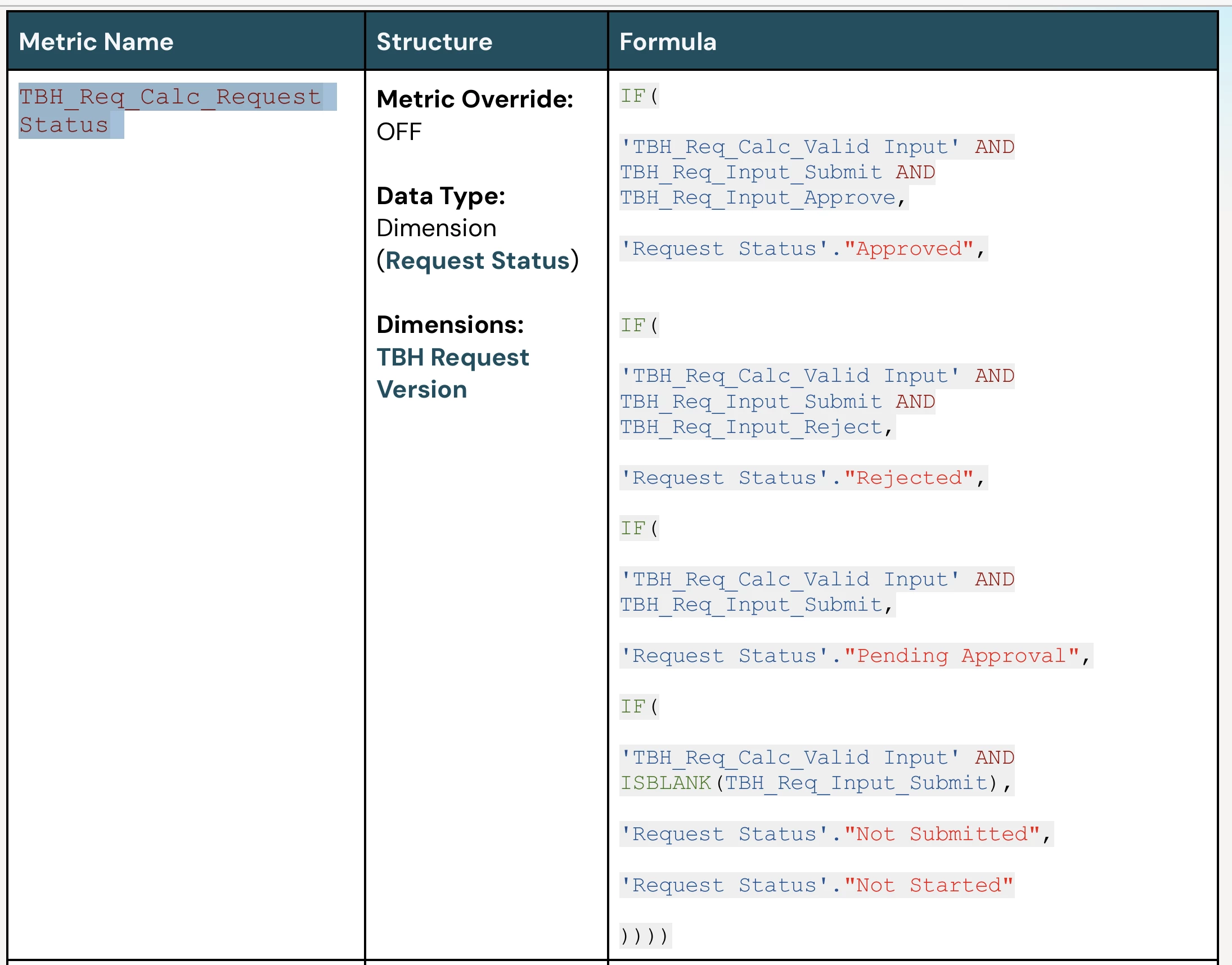
I am also close to finishing the Pro Basic online training in which we are asked to copy a nested IF formula to assign a ‘Request Status’ to changes in ‘to be hired’ items in a workforce planning model.
The formula contains 4 IF functions in which various criteria is assessed in order to assign status.
My observation is that would it be more efficient to create individual metrics for each status, build a formula to assign an outcome to a single item subset of the ‘Status Request’ dimension and then consolidate each individual metric into a final metric containing the full list. Then lookup this source metric in the target metric.
This no doubt involves more steps but feels like it would intuitively be more efficient in spite of the additional blocks.
Would love to hear thoughts from others.