


Solved

Calendar - year view

  • Jul 7, 2022 1:11 PM UTC
  • 2 replies
  • 636 views

Marina
Wallflower
Forum|alt.badge.img+1

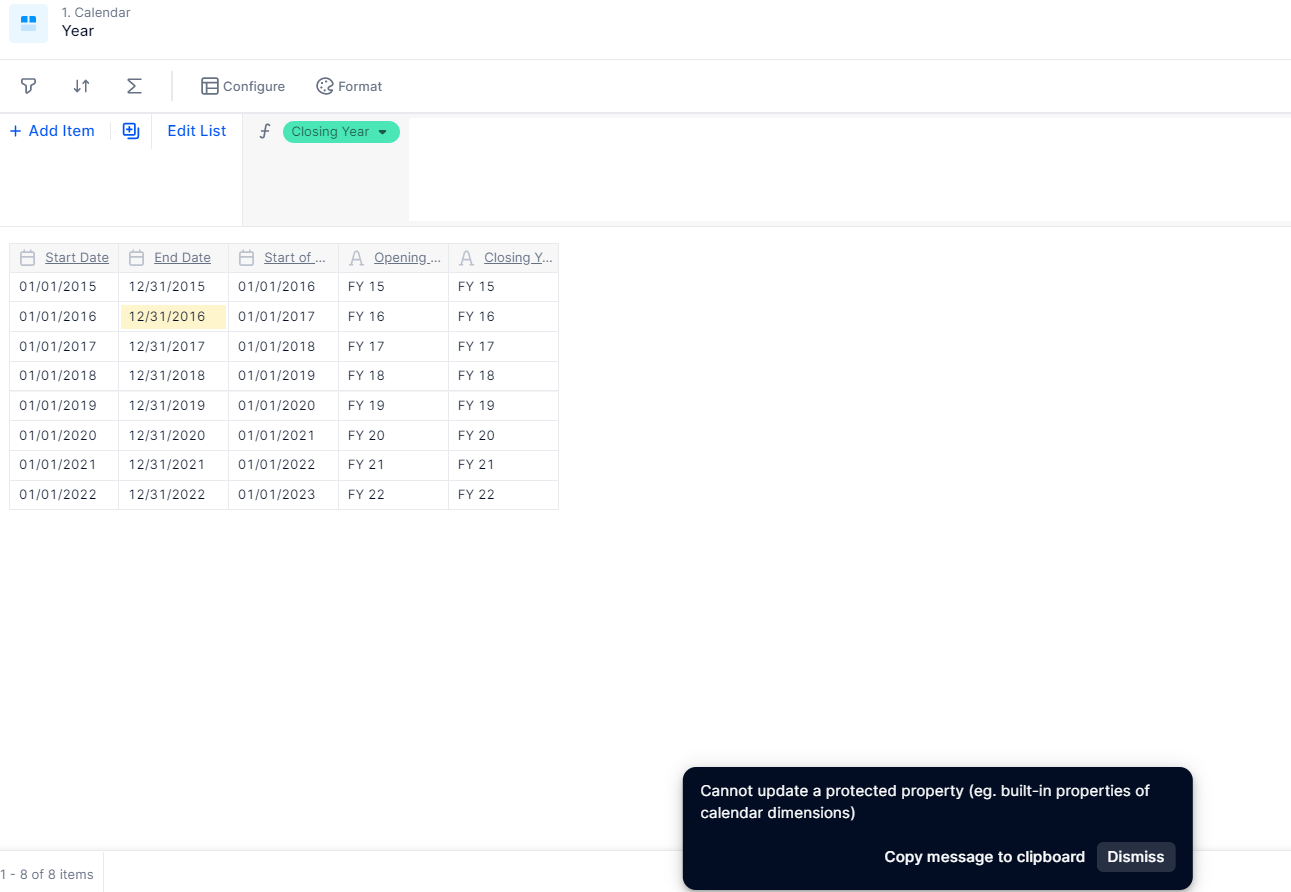
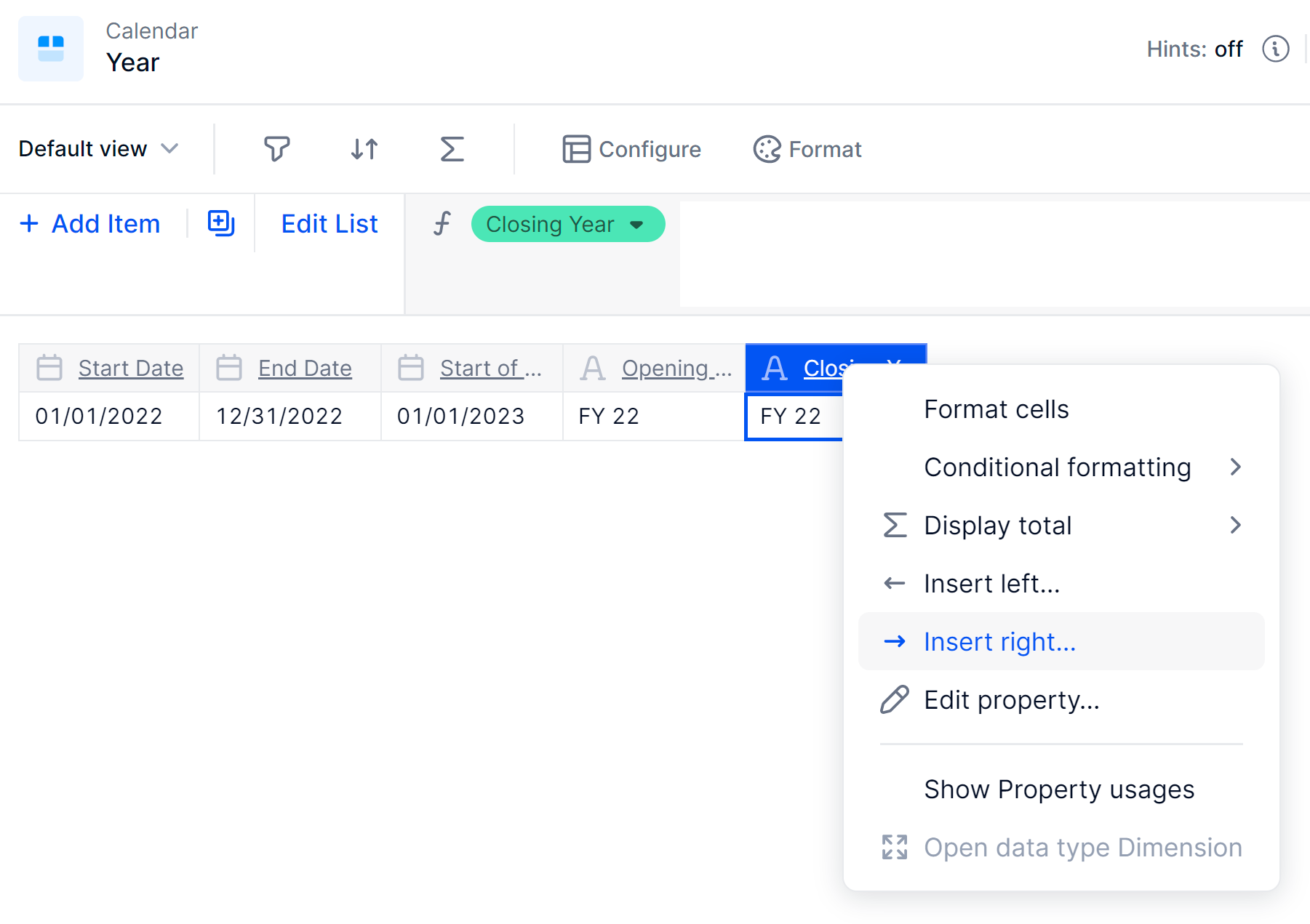
Hello team, I would like to update my calendar and instead of FY 22 to show 2022 as we are still in July and having as a header “FY 22” might be misleading for external readers. When I try to update the property closing year, I get the below message. Is there a workaround here?
 

Best answer by Keiran

Hi Marina,

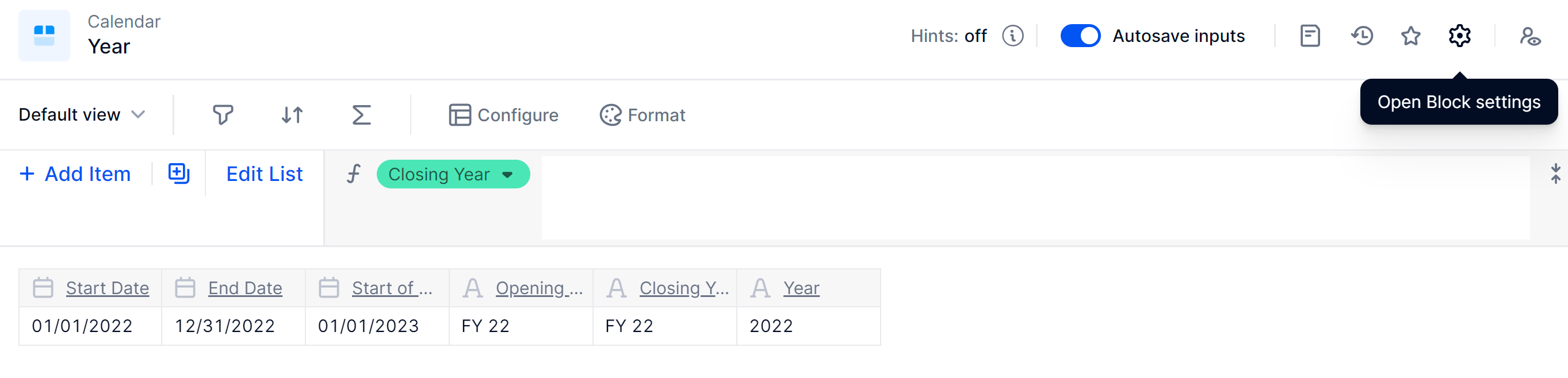
You can’t edit the default property values in the system generated calendar dimensions but you can add new properties

Insert a Property
Select a name and type
Add your new value


You can then use this property.


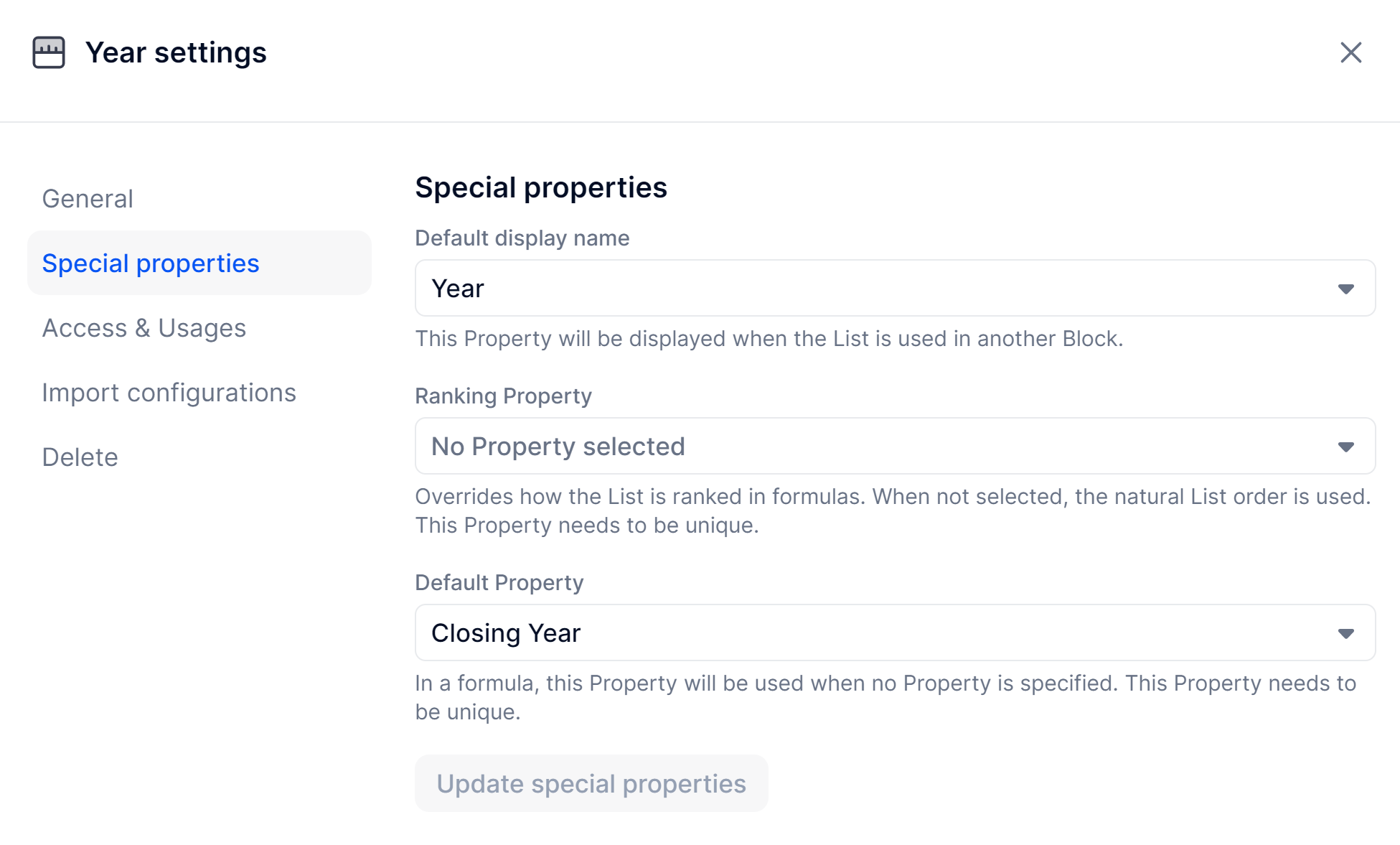
In this usecase I would change the default view of the property, you can do that by doing the following;

Open the ‘Year’ Block Settings
Navigate to ‘Special Properties’ and then change the ‘Default display name’ to the new property
This value will then show by default


I hope this helps but do let me know if I can help further!

View original

2 replies

Keiran
Wallflower
Forum|alt.badge.img+11
  • Wallflower
  • Answer
  • Jul 7, 2022 2:15 PM UTC

Hi Marina,

You can’t edit the default property values in the system generated calendar dimensions but you can add new properties

Insert a Property
Select a name and type
Add your new value


You can then use this property.


In this usecase I would change the default view of the property, you can do that by doing the following;

Open the ‘Year’ Block Settings
Navigate to ‘Special Properties’ and then change the ‘Default display name’ to the new property
This value will then show by default


I hope this helps but do let me know if I can help further!


Marina
Wallflower
Forum|alt.badge.img+1
  • Author
  • Wallflower
  • Jul 8, 2022 9:16 AM UTC

It worked! thanks so much!