

Question

Conditional Percentage allocation

  • March 2, 2026
  • 1 reply
  • 23 views

Forum|alt.badge.img

Hello,

I am preparing input metrics to be filled in by the sales reps for the forecast.

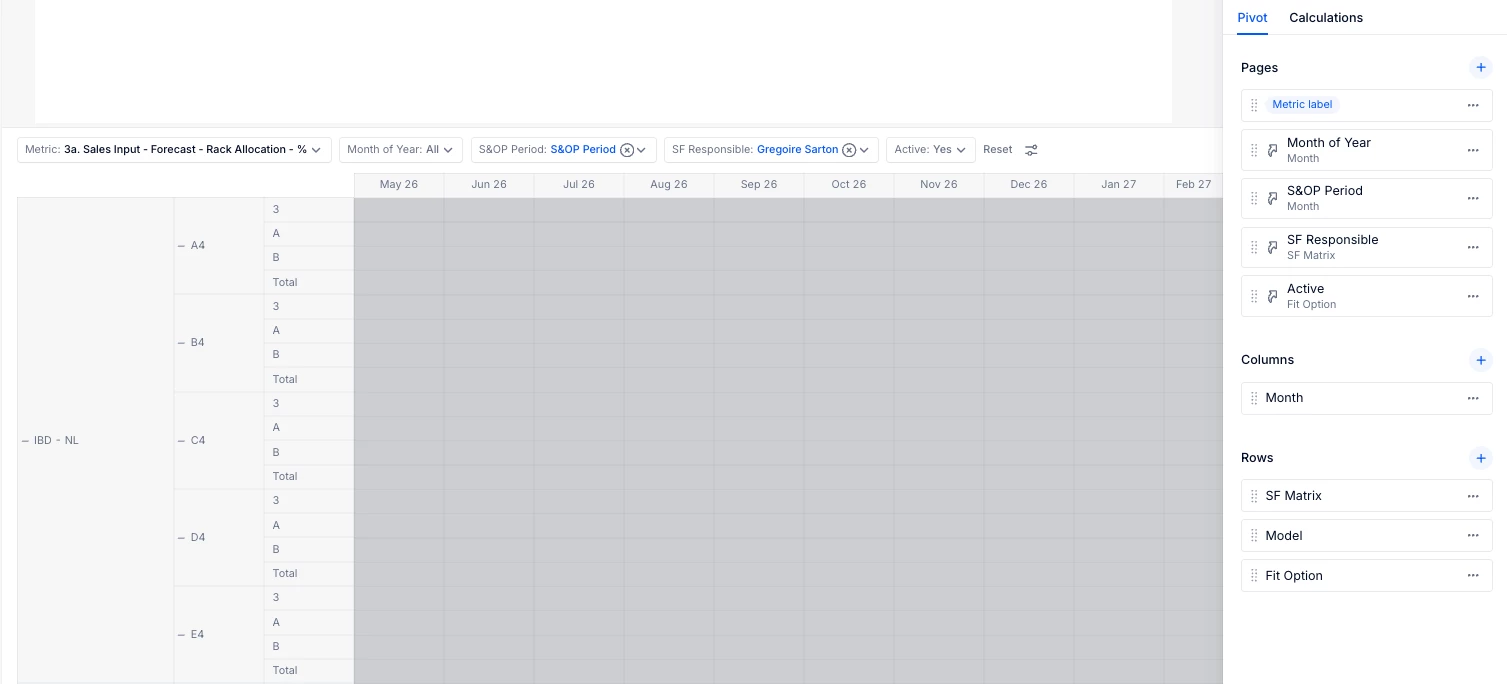
In the process they must allocate the “Fit Option” based on percentages by Model.

However, for the model “A4”, “B4” and “C4” they can only fill in the “Fit option” “A “or “B” and for Model “D4” and “E4” it is always “3”.

So, I was wondering if there is a way to:

  1. Only show A and B for Model A4, B4 and C4 and 3 for D4 and E4?
  2. Can I automatically fill in 100% for model D4 and E4 option “3”?
  3. Is there a way to highlight that each subtotal by model should be equal to 100%?

Thanks for your help!

Ben
 

1 reply

Julie Guérin
Employee
Forum|alt.badge.img+8

Hi ​@Ben Essalama,

To answer your questions:

  1. You can create a Boolean filtering metric to identify the combinations you want to display. Add it to the same table as your input metric, hide it in the Pivot view, and use it as a view filter (Boolean = TRUE) to show only the relevant combinations.
    However, you’ll need to place the Month dimension in the rows alongside your other dimension, similar to the setup described in this question: 


  2. Yes, you can use a formula to automatically populate certain lines, such as IF((Model.“D4” or Model.“E4”) AND ‘Fit Option’.3, 100) 
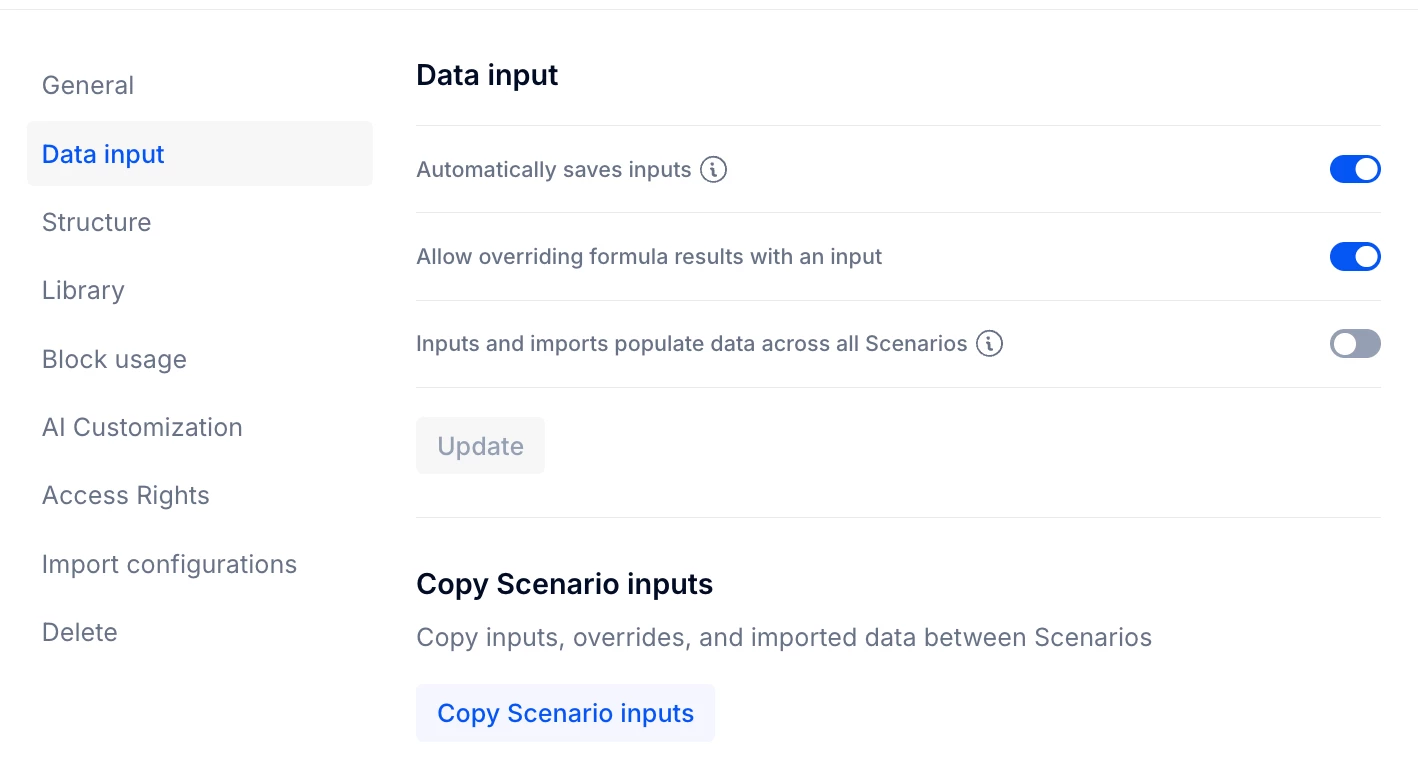
    Just make sure that “Allow overriding formula results with an input” is enabled in the metric structure if users need the ability to manually adjust values.


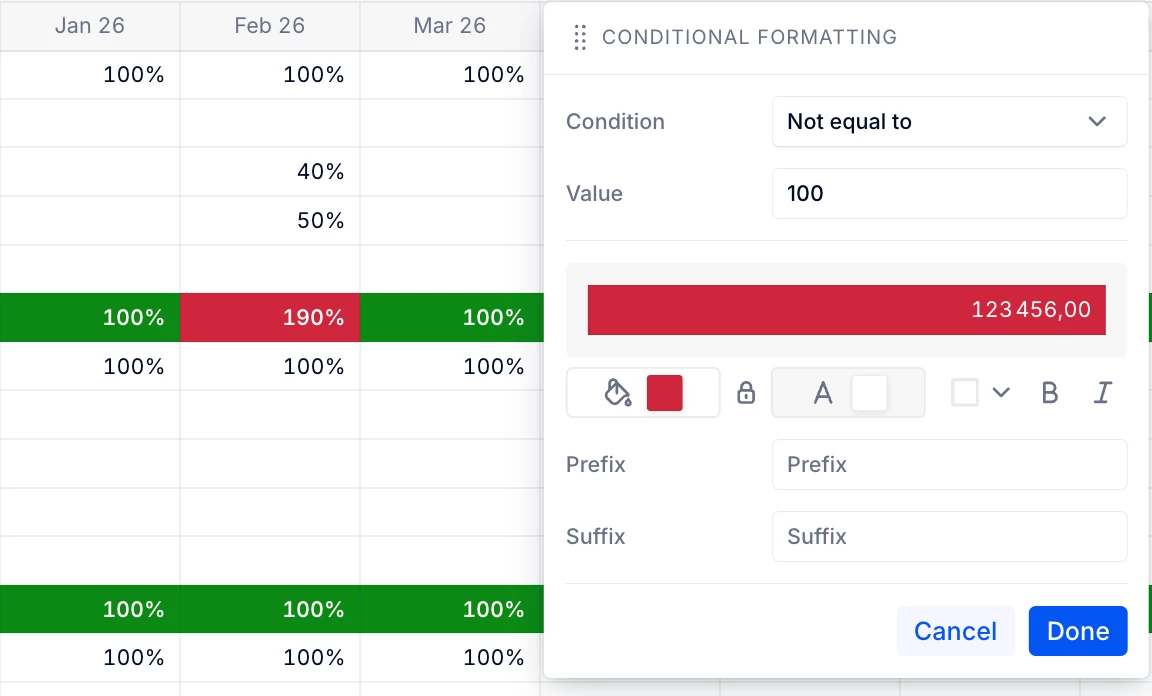
  3. You can set up conditional formatting at the subtotal level by clicking the arrow on the subtotal, and creating two separates rules: one for “Not equal to 100” and another for “Equal to 100”,  each with a different colour.


    Hope this help!