

Question

Core Reporting Training - Transactional List errors using same source column multiple times

  • August 31, 2026
  • 2 replies
  • 26 views

Forum|alt.badge.img+1

Hi, I am running into a blocker here.

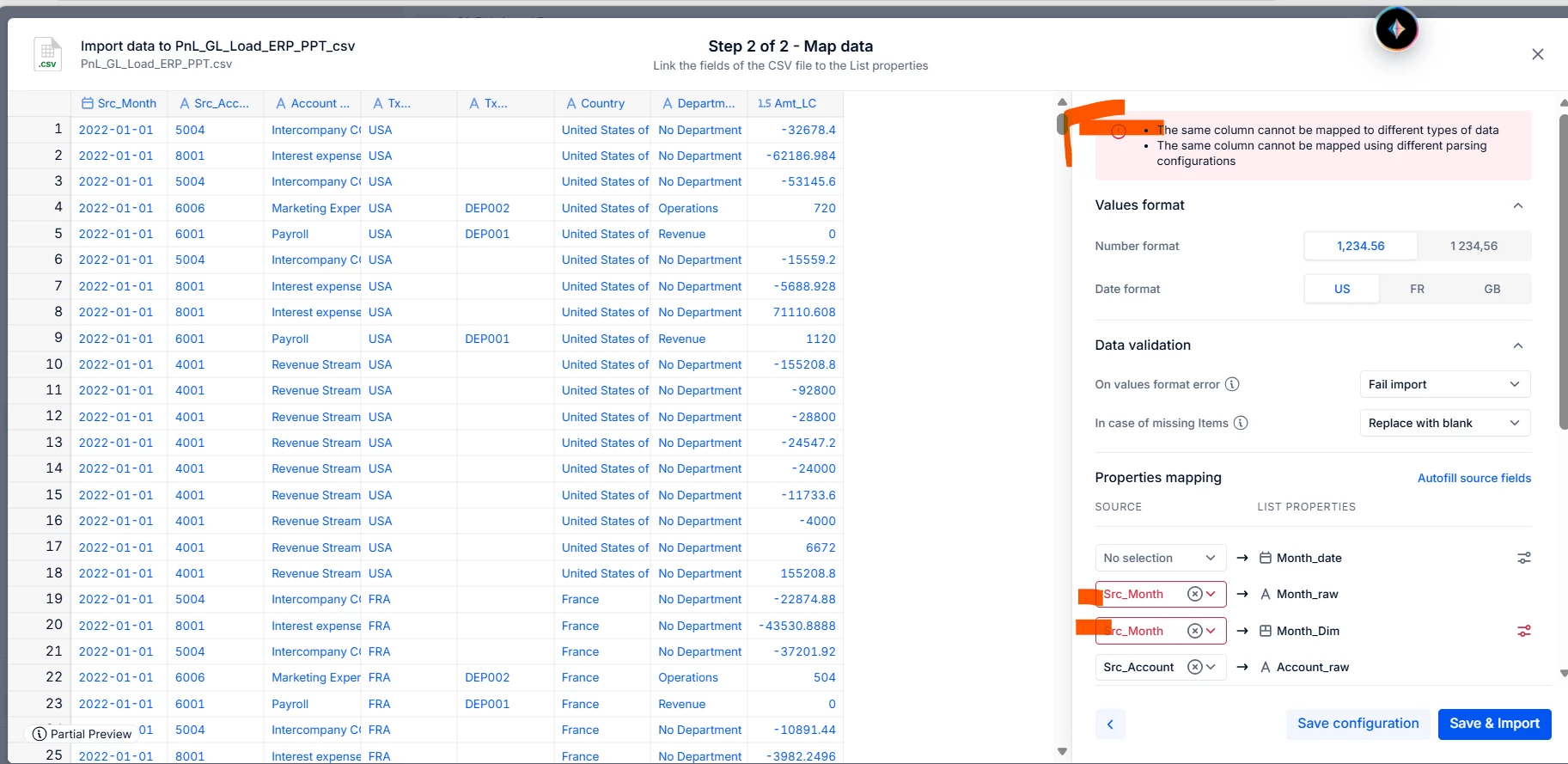
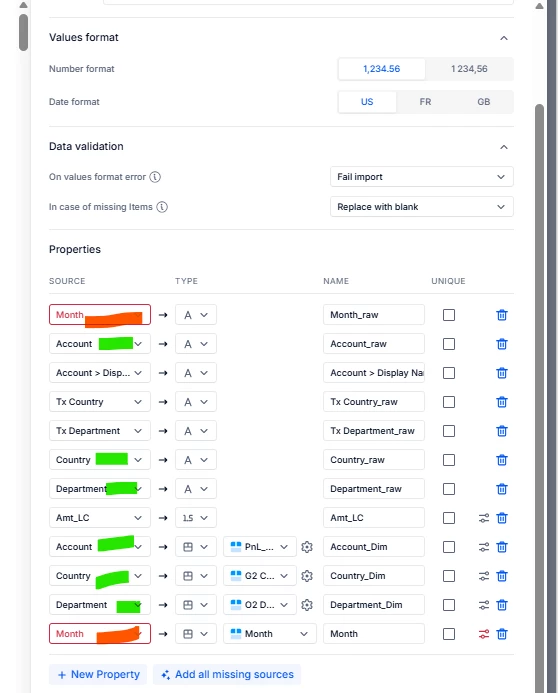
Doing an import starting from a file, it wont let me select multiple times the month columns (though the other columns work just fine...)

I am quite sure this error does not show up in previous TL lists imports I did in the past.

Any guess ?
 

2 replies

Forum|alt.badge.img
  • Apprentice Author
  • August 31, 2026

Hi DSA,

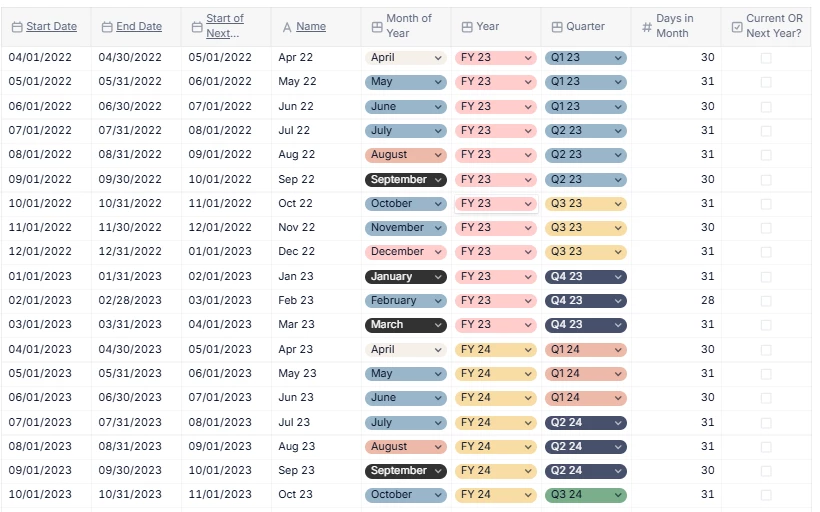
I suspect your intregration isn’t working because the month dimensions lacks a column with a “unique item values.” Here’s how my company’s month dimension looks in Pigment (the underlined values are the unique ones): 


Your intregration needs to output your “month” column in the same format as one of your unique columns in your month dimension, to allow it to read and assign the month.

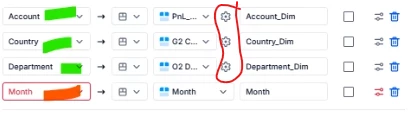
Once you have at least one “unique item values” column configured in the intregration, you will see a little setting cog next to the month dimension column (same as the account, country and department dims have currently) 


Hope that helps


Forum|alt.badge.img+1
  • Author
  • Author
  • September 1, 2026

Hi, Thanks, why should I need an “unique item values” in Transaction List import ?

The TL is specifically design to allow to load source data missing uniqueness constraints, so I wonder why in this particular instance of using text based data with a pattern “Month-year” to be mapped to 2 columns (one keeping the raw value, one mapping to the Pigment generated calendar Month dimension as per the trainings best practices) it would raise a blocking error.

Besides :

  • the Month dimension is system generated by Pigment thanks to the calendar, so uniqueness is a guarantee there.
  • I absolutely dont want my TL to have “Month” as a unique key as it’s PnL data with multiple lines per accounts, geography and Time periods


...As a further information, I have worked around this and was able to get it working by

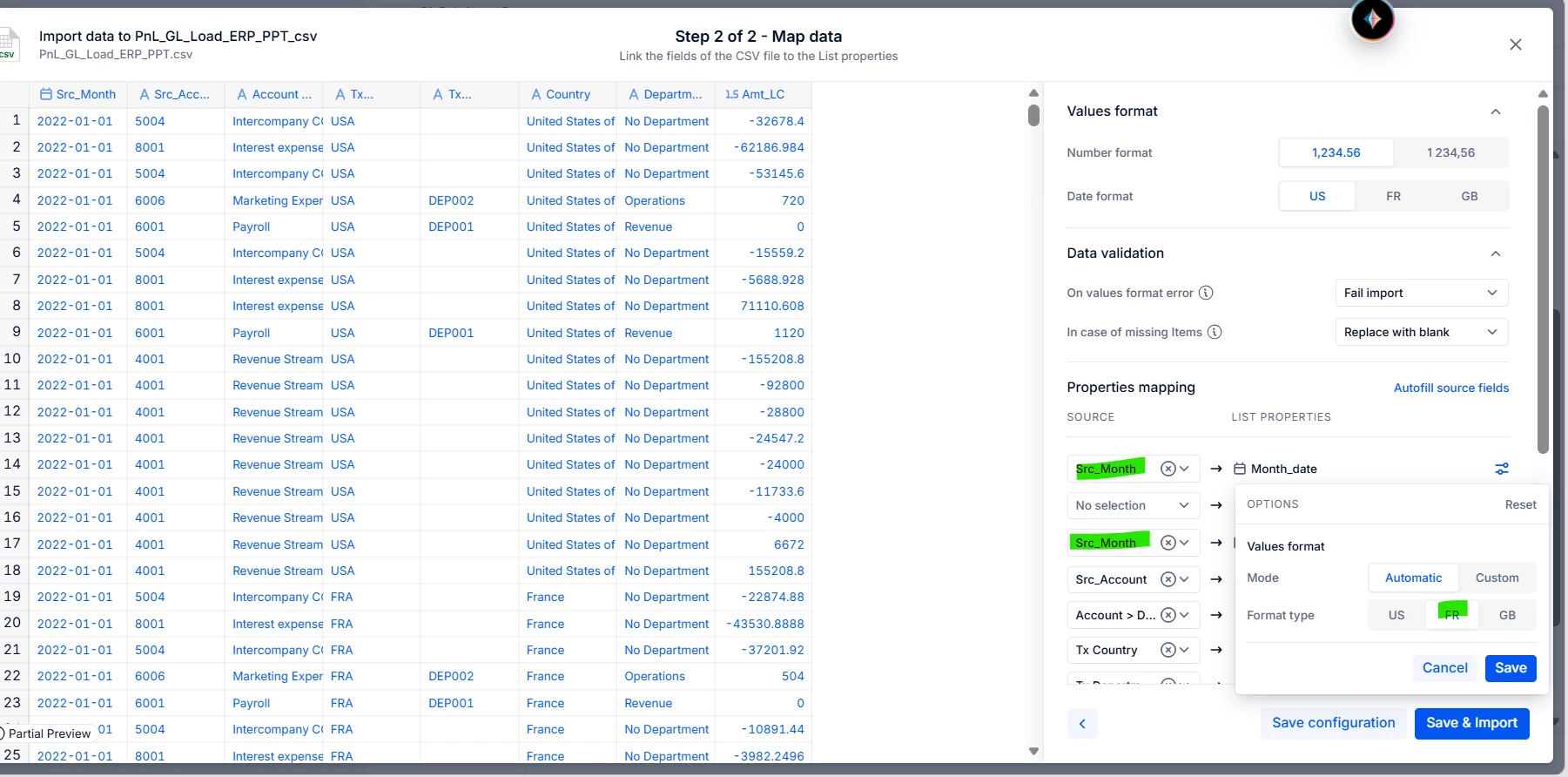
  • creating another property formatted as date, then map the source column there for the import (“month_date”)
  • map again the source file column month to “Month_dim” (property formatted as calendar Month)
  • Had to align the date patterns to “FR” for both (they seemed to clash again)


So : these wont work : 

  • Using same column to map to text and to Month Dim
  • Using same column to map to date and Month Dim with different format types
  • Text + Date

These work : 

  • Date + Month Dim
  • Text + Dim°