

Hi everyone,
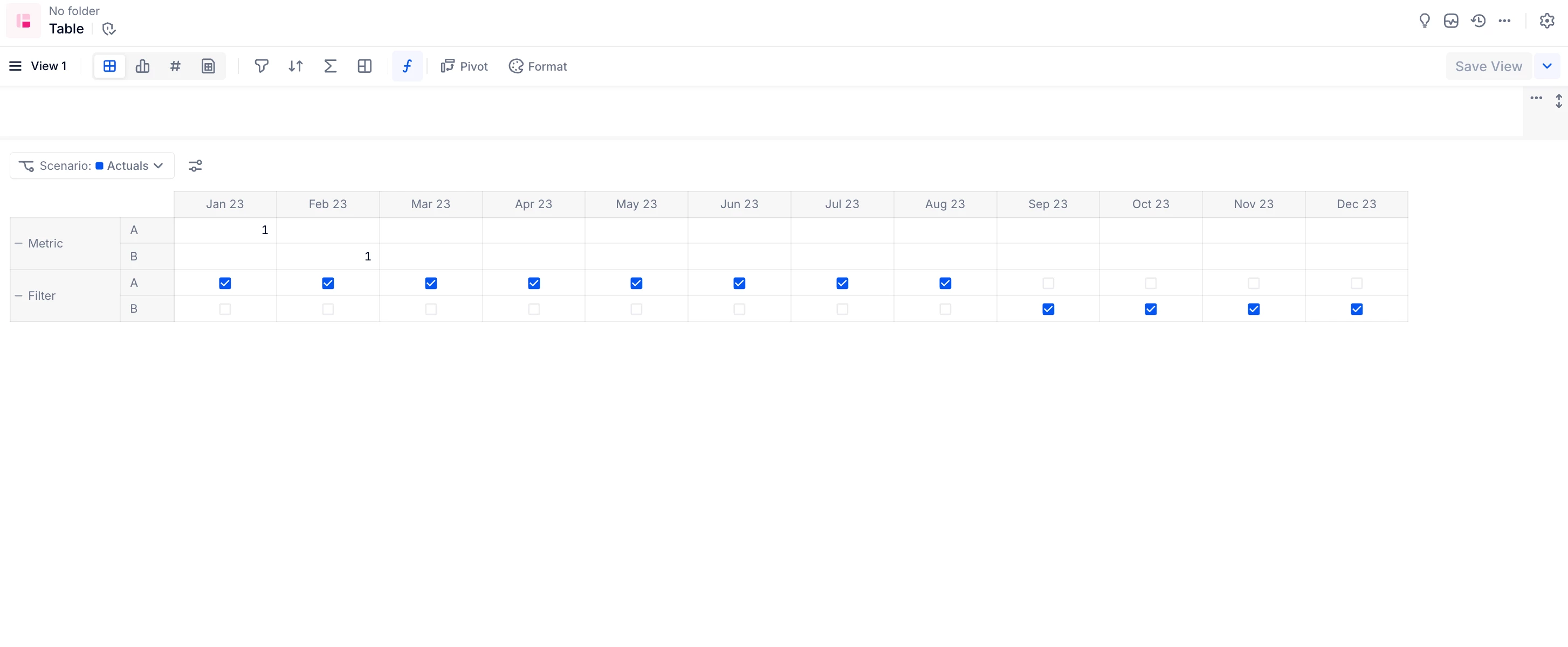
I’m running into a problem with filtering months dynamically based on version in Pigment, and I’m not sure how to handle it. Here’s the situation:
Context:
-
I have a table with Version in rows and Month in columns.
-
I created two metrics (both identical, boolean, dimensioned by Month and Version):
-
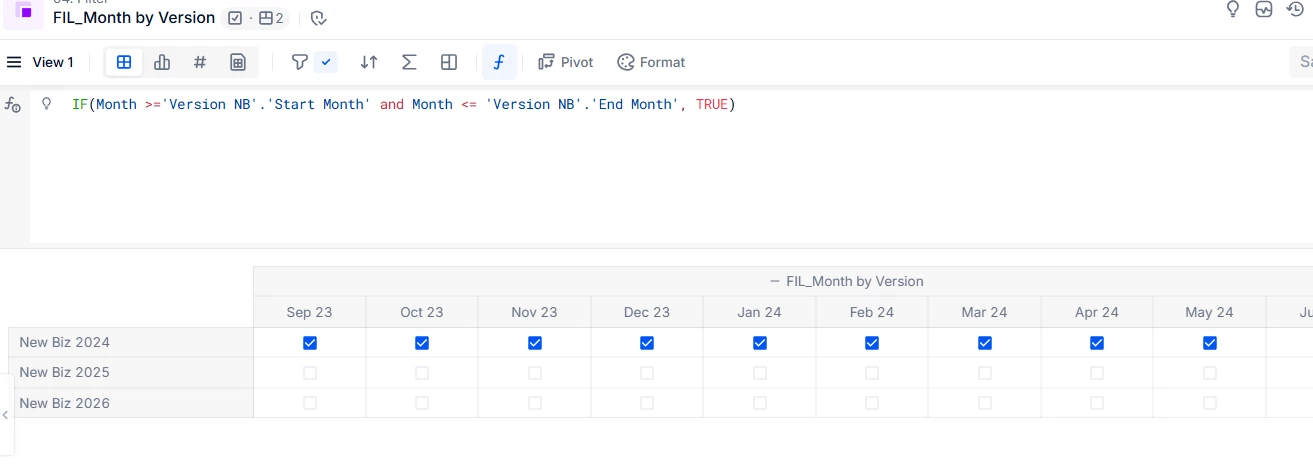
A filter metric that marks which months are related for each version.
-
Example:
-
New Biz 2025 → Sep-24 to Dec-25 = TRUE
-
New Biz 2026 → Sep-25 to Dec-26 = TRUE
-
-
-
-
-
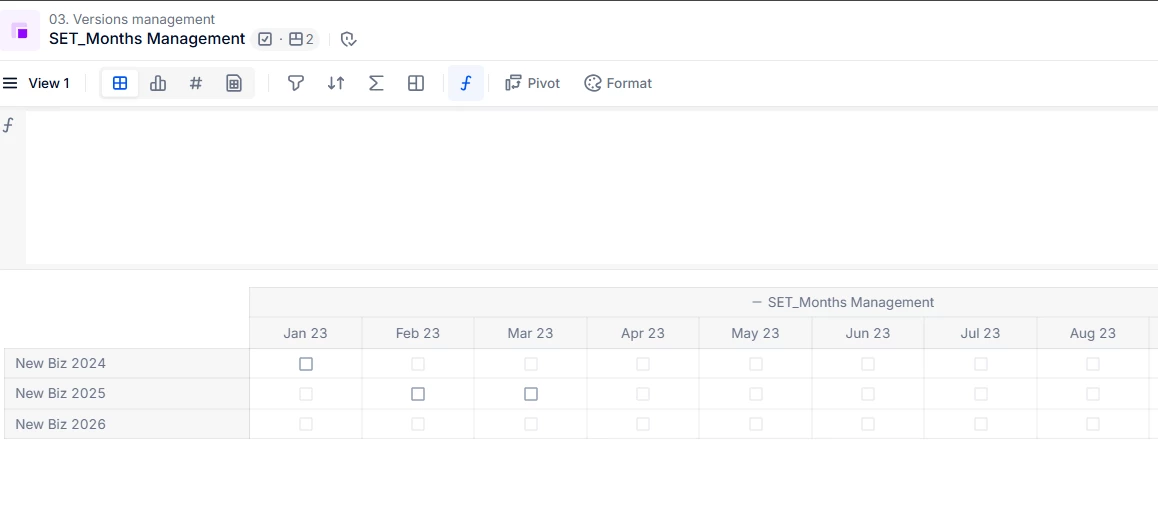
A data-entry metric to “open/close” months for each version. This ensures that, when a version is selected, only the relevant months are shown, not all months.
-
Problem:
-
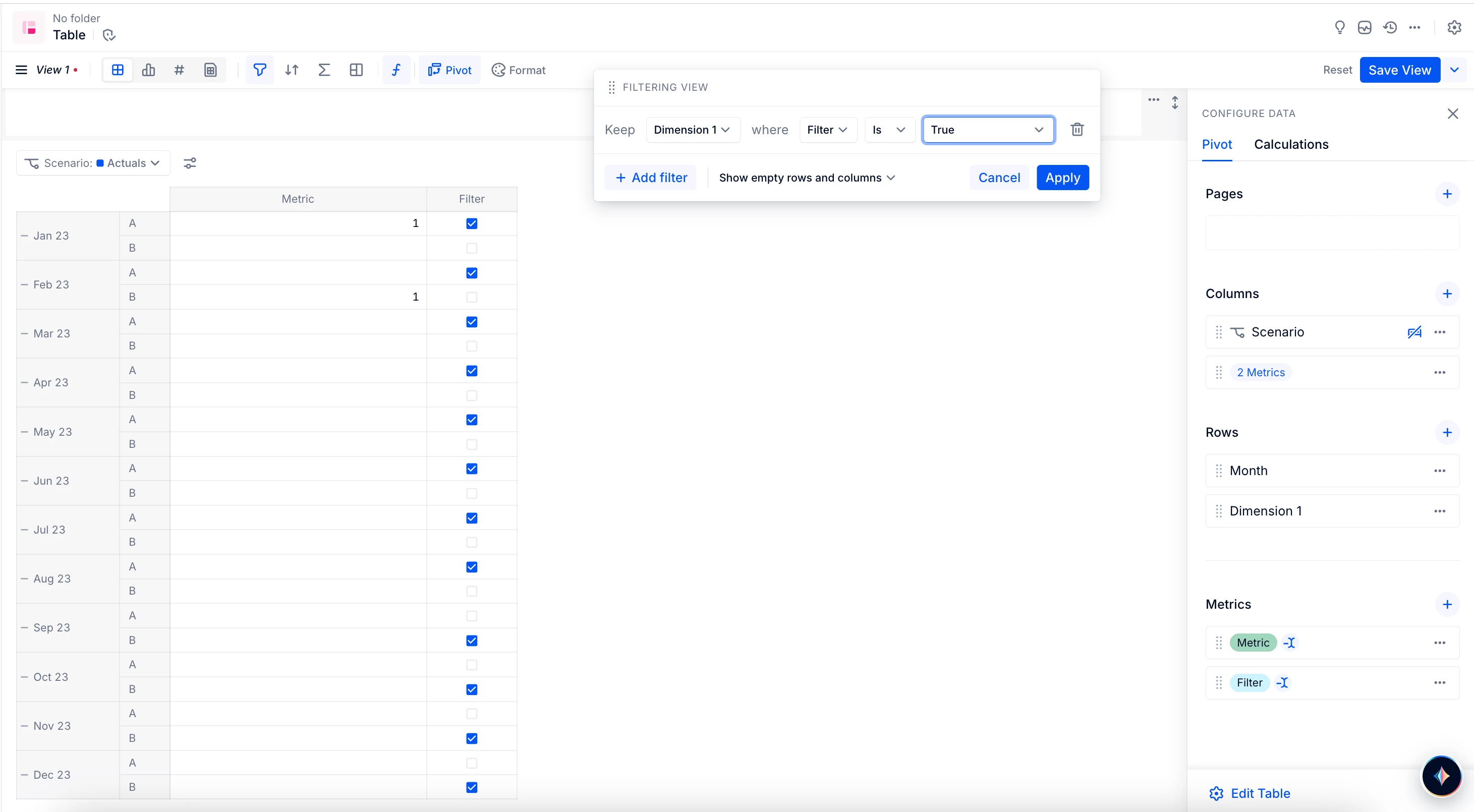
I added both metrics to a table and tried to apply a filter to display only the months marked TRUE by the filter metric.
-
Pigment forces me to select a specific month if I try to filter across all versions.
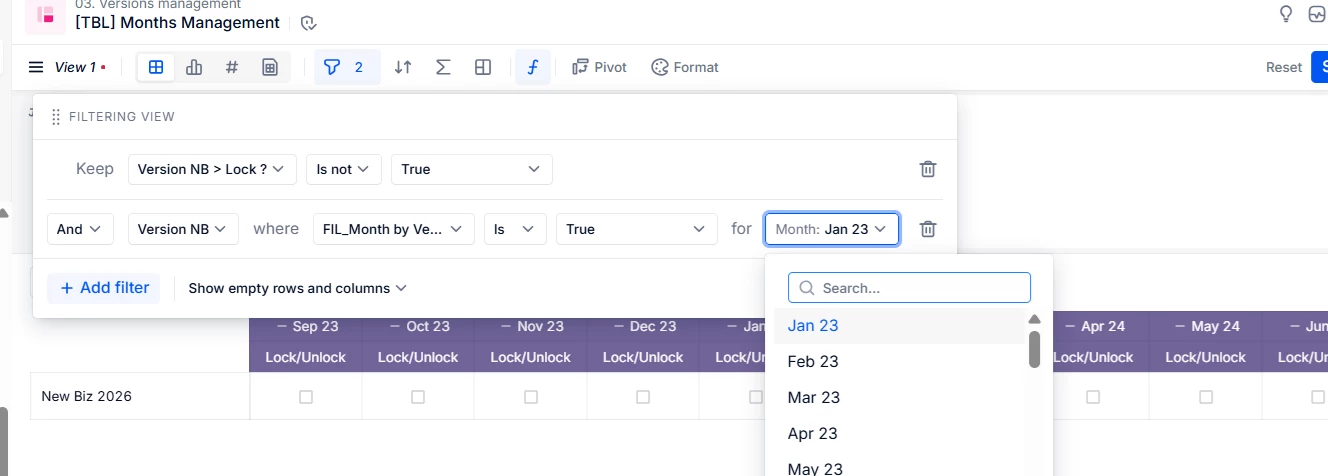
-
It also forces me to select a specific version if I try to filter across all months.
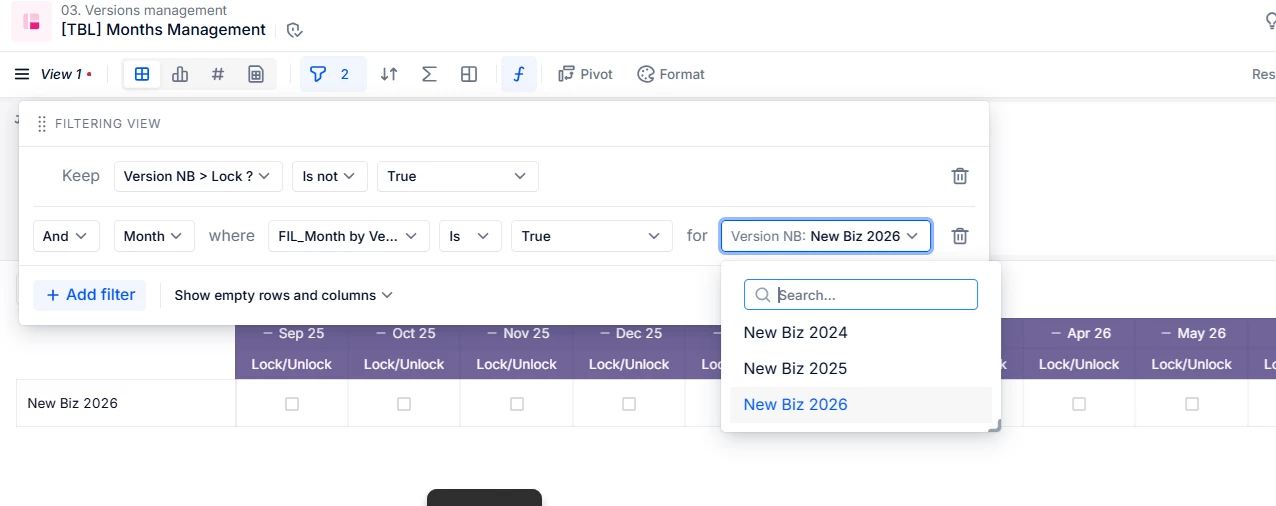
-
In short, I cannot apply a filter that works for all months and all versions at once, even though both metrics are boolean and dimensioned by Month and Version.
What I want:
- A filter that automatically shows the correct month range for each version, without having to manually select a month or a version.
Has anyone faced a similar issue? Is there a better or standard way to apply dynamic filters on both Version and Month in Pigment?
Thanks in advance!