

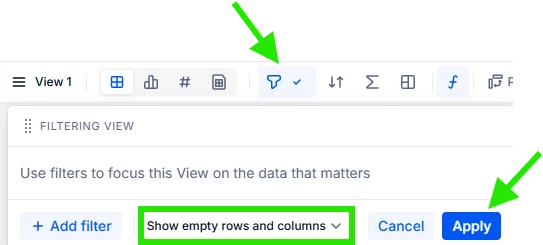
Hi everyone, I’m trying to export a template from a Pigment table. Right now, the export only shows the headers (Account, Month, Property, Version, Amount) and no rows underneath. I want the full structure to export, including all account rows and combinations, but with blank amount values. Does anyone know how to do this?

Solved
Pigment Export Template Showing Only Headers




Log into the Pigment Community
No account yet? Create an account
Single Sign-On Need help?
Log in with your Pigment accountEnter your E-mail address. We'll send you an e-mail with instructions to reset your password.