


Hi,
I have a metric that pulls data from previous version and has metric override on. In current version, is there a way to delete data that came over from previous version without that cell reverting back to formula based result even if I don’t input any value.

Solved
Previous() Override
- Master Author
Best answer by Julie Guérin
Hi there,
This behaviour is expected - when you override a formula with a value, the manual value takes precedence. However, a blank is not considered a value, so the formula is applied again.
For numeric fields, you can enter 0, as suggested by
For text fields, you could enter a placeholder such as “-” and similarly exclude it in your formula. The initial entry will remain as it is an override rather than a formula-driven result.
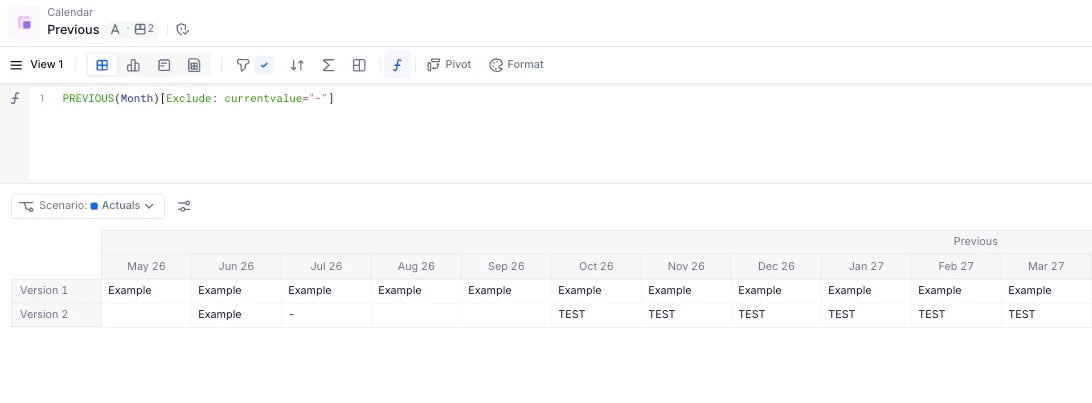
Hope this helps!











Enter your E-mail address. We'll send you an e-mail with instructions to reset your password.