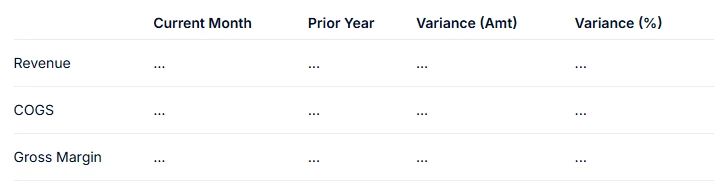
I'm building a monthly P&L view on a Table block and I'm trying to achieve the following layout:
The user selects one month (e.g. Dec 25) via a page selector, and the view dynamically shows: - The value for that month - The value for the same month prior year (Dec 24) - The absolute variance (CY − LY) - The % variance ((CY − LY) / LY)
What I've tried: - Calculated items with offset -12** on the Month column pivot — works great when Month is on Columns, but breaks when Month is on Pages (the page selector filters out the offset month)
My question: Is there a native Pigment way to keep a single-month page selector and still show dynamic LY + variance columns?
Thanks in advance!
Best answer by Anastasia Lebedeva
Hi,
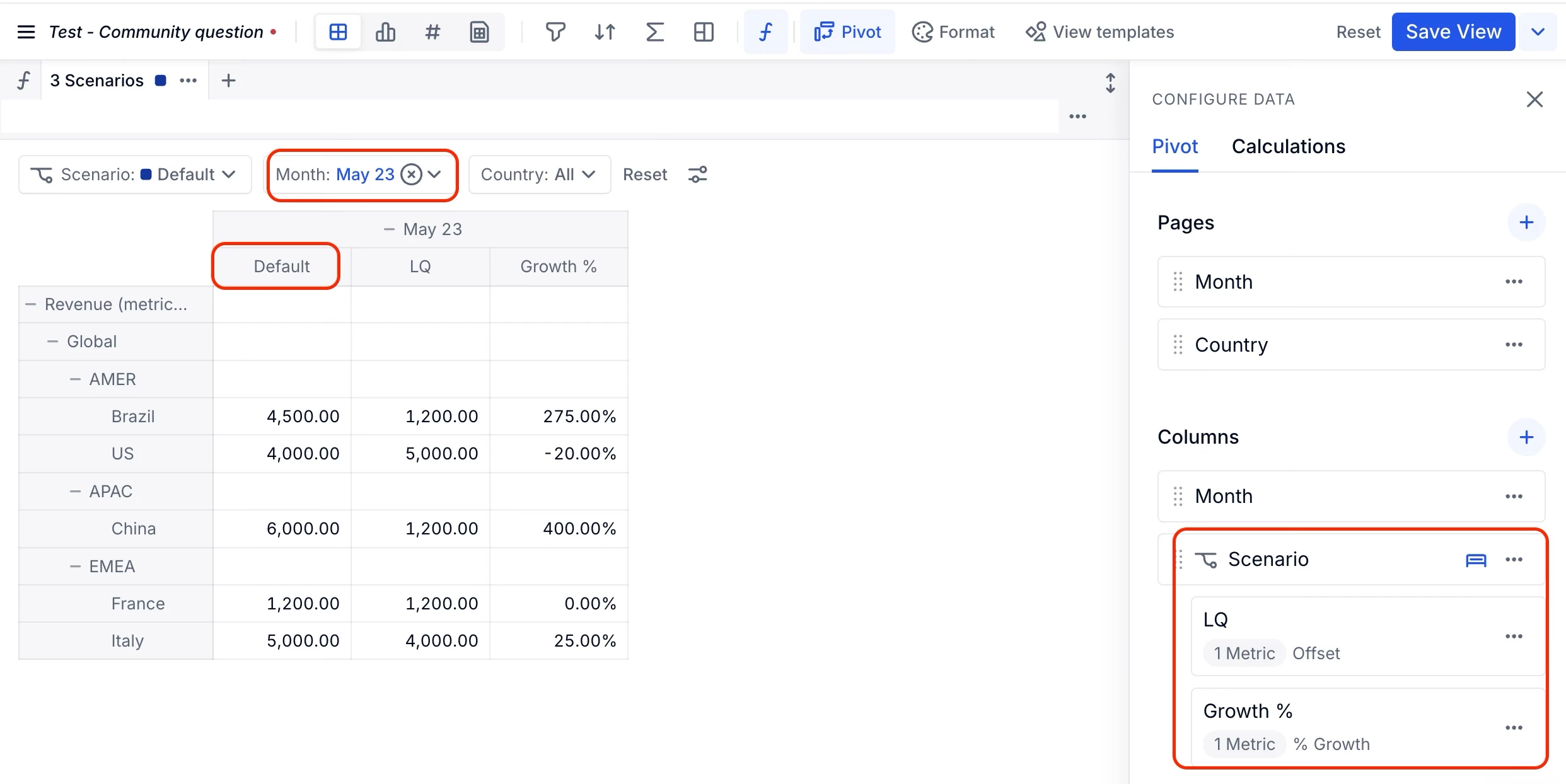
Calculated Items are still the recommended approach for this use case! To achieve the layout you're looking for, you can create the Calculated Items on a dimension, Version or Scenario, while keeping Month as the page selector. This setup allows you to select a single month while displaying the current value, LY, and variance columns side by side.
The reason for this is that when Calculated Items are created directly on the Month dimension, the Month page selector filters the view to only the selected month. Since the prior-year month is no longer available in the context of the view, the LY offset cannot be evaluated and the calculation will not populate as expected.
I have also attached a screenshot from my Pigment demo showing an example where the Calculated Items are created on a Scenario dimension while Month is used as the page selector.
Calculated Items are still the recommended approach for this use case! To achieve the layout you're looking for, you can create the Calculated Items on a dimension, Version or Scenario, while keeping Month as the page selector. This setup allows you to select a single month while displaying the current value, LY, and variance columns side by side.
The reason for this is that when Calculated Items are created directly on the Month dimension, the Month page selector filters the view to only the selected month. Since the prior-year month is no longer available in the context of the view, the LY offset cannot be evaluated and the calculation will not populate as expected.
I have also attached a screenshot from my Pigment demo showing an example where the Calculated Items are created on a Scenario dimension while Month is used as the page selector.